Apple iPad mini (iOS6)

Apple iPad mini

iOS 6

Read iMessage - Apple iPad mini (iOS6)

Read help info

Follow these instructions to find and read an iMessage in your inbox.

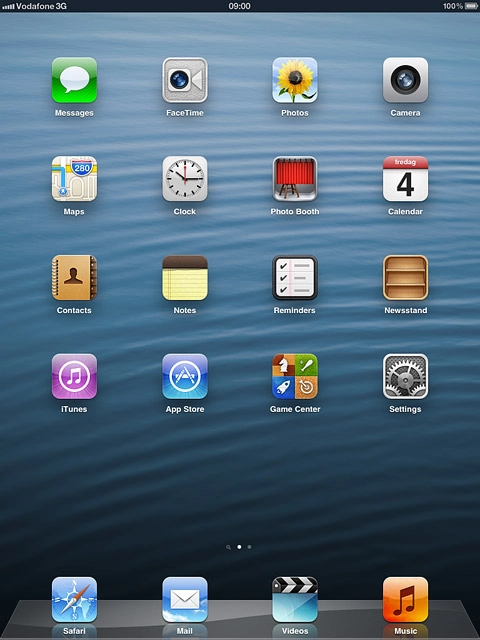
Press Messages.
Step 1 of 17

Open inbox

Press Messages.
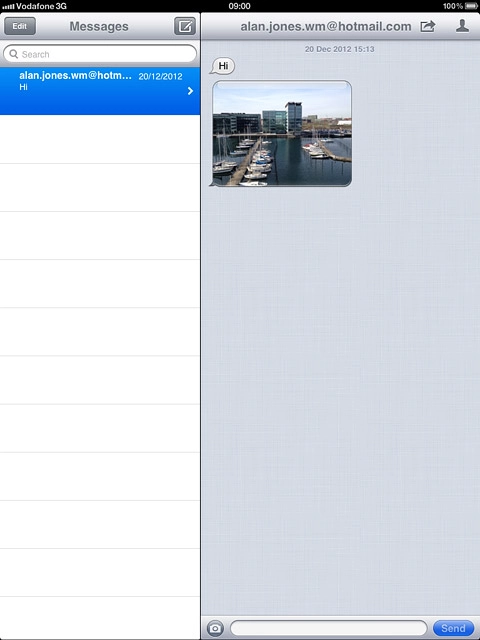
Press the required sender.
Step 2 of 17

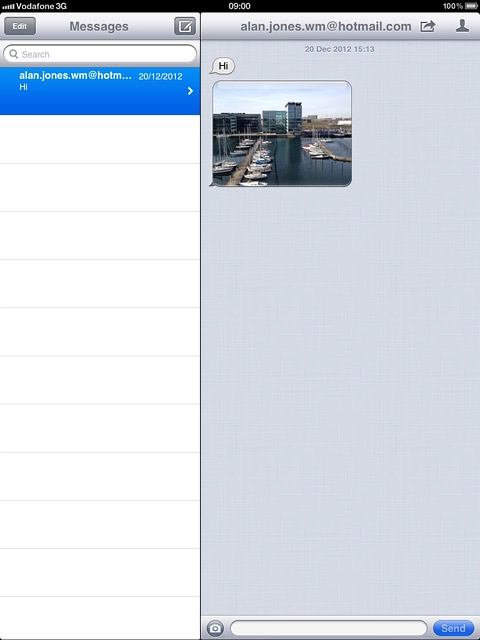
Read iMessage

Press the required sender.

Apple iPad mini (iOS6)
Step 3 of 17

Select option

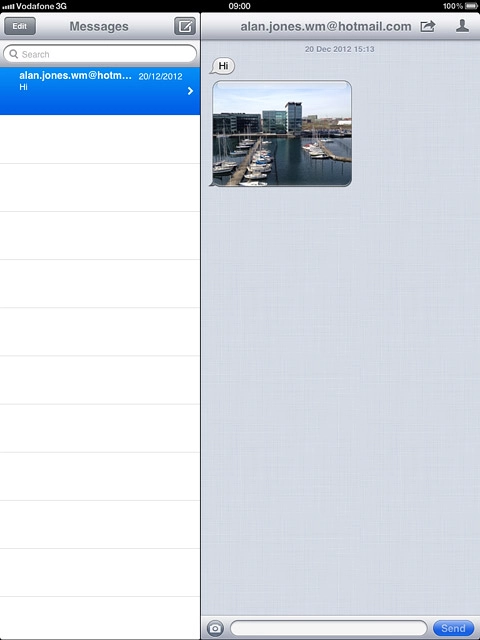
You have a number of options when you've read an iMessage.
Select one of the following options:
Reply to iMessage, go to 3a.
Forward iMessage, go to 3b.
Delete iMessage, go to 3c.

Press the text input field and write the required text.
Step 4 of 17

3a - Reply to iMessage

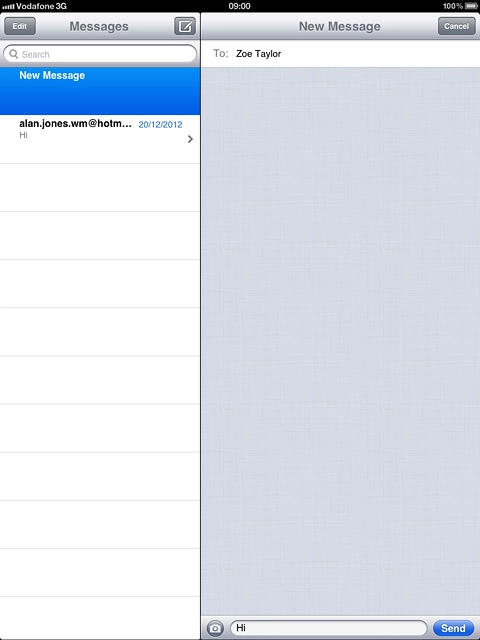
Press the text input field and write the required text.

Press Send.
Step 5 of 17

3a - Reply to iMessage

Press Send.

Press the menu icon.
Step 6 of 17

3b - Forward iMessage

Press the menu icon.

Press the required iMessage to tick it.
Step 7 of 17

3b - Forward iMessage

Press the required iMessage to tick it.

When an iMessage is ticked (V), it's selected.
Step 8 of 17

3b - Forward iMessage

When an iMessage is ticked (V), it's selected.

Press Forward.Key in the first letters of the required contact.Matching contacts are displayed.
Step 9 of 17

3b - Forward iMessage

Press Forward.
Key in the first letters of the required contact.
Matching contacts are displayed.

Press the required contact.
Step 10 of 17

3b - Forward iMessage

Press the required contact.

Press Send.
Step 11 of 17

3b - Forward iMessage

Press Send.

Press the menu icon.
Step 12 of 17

3c - Delete iMessage

Press the menu icon.

Press the required iMessage to tick it.
Step 13 of 17

3c - Delete iMessage

Press the required iMessage to tick it.

When an iMessage is ticked (V), it's selected.
Step 14 of 17

3c - Delete iMessage

When an iMessage is ticked (V), it's selected.

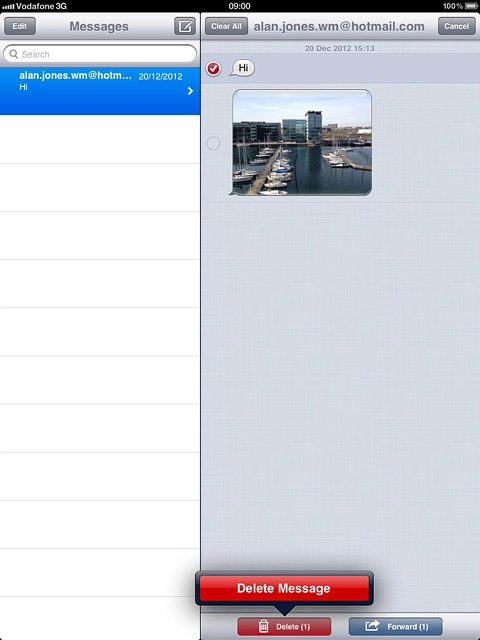
Press Delete.
Step 15 of 17

3c - Delete iMessage

Press Delete.

Press Delete Message.
Step 16 of 17

3c - Delete iMessage

Press Delete Message.

Press the Home key to return to standby mode.
Step 17 of 17

Exit

Press the Home key to return to standby mode.

Open inbox

Press Messages.

Read iMessage

Press the required sender.
Select option

You have a number of options when you've read an iMessage.
Select one of the following options:
Reply to iMessage, go to 3a.
Forward iMessage, go to 3b.
Delete iMessage, go to 3c.
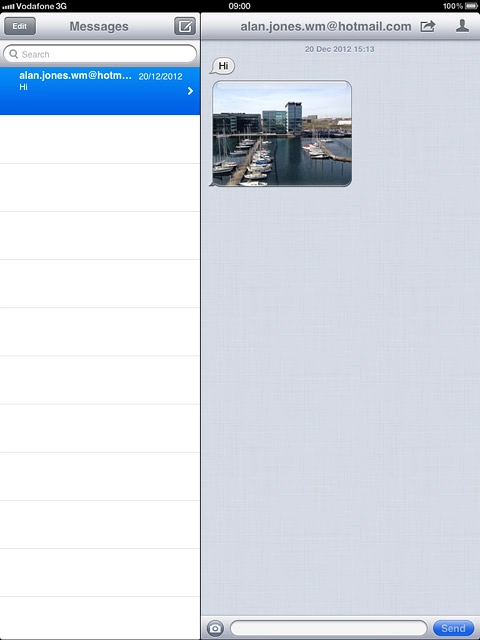
Apple iPad mini (iOS6)

3a - Reply to iMessage

Press the text input field and write the required text.
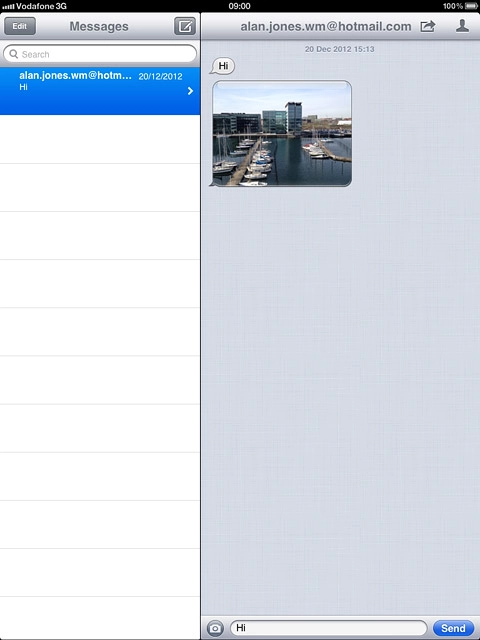
Press Send.

3b - Forward iMessage

Press the menu icon.
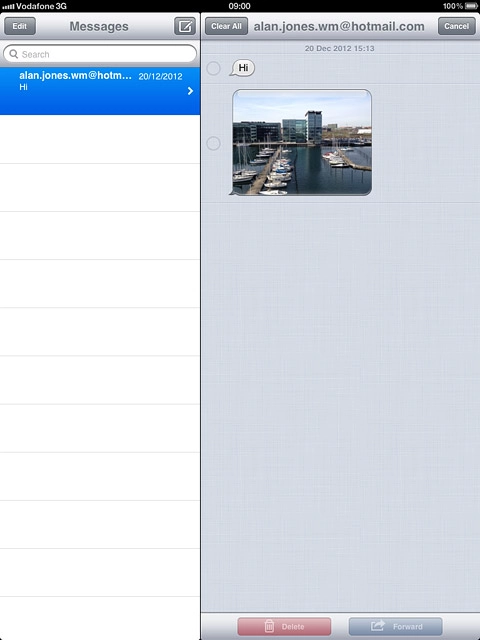
Press the required iMessage to tick it.
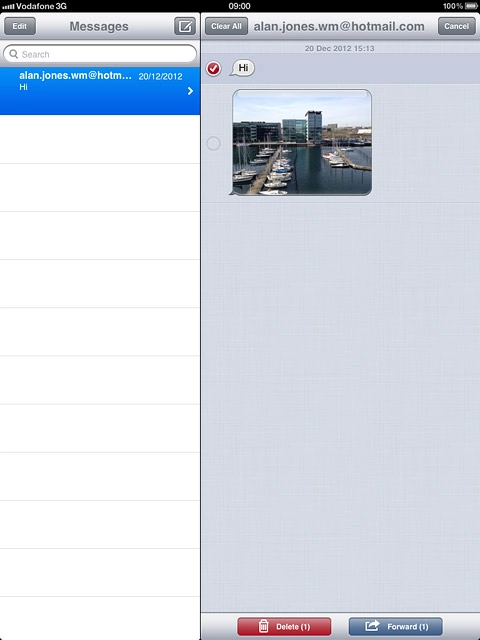
When an iMessage is ticked (V), it's selected.
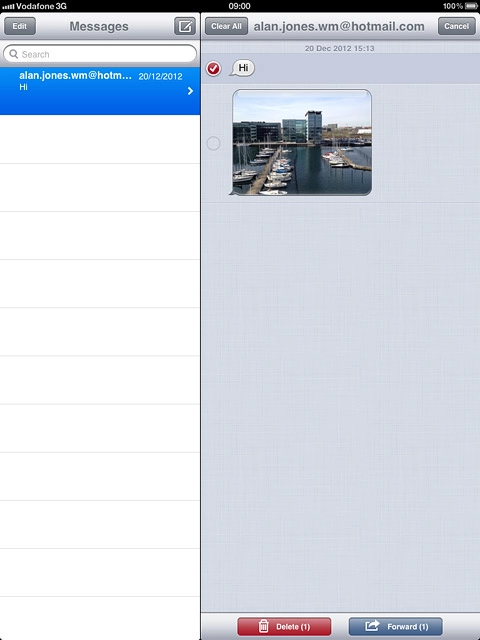
Press Forward.
Key in the first letters of the required contact.
Matching contacts are displayed.
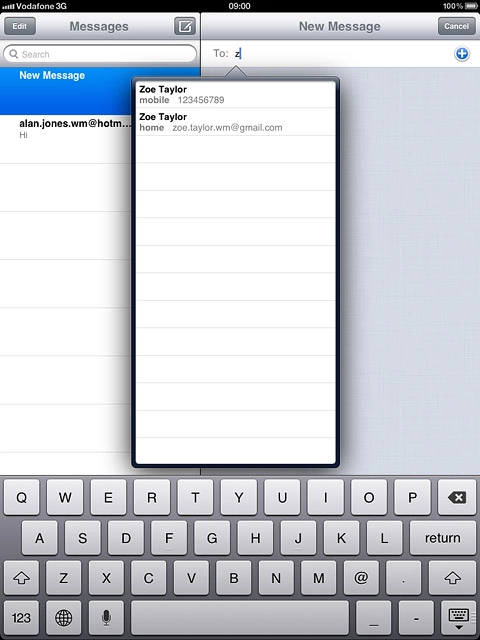
Press the required contact.
Press Send.

3c - Delete iMessage

Press the menu icon.
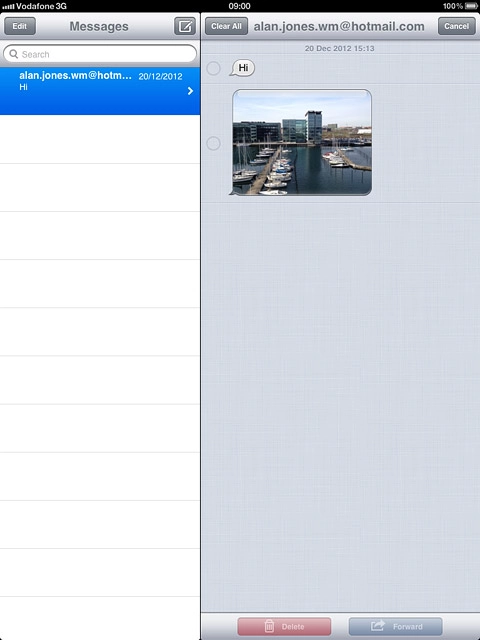
Press the required iMessage to tick it.
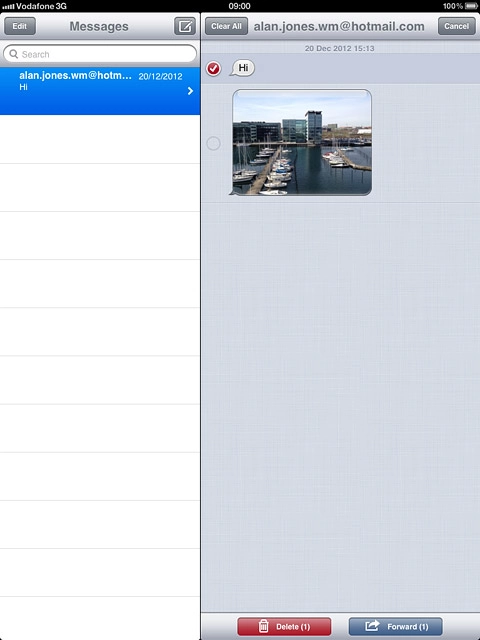
When an iMessage is ticked (V), it's selected.
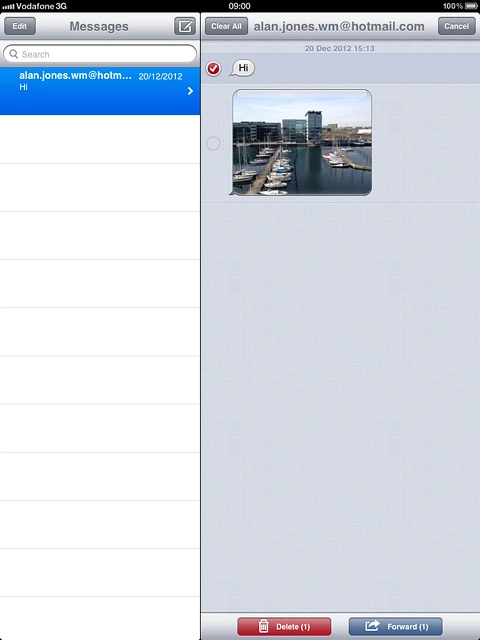
Press Delete.
Press Delete Message.

Exit

Press the Home key to return to standby mode.

Thank you for your evaluation!

Get information on...

Or select...

Another device