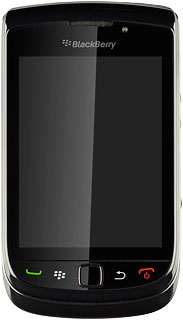
BlackBerry 9800 Slider

BlackBerry 9800 Slider

Choose language - BlackBerry 9800 Slider

Read help info

You can choose language for the phone menus. Follow these instructions to choose language.

Press the Menu key twice.
Step 1 of 10

Find "Display Language"

Press the Menu key twice.

Press Options.
Step 2 of 10

Find "Display Language"

Press Options.

Press Typing and Input.
Step 3 of 10

Find "Display Language"

Press Typing and Input.

Press Language.
Step 4 of 10

Find "Display Language"

Press Language.

Press Display Language.
Step 5 of 10

Find "Display Language"

Press Display Language.

Press the required language.
Step 6 of 10

Select language

Press the required language.

Press the Menu key.
Step 7 of 10

Save and exit

Press the Menu key.

Press Save.
Step 8 of 10

Save and exit

Press Save.

Press Disconnect.
Step 9 of 10

Save and exit

Press Disconnect.

Press the Return key to return to standby mode.
Step 10 of 10

Save and exit

Press the Return key to return to standby mode.

Find "Display Language"

Press the Menu key twice.
Press Options.
Press Typing and Input.
Press Language.
Press Display Language.

Select language

Press the required language.

Save and exit

Press the Menu key.
Press Save.
Press Disconnect.
Press the Return key to return to standby mode.

Thank you for your evaluation!

Get information on...

Or select...

Another device