
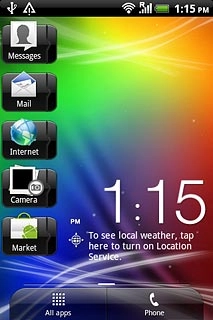
Find "People"
Press All apps to open the main menu.
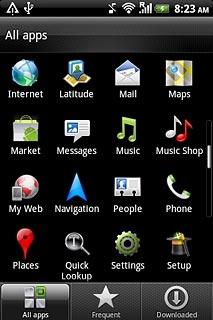
Find "People"
Press People.
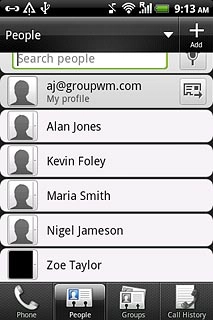
Select contact
Press the required contact.
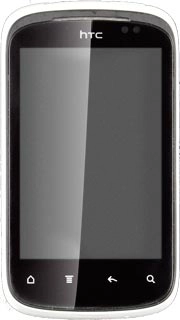
Select contact
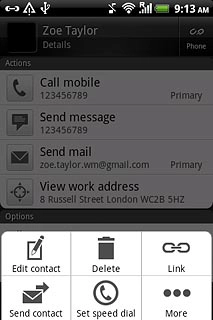
Press the Menu key.
Select contact
Press Set speed dial.
Save contact on a speed dialling key
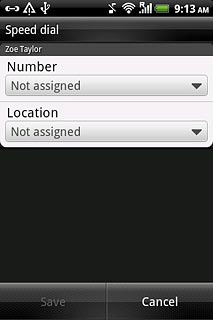
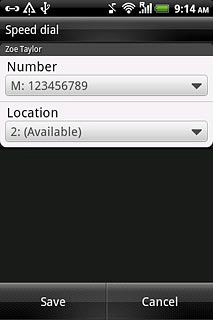
Press the drop down list below Number.
Save contact on a speed dialling key
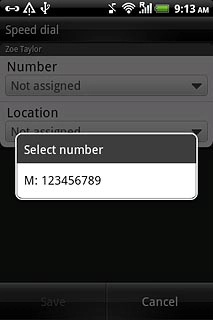
Press the required number.
Save contact on a speed dialling key
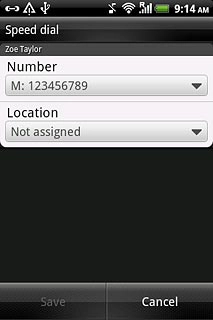
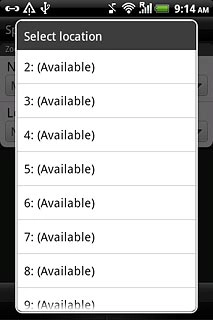
Press the drop down list below Location.
Save contact on a speed dialling key
Press the required speed dialling key.
Save contact on a speed dialling key
Press Save.

Exit
Press the Home key to return to standby mode.
Find "People"
Select contact
Save contact on a speed dialling key
Exit
Thank you for your evaluation!

Thank you for your evaluation!