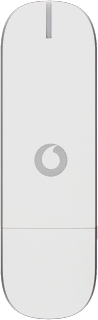
Huawei Ultra low stick K3771/Snow Leopard

Huawei Ultra low stick K3771

Change language - Huawei Ultra low stick K3771/Snow Leopard

Read help info

Follow these instructions to change the menu language.

Click Vodafone Mobile Broadband.
Step 1 of 13

Find "Language"

Click Vodafone Mobile Broadband.

Click Preferences.
Step 2 of 13

Find "Language"

Click Preferences.

Click Language.
Step 3 of 13

Find "Language"

Click Language.

Click the box next to Use system language to turn off the setting.
Step 4 of 13

Change language

Click the box next to Use system language to turn off the setting.

When the box next to the menu item is empty, the setting is turned off.
Step 5 of 13

Change language

When the box next to the menu item is empty, the setting is turned off.

Click OK.
Step 6 of 13

Change language

Click OK.

Click the drop down list below Use system language.
Step 7 of 13

Change language

Click the drop down list below Use system language.

Highlight the required language and click OK.
Step 8 of 13

Change language

Highlight the required language and click OK.

Click X.
Step 9 of 13

End USB modem application

Click X.

If required, click OK.
Step 10 of 13

End USB modem application

If required, click OK.

Do the following in Snow Leopard:Click the desktop.Click Go.
Step 11 of 13

Restart the USB modem application

Do the following in Snow Leopard:
Click the desktop.
Click Go.

Click Applications.
Step 12 of 13

Restart the USB modem application

Click Applications.

Double-click Vodafone Mobile Broadband.
Step 13 of 13

Restart the USB modem application

Double-click Vodafone Mobile Broadband.

Find "Language"

Click Vodafone Mobile Broadband.
Click Preferences.
Click Language.

Change language

Click the box next to Use system language to turn off the setting.
When the box next to the menu item is empty, the setting is turned off.
Click OK.
Click the drop down list below Use system language.
Highlight the required language and click OK.

End USB modem application

Click X.
If required, click OK.

Restart the USB modem application

Do the following in Snow Leopard:
Click the desktop.
Click Go.
Click Applications.
Double-click Vodafone Mobile Broadband.

Thank you for your evaluation!

Get information on...

Or select...

Another device