Nokia 3310 (2017)

Nokia 3310 (2017)

Select network on your Nokia 3310 (2017) Proprietary OS

Read help info

You can set your phone to select a network automatically or you can select a network manually. If you select a network manually, your phone will lose network connection when the selected network is out of reach.

Press the Navigation key.
Step 1 of 9

1. Find "Choose network"

Press the Navigation key.

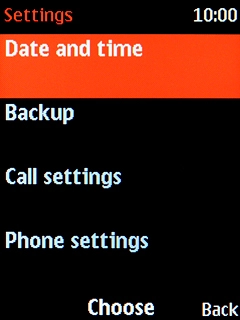
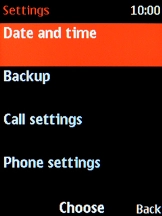
Select Settings.
Step 2 of 9

1. Find "Choose network"

Select Settings.

Select Phone settings.
Step 3 of 9

1. Find "Choose network"

Select Phone settings.

Select Connectivity.
Step 4 of 9

1. Find "Choose network"

Select Connectivity.

Select Choose network.
Step 5 of 9

1. Find "Choose network"

Select Choose network.

If you want to select a network automatically, select Automatic.
Step 6 of 9

2. Select network

If you want to select a network automatically, select Automatic.

If you want to select a network manually, select Manual and wait while your phone searches for networks.
Step 7 of 9

2. Select network

If you want to select a network manually, select Manual and wait while your phone searches for networks.

Select the required network.
Step 8 of 9

2. Select network

Select the required network.

Press Disconnect to return to the home screen.
Step 9 of 9

3. Return to the home screen

Press Disconnect to return to the home screen.

1. Find "Choose network"

Press the Navigation key.
Select Settings.
Select Phone settings.
Select Connectivity.
Select Choose network.

2. Select network

If you want to select a network automatically, select Automatic.
If you want to select a network manually, select Manual and wait while your phone searches for networks.
Select the required network.

3. Return to the home screen

Press Disconnect to return to the home screen.

Thank you for your evaluation!

Get information on...

Or select...

Another device