Nokia C3-01

Nokia C3-01

Write and send text messages - Nokia C3-01

Read help info

Follow these instructions to write and send text messages.
You need to set up your phone for text messaging before you can send text messages. Click here for information on how to set up your phone for text messaging.

Press Menu.
Step 1 of 9

Find "Create message"

Press Menu.

Press Messaging.
Step 2 of 9

Find "Create message"

Press Messaging.

Press Create message.
Step 3 of 9

Find "Create message"

Press Create message.
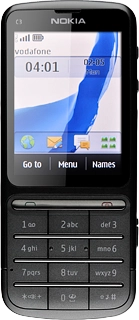
Nokia C3-01
Step 4 of 9

Write text

Write the text message.

Click here for information on how to write text.
Press Continue.
Step 5 of 9

Select recipient

Press Continue.

Press Contacts.
Step 6 of 9

Select recipient

Press Contacts.

Press the required contact.
Step 7 of 9

Select recipient

Press the required contact.

Press Send.
Step 8 of 9

Send the message

Press Send.

Press Disconnect to return to standby mode.
Step 9 of 9

Exit

Press Disconnect to return to standby mode.

Find "Create message"

Press Menu.
Press Messaging.
Press Create message.

Write text

Write the text message.
Click here for information on how to write text.
Nokia C3-01

Select recipient

Press Continue.
Press Contacts.
Press the required contact.

Send the message

Press Send.

Exit

Press Disconnect to return to standby mode.

Thank you for your evaluation!

Get information on...

Or select...

Another device