Samsung Galaxy Mini 2

Samsung Galaxy Mini 2

Use the radio - Samsung Galaxy Mini 2

Read help info

Follow these instructions to use the radio.

Connect a headset to the headset socket at the top of your phone.
Step 1 of 18

Connect headset

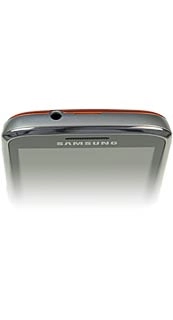
Connect a headset to the headset socket at the top of your phone.
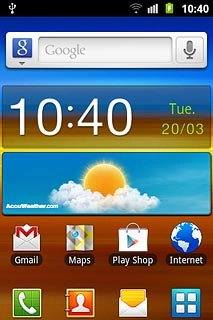
Press the menu icon.
Step 2 of 18

Find "FM radio"

Press the menu icon.

Press FM radio.
Step 3 of 18

Find "FM radio"

Press FM radio.

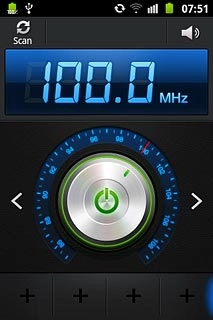
If required, press the on/off icon to turn on the radio.Follow the steps below to use the radio.
Step 4 of 18

Use the radio

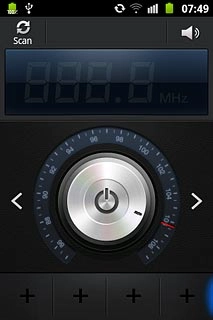
If required, press the on/off icon to turn on the radio.
Follow the steps below to use the radio.

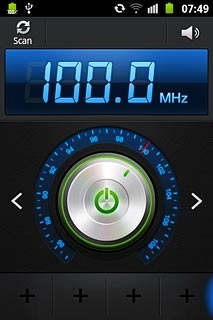
Press the wheel at the centre of the display and drag it clockwise or anticlockwise to select the required frequency.
Step 5 of 18

Manual tuning

Press the wheel at the centre of the display and drag it clockwise or anticlockwise to select the required frequency.

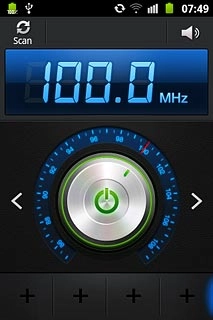
Press arrow left or arrow right.The radio searches for channels in the selected direction and stops when a channel is found.
Step 6 of 18

Automatic tuning

Press arrow left or arrow right.
The radio searches for channels in the selected direction and stops when a channel is found.

Press + at the bottom of the display.
Step 7 of 18

Save channel

Press + at the bottom of the display.

Press Scan at the top of the display.
Step 8 of 18

Save channels automatically

Press Scan at the top of the display.

Press All channels.The radio searches for channels.
Step 9 of 18

Save channels automatically

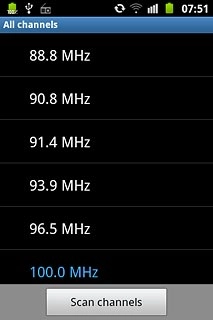
Press All channels.
The radio searches for channels.

Press the Return key to return to the radio.
Step 10 of 18

Save channels automatically

Press the Return key to return to the radio.

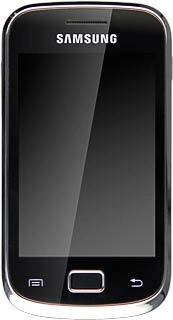
Press the Menu key.
Step 11 of 18

Select saved channel

Press the Menu key.

Press All channels.
Step 12 of 18

Select saved channel

Press All channels.

Press the required channel.
Step 13 of 18

Select saved channel

Press the required channel.

Press the Menu key.
Step 14 of 18

Turn speaker on or off

Press the Menu key.

To turn on the speaker:Press Via speaker.
Step 15 of 18

Turn speaker on or off

To turn on the speaker:
Press Via speaker.

To turn off the speaker:Press Via earphones.
Step 16 of 18

Turn speaker on or off

To turn off the speaker:
Press Via earphones.

Press the on/off icon to turn off the radio.
Step 17 of 18

Exit

Press the on/off icon to turn off the radio.

Press the Home key to return to standby mode.
Step 18 of 18

Exit

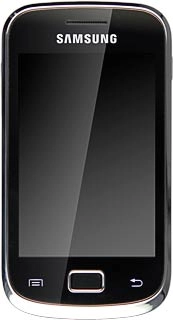
Press the Home key to return to standby mode.

Connect headset

Connect a headset to the headset socket at the top of your phone.

Find "FM radio"

Press the menu icon.
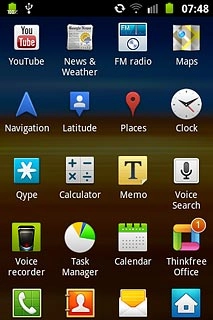
Press FM radio.

Use the radio

If required, press the on/off icon to turn on the radio.
Follow the steps below to use the radio.
Manual tuning

Press the wheel at the centre of the display and drag it clockwise or anticlockwise to select the required frequency.
Automatic tuning

Press arrow left or arrow right.
The radio searches for channels in the selected direction and stops when a channel is found.
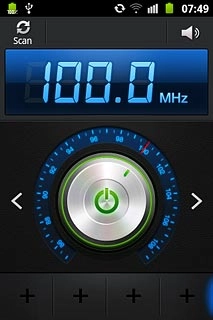
Save channel

Press + at the bottom of the display.
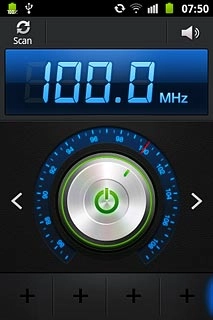
Save channels automatically

Press Scan at the top of the display.
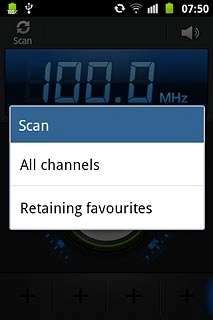
Press All channels.
The radio searches for channels.
Press the Return key to return to the radio.
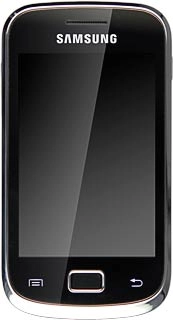
Select saved channel

Press the Menu key.
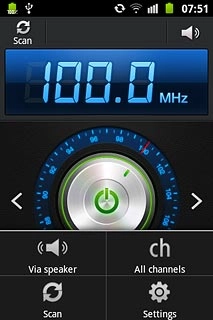
Press All channels.
Press the required channel.

Turn speaker on or off

Press the Menu key.
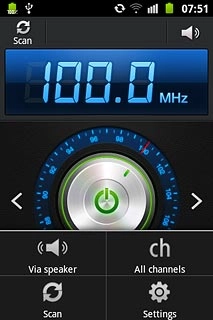
To turn on the speaker:
Press Via speaker.
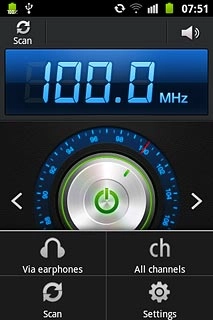
To turn off the speaker:
Press Via earphones.
Exit

Press the on/off icon to turn off the radio.
Press the Home key to return to standby mode.

Thank you for your evaluation!

Get information on...

Or select...

Another device