Samsung Galaxy Note II

Samsung Galaxy Note II

Turn your own caller identification on or off - Samsung Galaxy Note II

Read help info

You can make a call without sending your own number (caller identification). Follow these instructions to turn your own caller identification on or off.

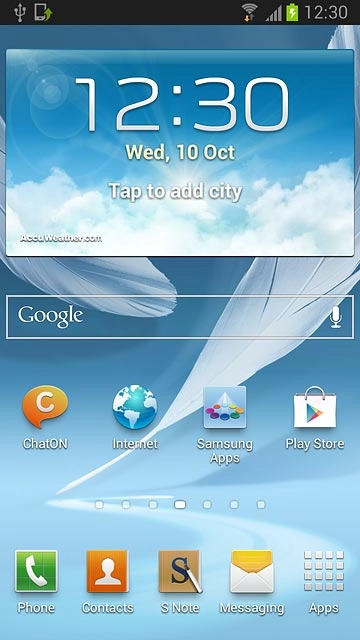
Press Apps.
Step 1 of 8

Find "Caller ID"

Press Apps.
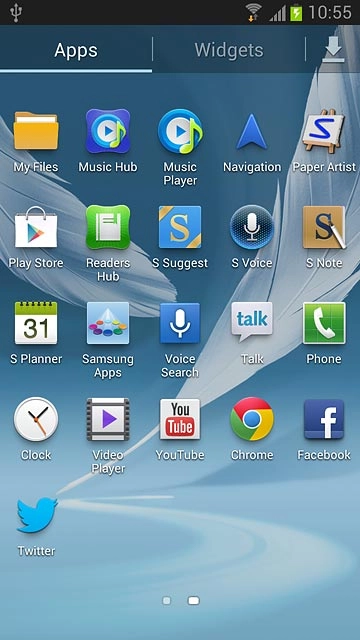
Press Phone.
Step 2 of 8

Find "Caller ID"

Press Phone.

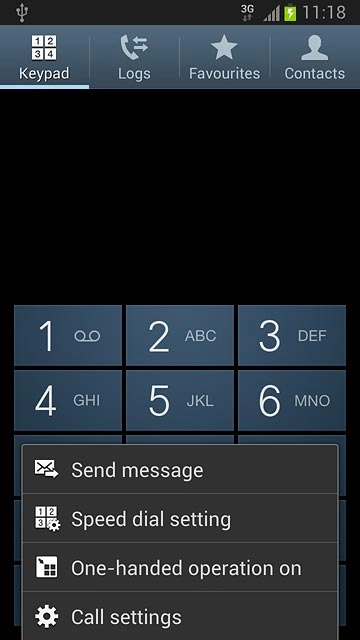
Press the Menu key.
Step 3 of 8

Find "Caller ID"

Press the Menu key.

Press Call settings.
Step 4 of 8

Find "Caller ID"

Press Call settings.
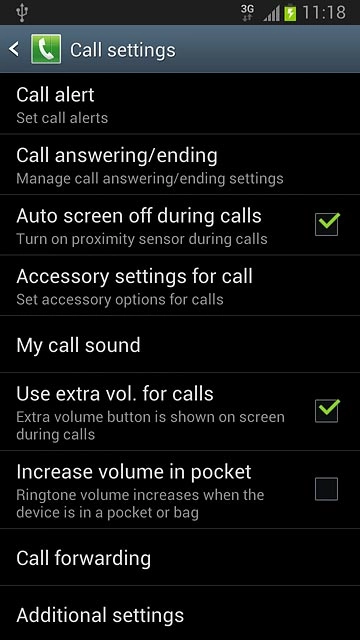
Press Additional settings.After a moment the current settings are displayed.
Step 5 of 8

Find "Caller ID"

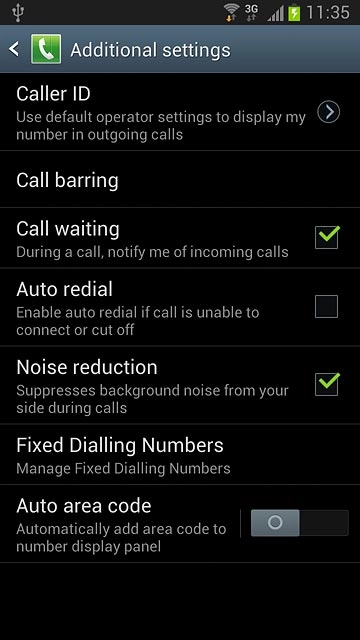
Press Additional settings.
After a moment the current settings are displayed.

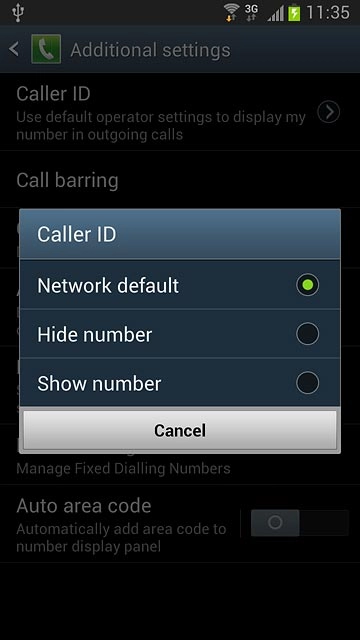
Press Caller ID.
Step 6 of 8

Find "Caller ID"

Press Caller ID.

Press Network default, Hide number or Show number.
Step 7 of 8

Turn your own caller identification on or off

Press Network default, Hide number or Show number.

Please note: you can only hide your caller identification for calls. When you send text or picture messages, your phone number is always displayed.
Press the Home key to return to standby mode.
Step 8 of 8

Exit

Press the Home key to return to standby mode.

Find "Caller ID"

Press Apps.
Press Phone.
Press the Menu key.
Press Call settings.
Press Additional settings.
After a moment the current settings are displayed.
Press Caller ID.

Turn your own caller identification on or off

Press Network default, Hide number or Show number.
Please note: you can only hide your caller identification for calls. When you send text or picture messages, your phone number is always displayed.

Exit

Press the Home key to return to standby mode.

Thank you for your evaluation!

Get information on...

Or select...

Another device