Samsung Galaxy Note II

Samsung Galaxy Note II

Create playlist - Samsung Galaxy Note II

Read help info

Follow these instructions to create a playlist.

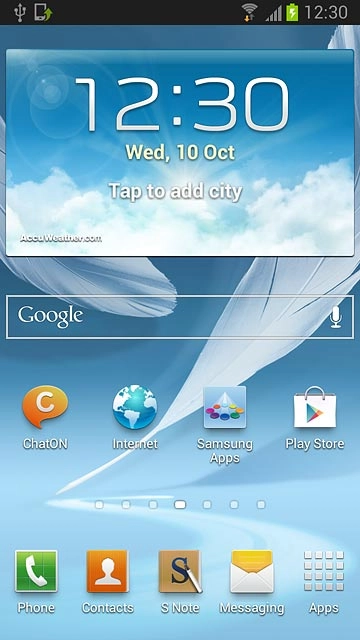
Press Apps.
Step 1 of 11

Find "Music Player"

Press Apps.
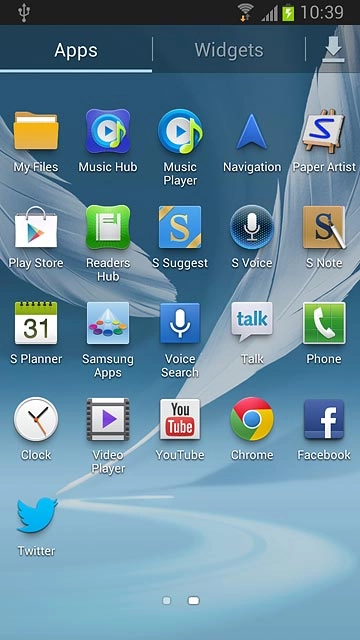
Press Music Player.
Step 2 of 11

Find "Music Player"

Press Music Player.
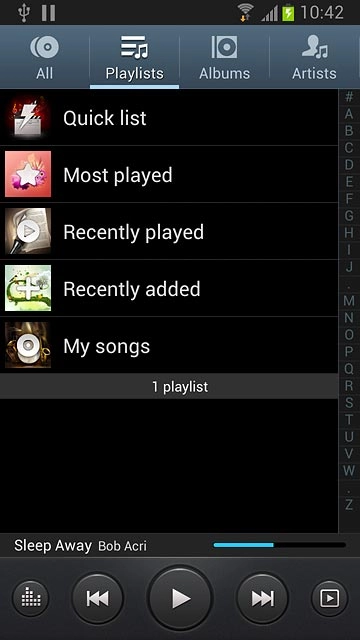
Press Playlists at the top of the display.
Step 3 of 11

Create playlist

Press Playlists at the top of the display.

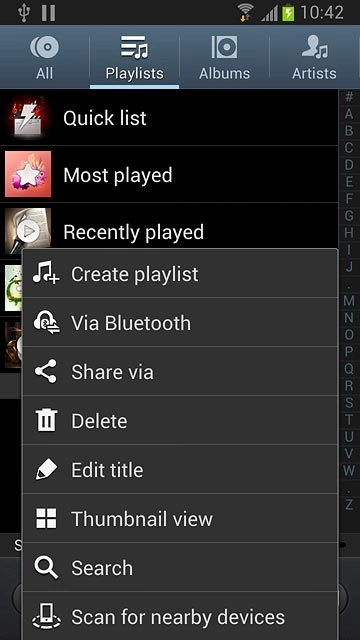
Press the Menu key.
Step 4 of 11

Create playlist

Press the Menu key.

Press Create playlist.
Step 5 of 11

Create playlist

Press Create playlist.
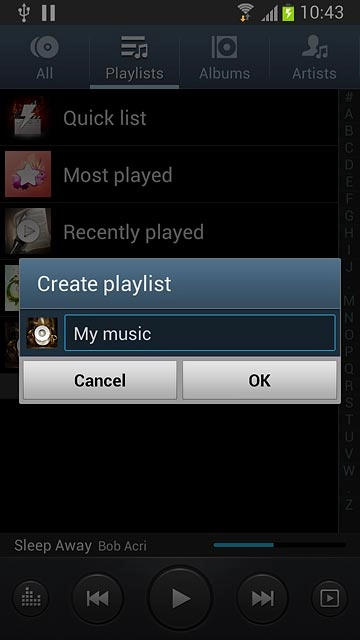
Key in a name for the playlist and press OK.
Step 6 of 11

Create playlist

Key in a name for the playlist and press OK.

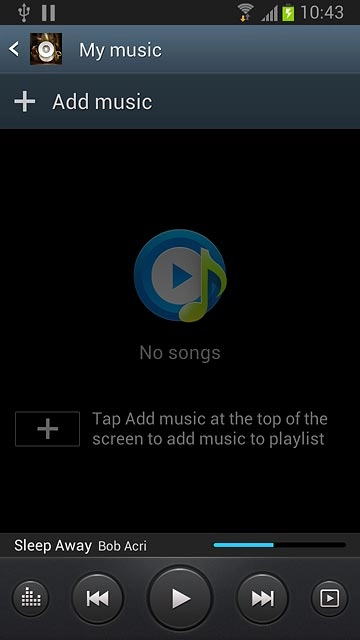
Press Add music.
Step 7 of 11

Add audio files to playlist

Press Add music.
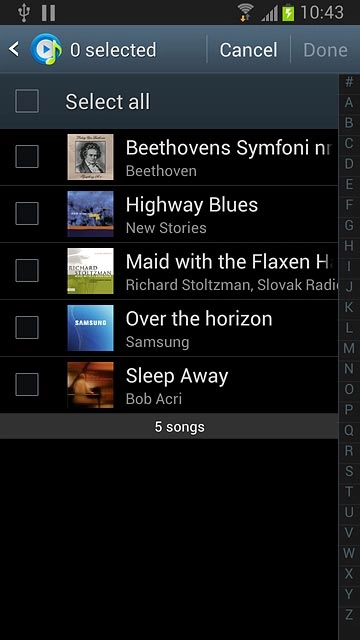
Press the required audio files.
Step 8 of 11

Add audio files to playlist

Press the required audio files.
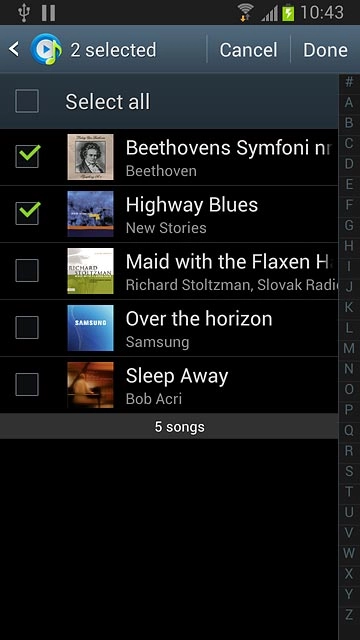
When the box next to an audio file is ticked (V), it's selected.
Step 9 of 11

Add audio files to playlist

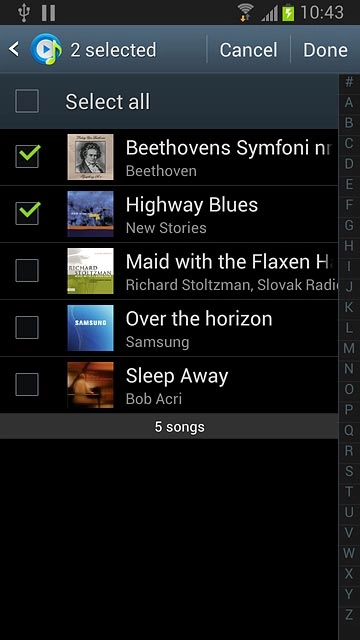
When the box next to an audio file is ticked (V), it's selected.

Press Done.
Step 10 of 11

Add audio files to playlist

Press Done.
Press the Home key to return to standby mode.
Step 11 of 11

Exit

Press the Home key to return to standby mode.

Find "Music Player"

Press Apps.
Press Music Player.

Create playlist

Press Playlists at the top of the display.
Press the Menu key.
Press Create playlist.
Key in a name for the playlist and press OK.

Add audio files to playlist

Press Add music.
Press the required audio files.
When the box next to an audio file is ticked (V), it's selected.
Press Done.

Exit

Press the Home key to return to standby mode.

Thank you for your evaluation!

Get information on...

Or select...

Another device