
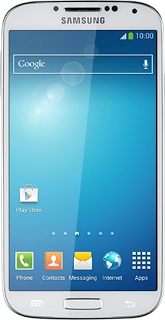
Samsung Galaxy S4

Samsung Galaxy S4

Answer a call - Samsung Galaxy S4

Read help info

When you receive a call, you can either answer it, reject it or silence the incoming call alert.

Samsung Galaxy S4
Step 1 of 4

Select option

Select one of the following options:
Answer call, go to 1a.
Reject call, go to 1b.
Silence the incoming call alert, go to 1c.
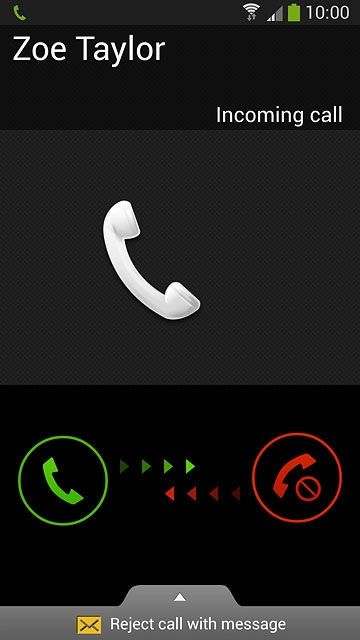
Press and drag the accept call icon right.
Step 2 of 4

1a - Answer call

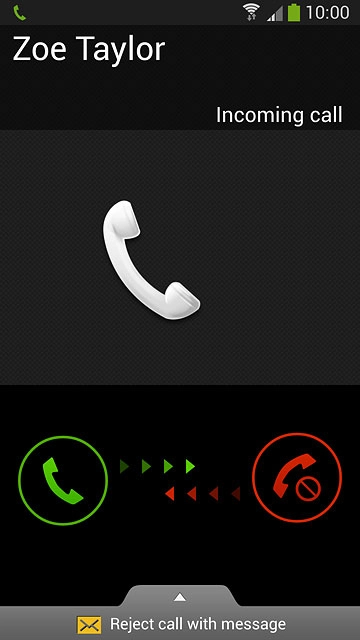
Press and drag the accept call icon right.

Press and drag the reject call icon left.
Step 3 of 4

1b - Reject call

Press and drag the reject call icon left.

When you reject a call, the caller will hear a busy signal or be diverted to your voicemail.
Press the upper or lower part of the Volume key when you get a call.The incoming call alert is silenced without the caller hearing it, and the call continues until it's ended or diverted.
Step 4 of 4

1c - Silence the incoming call alert

Press the upper or lower part of the Volume key when you get a call.
The incoming call alert is silenced without the caller hearing it, and the call continues until it's ended or diverted.

Select option

Select one of the following options:
Answer call, go to 1a.
Reject call, go to 1b.
Silence the incoming call alert, go to 1c.
Samsung Galaxy S4

1a - Answer call

Press and drag the accept call icon right.

1b - Reject call

Press and drag the reject call icon left.
When you reject a call, the caller will hear a busy signal or be diverted to your voicemail.

1c - Silence the incoming call alert

Press the upper or lower part of the Volume key when you get a call.
The incoming call alert is silenced without the caller hearing it, and the call continues until it's ended or diverted.

Thank you for your evaluation!

Get information on...

Or select...

Another device