

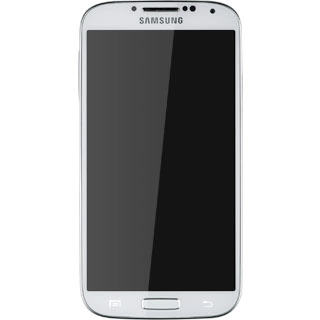
Samsung Galaxy S4

Samsung Galaxy S4

Turn call waiting on or off - Samsung Galaxy S4

Read help info

When call waiting is turned on, you can answer a new call without ending your ongoing call.

Press Phone.
Step 1 of 6

Find "Additional settings"

Press Phone.
Press the Menu key.
Step 2 of 6

Find "Additional settings"

Press the Menu key.
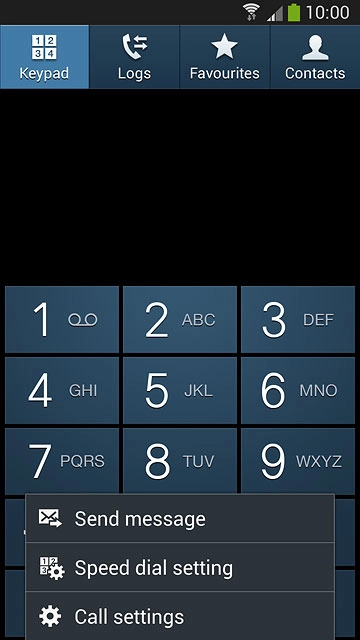
Press Call settings.
Step 3 of 6

Find "Additional settings"

Press Call settings.
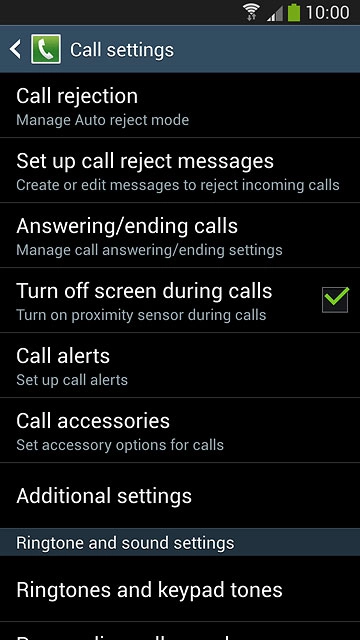
Press Additional settings.
Step 4 of 6

Find "Additional settings"

Press Additional settings.
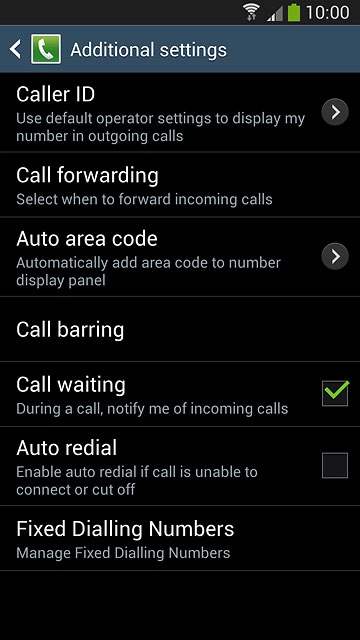
The current settings are displayed.Press Call waiting to turn the function on or off.
Step 5 of 6

Turn call waiting on or off

The current settings are displayed.
Press Call waiting to turn the function on or off.
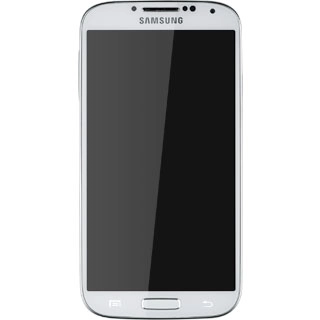
Press the Home key to return to the home screen.
Step 6 of 6

Return to the home screen

Press the Home key to return to the home screen.

Find "Additional settings"

Press Phone.
Press the Menu key.
Press Call settings.
Press Additional settings.

Turn call waiting on or off

The current settings are displayed.
Press Call waiting to turn the function on or off.

Return to the home screen

Press the Home key to return to the home screen.

Thank you for your evaluation!

Get information on...

Or select...

Another device