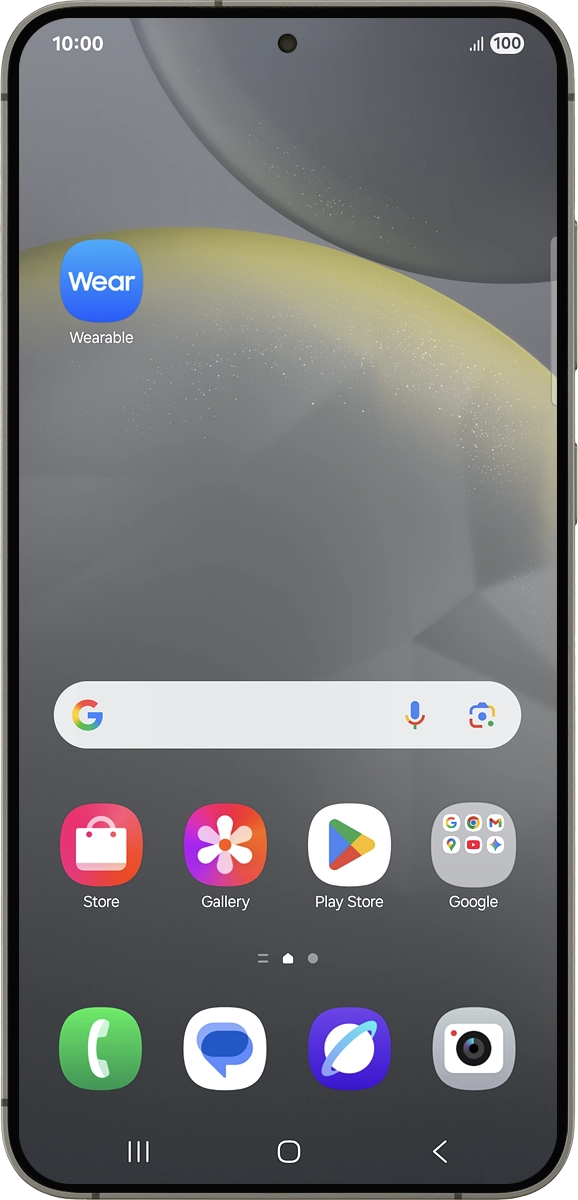
1. Find "Store"
On your phone: Press Wearable.
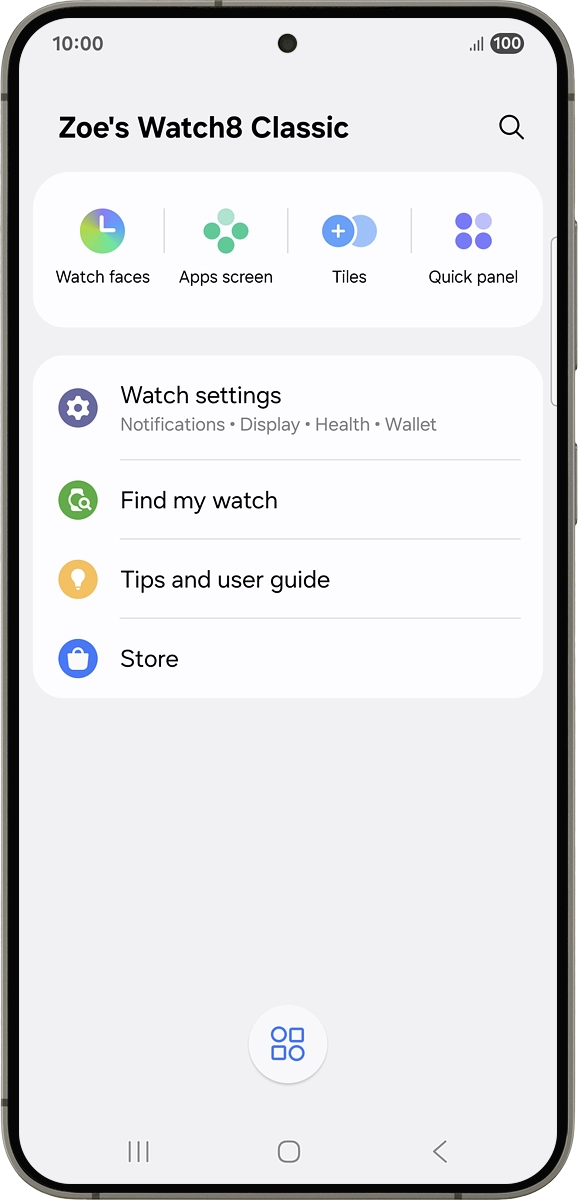
1. Find "Store"
On your phone: Press Store.
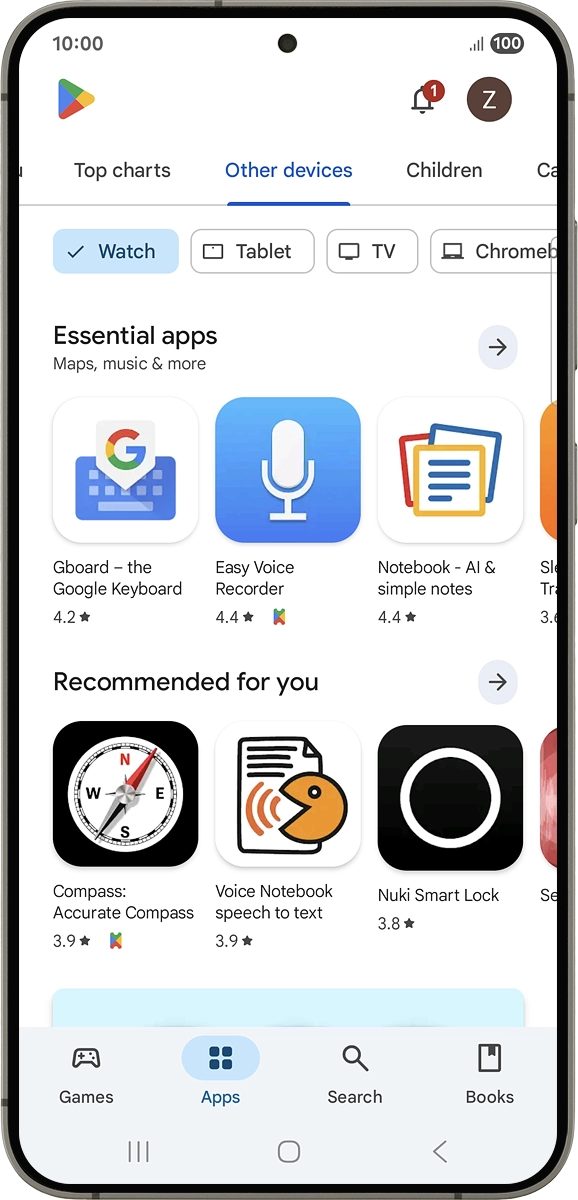
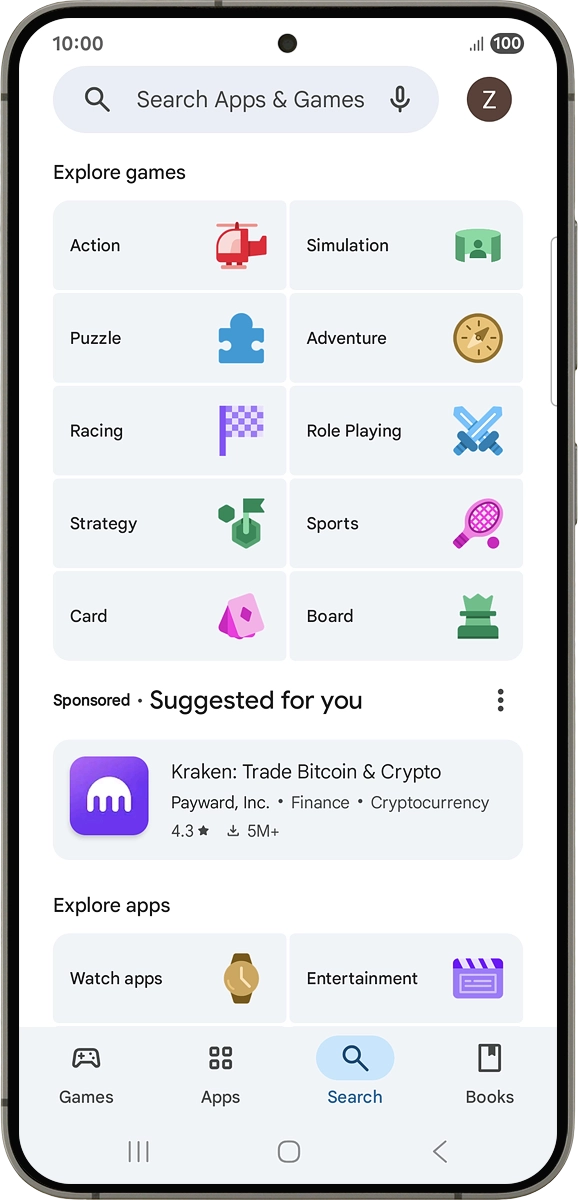
2. Find app
On your phone: Press Search.
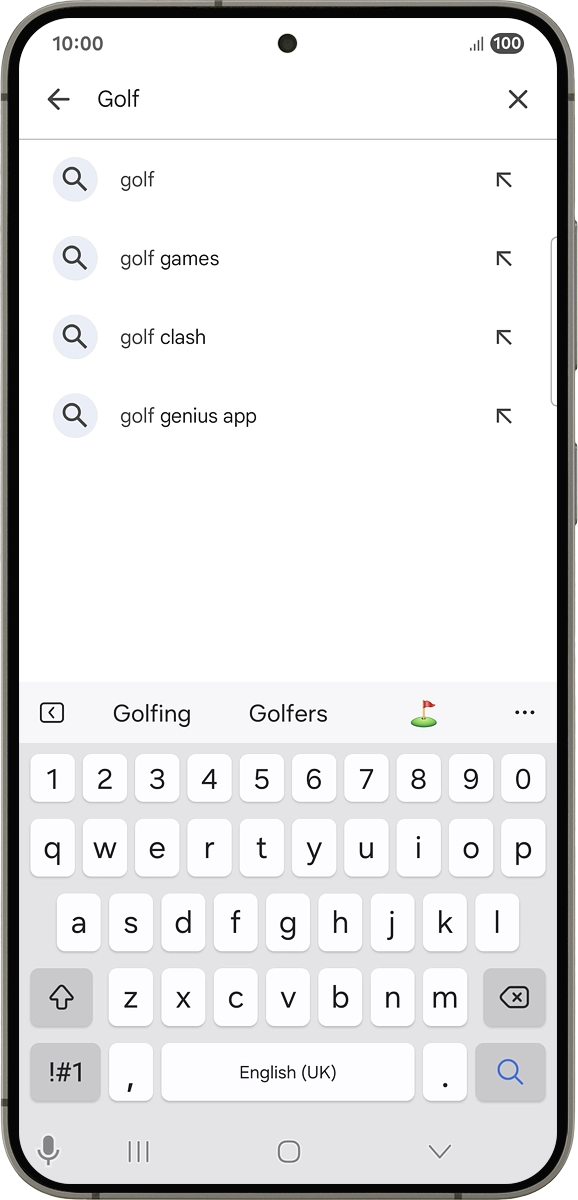
2. Find app
On your phone: Press the search field and key in the name or subject of the required app.
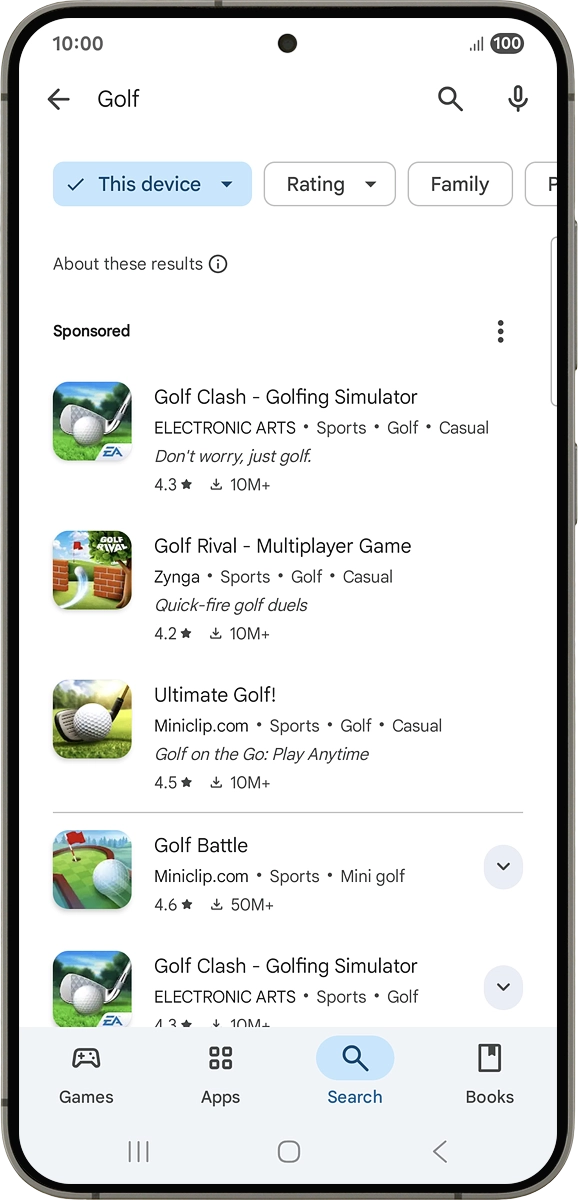
2. Find app
On your phone: Press the search icon.
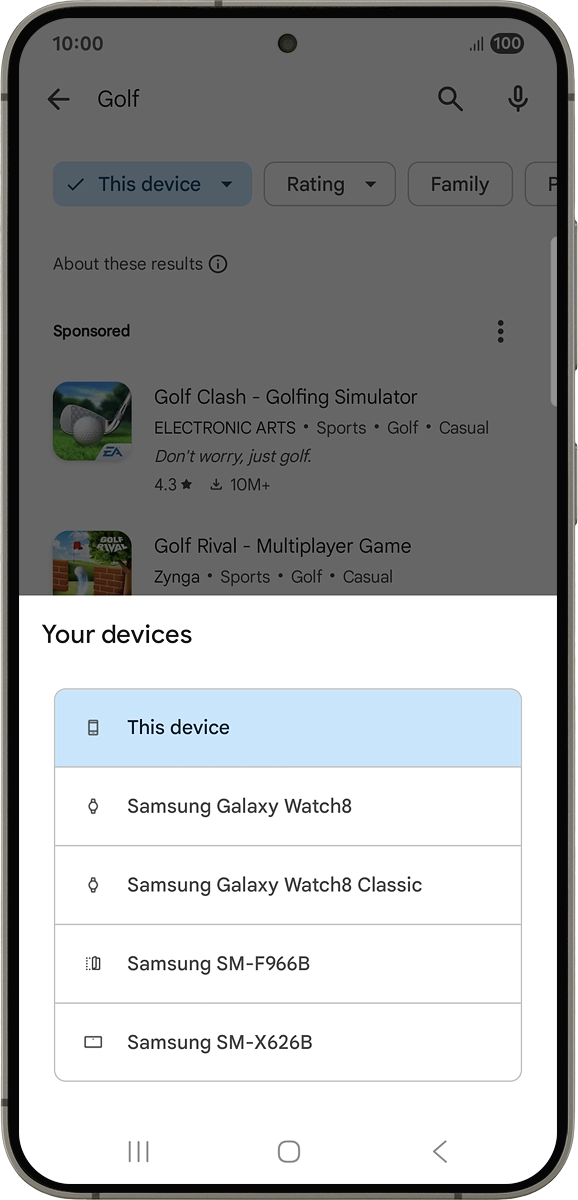
3. Choose installation on your smartwatch
On your phone: Press the device selection drop down list.
3. Choose installation on your smartwatch
On your phone: Press Samsung Galaxy Watch8 Classic.
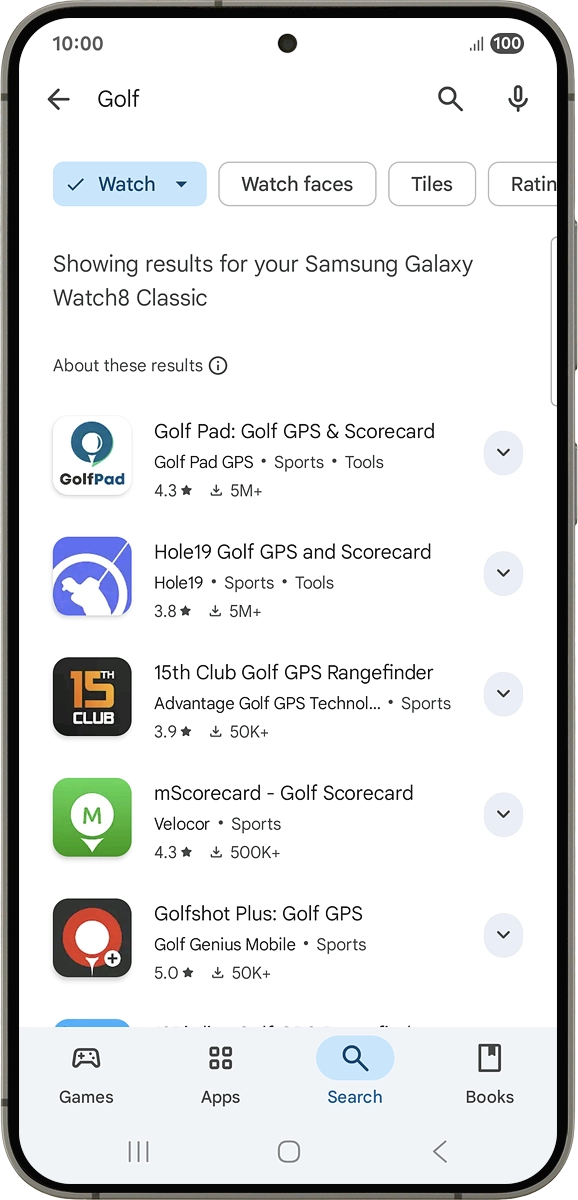
4. Install app
On your phone: Press the required app.
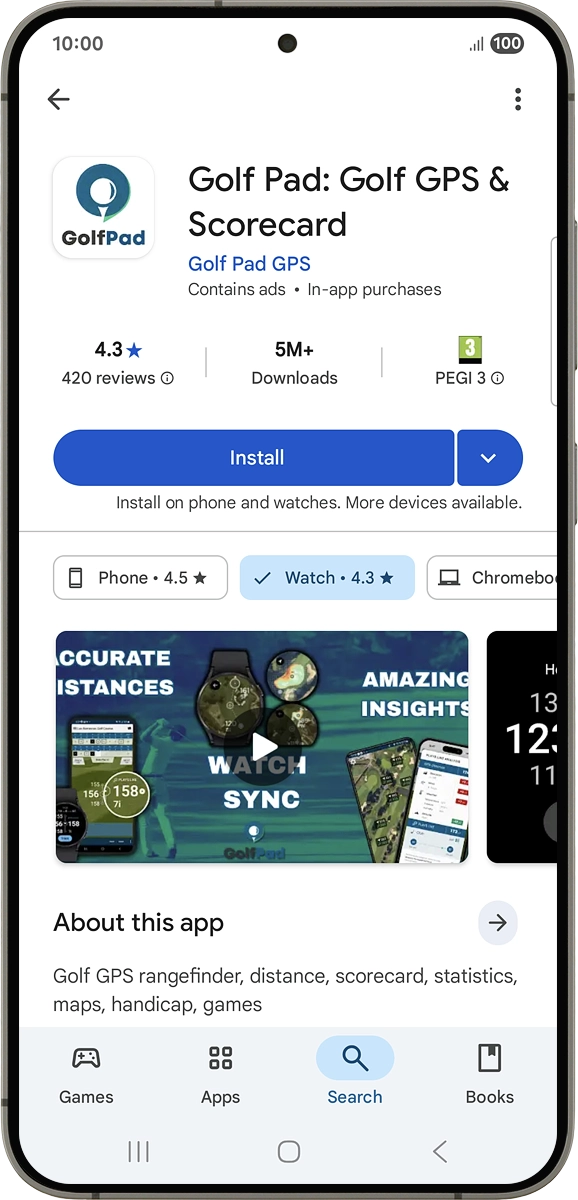
4. Install app
On your phone: Press Install and follow the instructions on the screen to install the app.
1. Find "Store"
2. Find app
3. Choose installation on your smartwatch
4. Install app
Thank you for your evaluation!

Thank you for your evaluation!