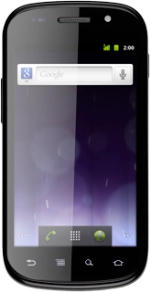
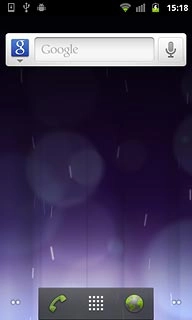
Open inbox
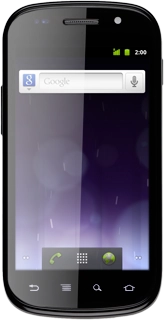
Press the menu icon.
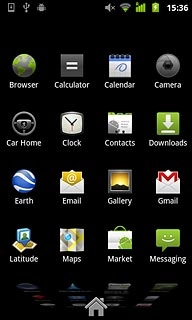
Open inbox
Press Messaging.

Read picture message
Press the required sender.
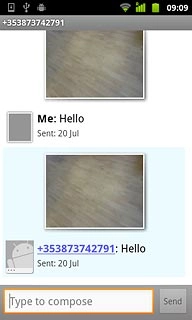
Read picture message
Press the required picture message to read the message.
Choose option
You have a number of options when you've read the picture message.
Choose one of the following options:
Reply to picture message, go to 3a.
Forward picture message, go to 3b.
Delete picture message, go to 3c.
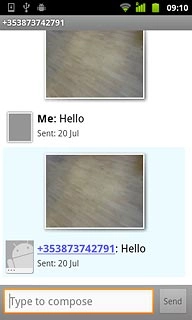
3a - Reply to picture message
Press Type to compose.
Write the picture message.
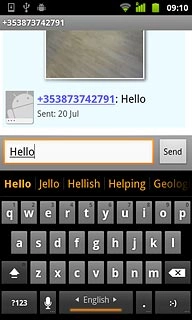
3a - Reply to picture message
Press Send.
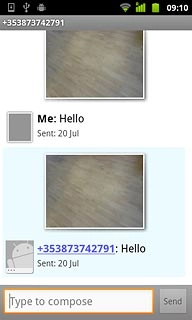
3b - Forward picture message
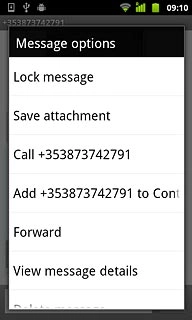
Press and hold the required picture message until a pop-up menu is displayed.
3b - Forward picture message
Press Forward.
3b - Forward picture message
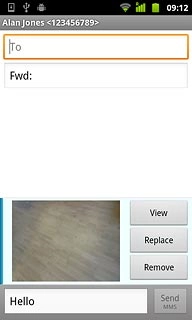
Press To.
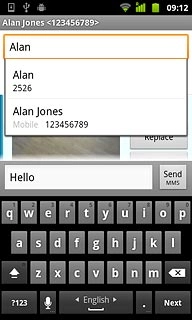
Key in the first letters of the required contact.
Matching contacts are displayed.
3b - Forward picture message
Press the required contact.
3b - Forward picture message
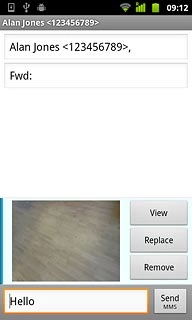
Press Send MMS.
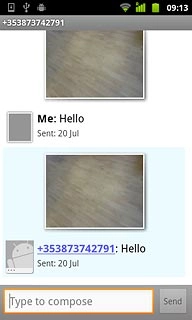
3c - Delete picture message
Press and hold the required picture message until a pop-up menu is displayed.
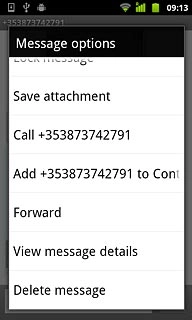
3c - Delete picture message
Press Delete message.
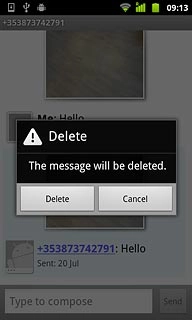
3c - Delete picture message
Press Delete to confirm.
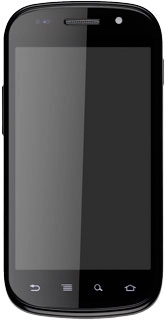
Exit
Press the Home key to return to standby mode.
Open inbox
Read picture message
Choose option
Choose one of the following options:
Reply to picture message, go to 3a.
Forward picture message, go to 3b.
Delete picture message, go to 3c.
3a - Reply to picture message
Write the picture message.
3b - Forward picture message
Key in the first letters of the required contact.
Matching contacts are displayed.
3c - Delete picture message
Exit
Thank you for your evaluation!

Thank you for your evaluation!