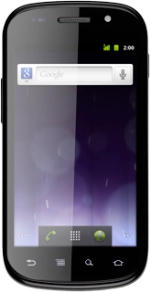
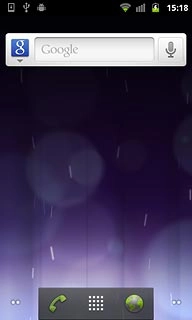
Open inbox
Press the menu icon.
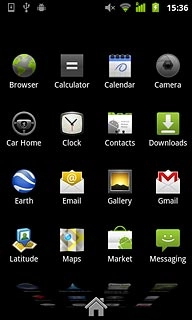
Open inbox
Press Messaging.

Read text message
Press the required sender.
Choose option
You have a number of options when you've read the text message.
Choose one of the following options:
Reply to text message, go to 3a.
Forward text message, go to 3b.
Delete text message, go to 3c.
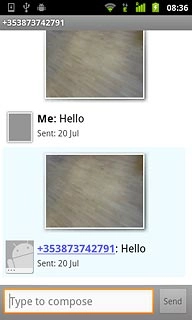
3a - Reply to text message
Press Type to compose.
Write the required text.
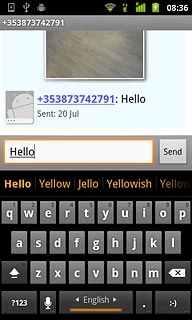
3a - Reply to text message
Press Send.
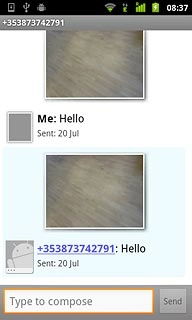
3b - Forward text message
Press and hold the required text message until a pop-up menu is displayed.
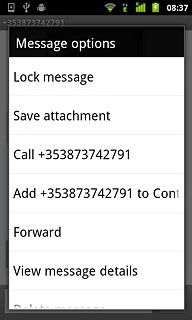
3b - Forward text message
Press Forward.
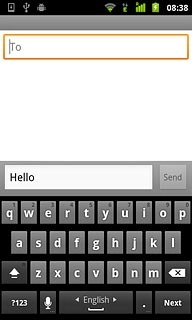
3b - Forward text message
Press To.
Key in the first letters of the required contact.
Matching contacts are displayed.
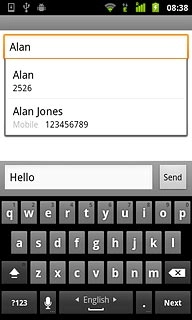
3b - Forward text message
Press the required contact.
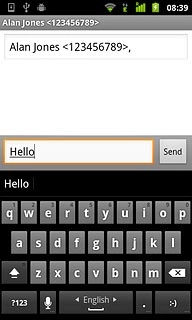
3b - Forward text message
Press Send.
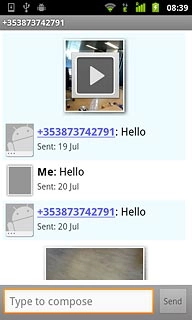
3c - Delete text message
Press and hold the required text message until a pop-up menu is displayed.
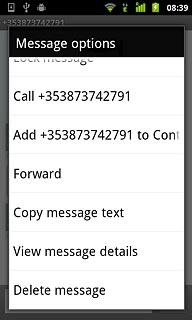
3c - Delete text message
Press Delete message.
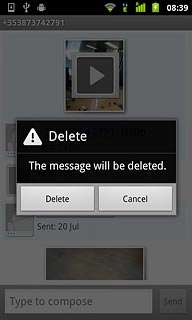
3c - Delete text message
Press Delete to confirm.
Exit
Press the Home key to return to standby mode.
Open inbox
Read text message
Choose option
Choose one of the following options:
Reply to text message, go to 3a.
Forward text message, go to 3b.
Delete text message, go to 3c.
3a - Reply to text message
Write the required text.
3b - Forward text message
Key in the first letters of the required contact.
Matching contacts are displayed.
3c - Delete text message
Exit
Thank you for your evaluation!

Thank you for your evaluation!