
Samsung Nexus S

Samsung Nexus S

Retrieve and send Gmail messages - Samsung Nexus S

Read help info

Gmail is a free email service provided by Google. Using an application on your phone, you can retrieve and send Gmail messages. Follow these instructions to retrieve and send Gmail messages.
You need to set up your phone for internet to use this function. Click here for more information.

You also need to activate a Google account. Click here for more information.

If you don't want to use the Gmail application, you can use your phone's browser: open the browser and connect to http://gmail.com.

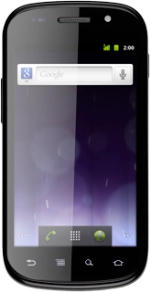
Press the menu icon.
Step 1 of 5

Find "Gmail"

Press the menu icon.
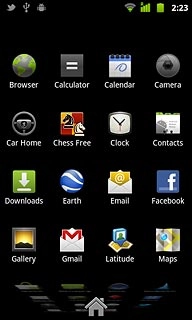
Press Gmail.
Step 2 of 5

Find "Gmail"

Press Gmail.

Press the Menu key.
Step 3 of 5

Retrieve and send Gmail messages

Press the Menu key.
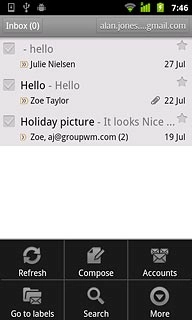
Press Refresh.
Step 4 of 5

Retrieve and send Gmail messages

Press Refresh.
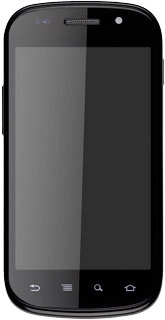
Press the Home key to return to standby mode.
Step 5 of 5

Exit

Press the Home key to return to standby mode.

Find "Gmail"

Press the menu icon.
Press Gmail.

Retrieve and send Gmail messages

Press the Menu key.
Press Refresh.

Exit

Press the Home key to return to standby mode.

Thank you for your evaluation!

Get information on...

Or select...

Another device