Sony Xperia miro

Sony Xperia miro

Set an alarm - Sony Xperia miro

Read help info

Your phone has an alarm you can set to wake you up or as a reminder of something. Follow these instructions to set an alarm.

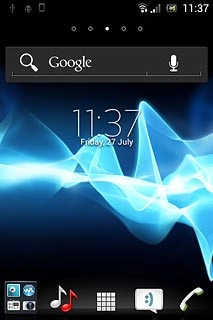
Press the menu icon.
Step 1 of 19

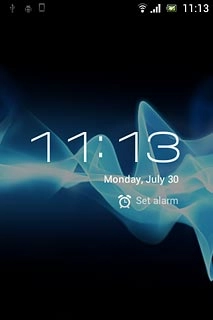
Find "Set alarm"

Press the menu icon.

Press Clock.
Step 2 of 19

Find "Set alarm"

Press Clock.

Press Set alarm.
Step 3 of 19

Find "Set alarm"

Press Set alarm.

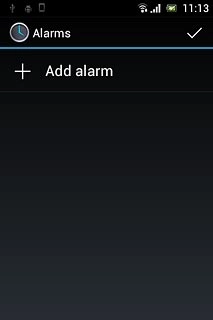
Press Add alarm.
Step 4 of 19

Add alarm

Press Add alarm.

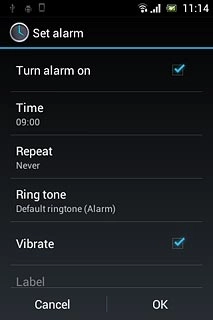
Press Time.
Step 5 of 19

Set time

Press Time.

Slide hours and minutes up or down to set the time.
Step 6 of 19

Set time

Slide hours and minutes up or down to set the time.

Press Set.
Step 7 of 19

Set time

Press Set.

Press Repeat.
Step 8 of 19

Turn repeat on or off

Press Repeat.

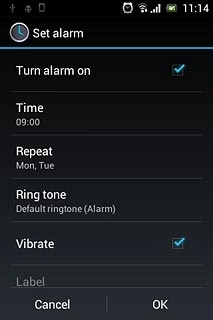
Press the required days to select them.
Step 9 of 19

Turn repeat on or off

Press the required days to select them.

When the box next to a day is ticked (V), the day is selected.
Step 10 of 19

Turn repeat on or off

When the box next to a day is ticked (V), the day is selected.

Press OK.
Step 11 of 19

Turn repeat on or off

Press OK.

Press Ring tone.
Step 12 of 19

Select alarm tone

Press Ring tone.

Press the different alarm tones to listen to them.
Step 13 of 19

Select alarm tone

Press the different alarm tones to listen to them.

Once you've found an alarm tone you like, press Done.
Step 14 of 19

Select alarm tone

Once you've found an alarm tone you like, press Done.

Press Vibrate to turn the function on or off.
Step 15 of 19

Turn vibration on or off

Press Vibrate to turn the function on or off.

When the menu item is ticked (V), the function is turned on.
Step 16 of 19

Turn vibration on or off

When the menu item is ticked (V), the function is turned on.

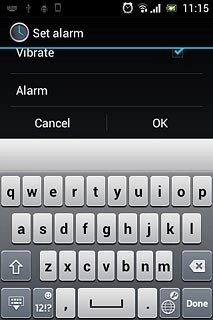
Press Label.Key in the required name.
Step 17 of 19

Enter alarm name

Press Label.
Key in the required name.

Press OK to save.
Step 18 of 19

Save and exit

Press OK to save.

Press the Home key to return to standby mode.
Step 19 of 19

Save and exit

Press the Home key to return to standby mode.

Find "Set alarm"

Press the menu icon.
Press Clock.
Press Set alarm.

Add alarm

Press Add alarm.
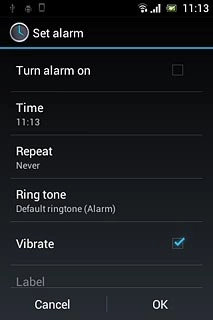
Set time

Press Time.
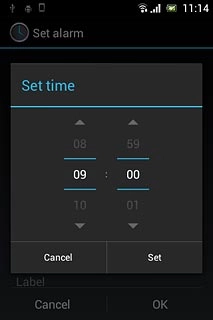
Slide hours and minutes up or down to set the time.
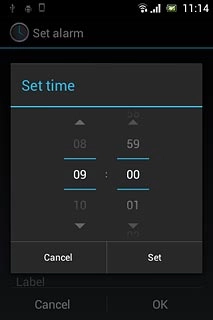
Press Set.

Turn repeat on or off

Press Repeat.
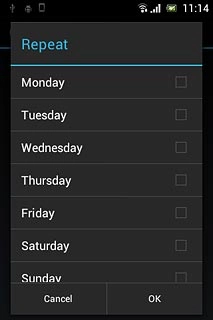
Press the required days to select them.
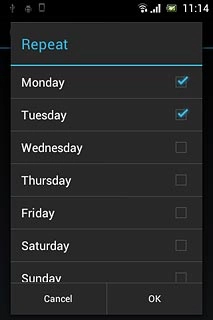
When the box next to a day is ticked (V), the day is selected.
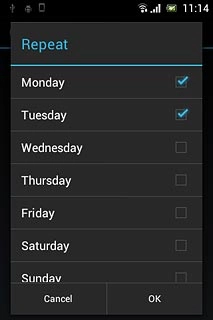
Press OK.

Select alarm tone

Press Ring tone.
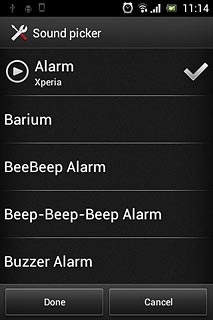
Press the different alarm tones to listen to them.
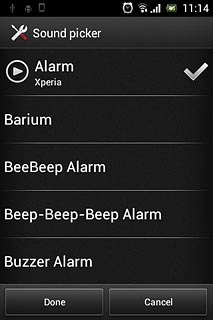
Once you've found an alarm tone you like, press Done.
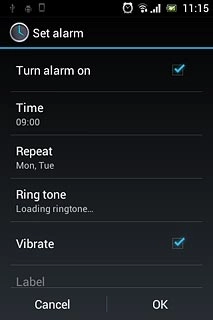
Turn vibration on or off

Press Vibrate to turn the function on or off.
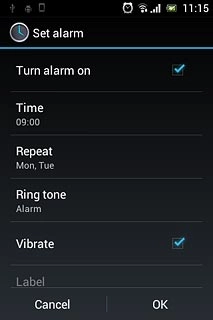
When the menu item is ticked (V), the function is turned on.
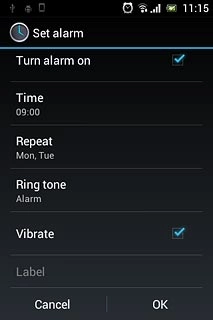
Enter alarm name

Press Label.
Key in the required name.
Save and exit

Press OK to save.

Press the Home key to return to standby mode.

Thank you for your evaluation!

Get information on...

Or select...

Another device