
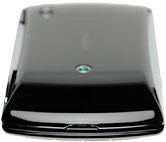
Sony Xperia Play

Sony Xperia Play

Insert memory card - Sony Xperia Play

Read help info

You can save files such as pictures and video clips on the memory card. Follow these instructions to insert the memory card.

Turn the back of your phone towards you.Take hold of the bottom of the back cover and remove it.
Step 1 of 3

Remove the back cover

Turn the back of your phone towards you.
Take hold of the bottom of the back cover and remove it.
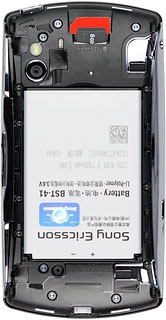
Slide the memory card into the holder.
Step 2 of 3

Insert new memory card

Slide the memory card into the holder.

Place the back cover on your phone and press it into place.
Step 3 of 3

Replace the back cover

Place the back cover on your phone and press it into place.

Remove the back cover

Turn the back of your phone towards you.
Take hold of the bottom of the back cover and remove it.

Insert new memory card

Slide the memory card into the holder.
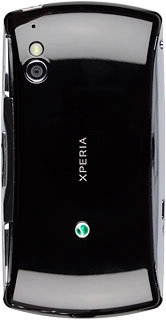
Replace the back cover

Place the back cover on your phone and press it into place.

Thank you for your evaluation!

Get information on...

Or select...

Another device