

1. Find "Advanced"
Click Advanced.

2. Create new data connection
Click Create.
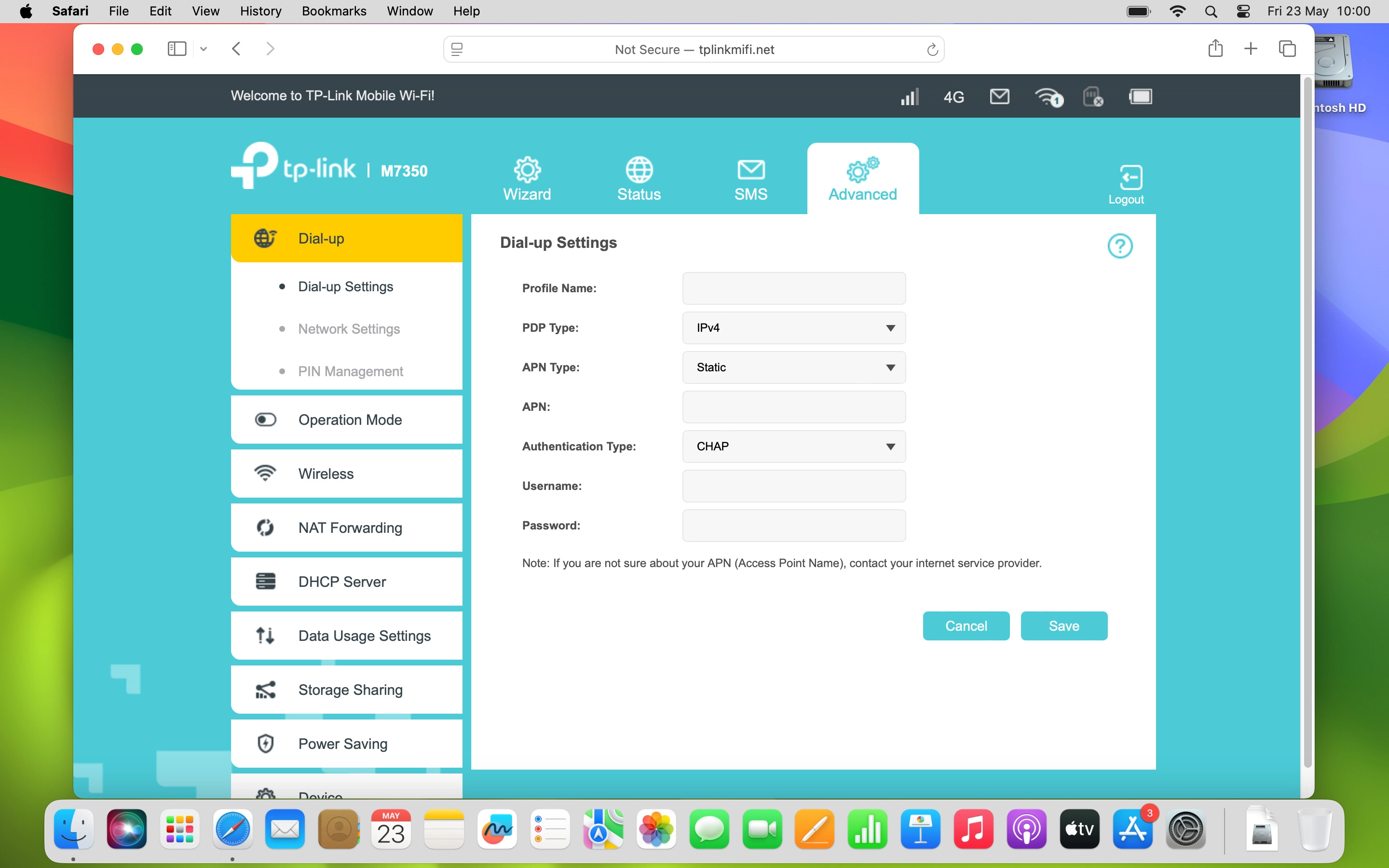
2. Create new data connection
Click the field next to "Profile Name:" and key in Vodafone Internet.
3. Select IP type
Click the drop down list next to "PDP Type:".
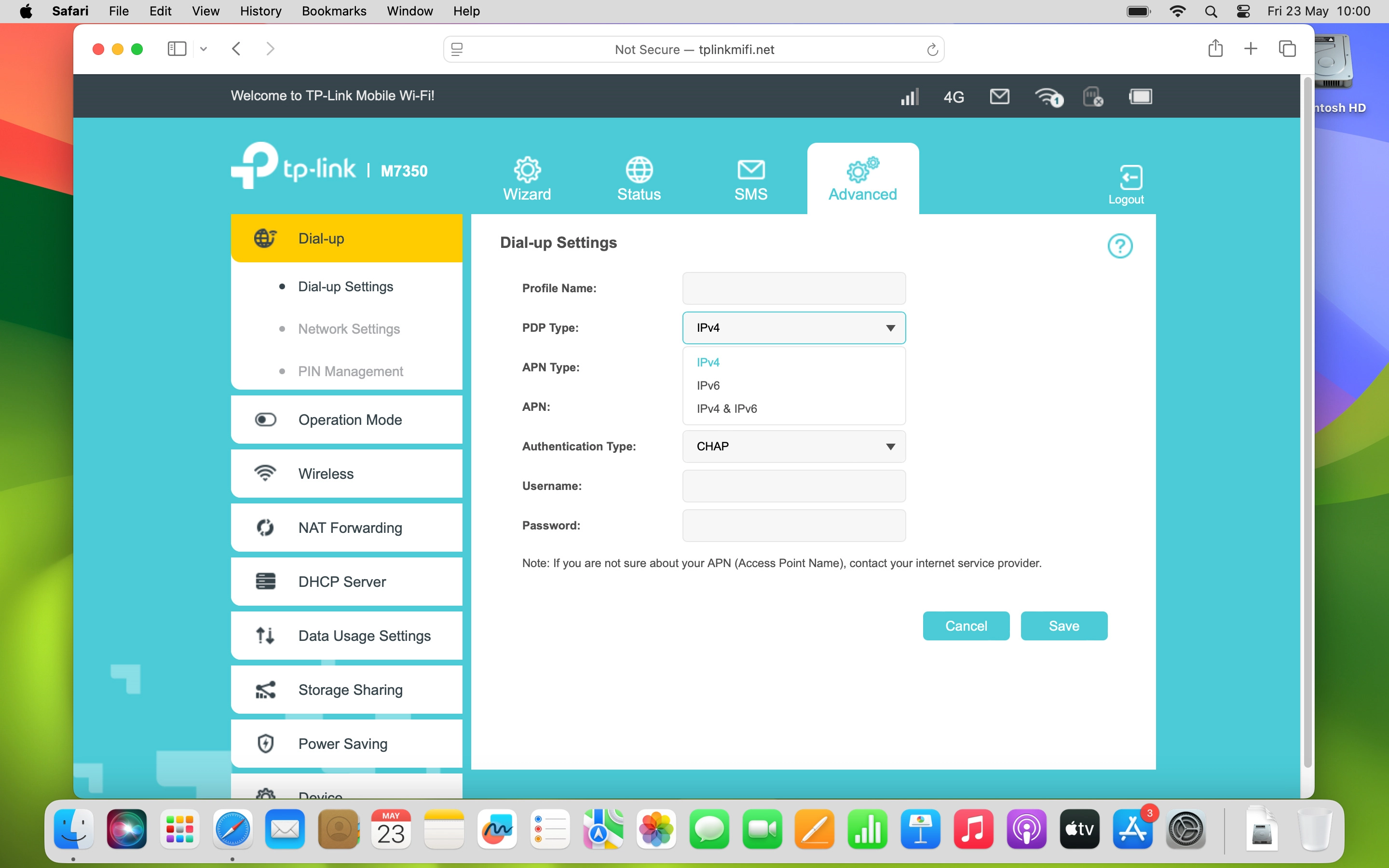
3. Select IP type
Click the required setting.
4. Select APN type
Click the drop down list next to "APN Type:".
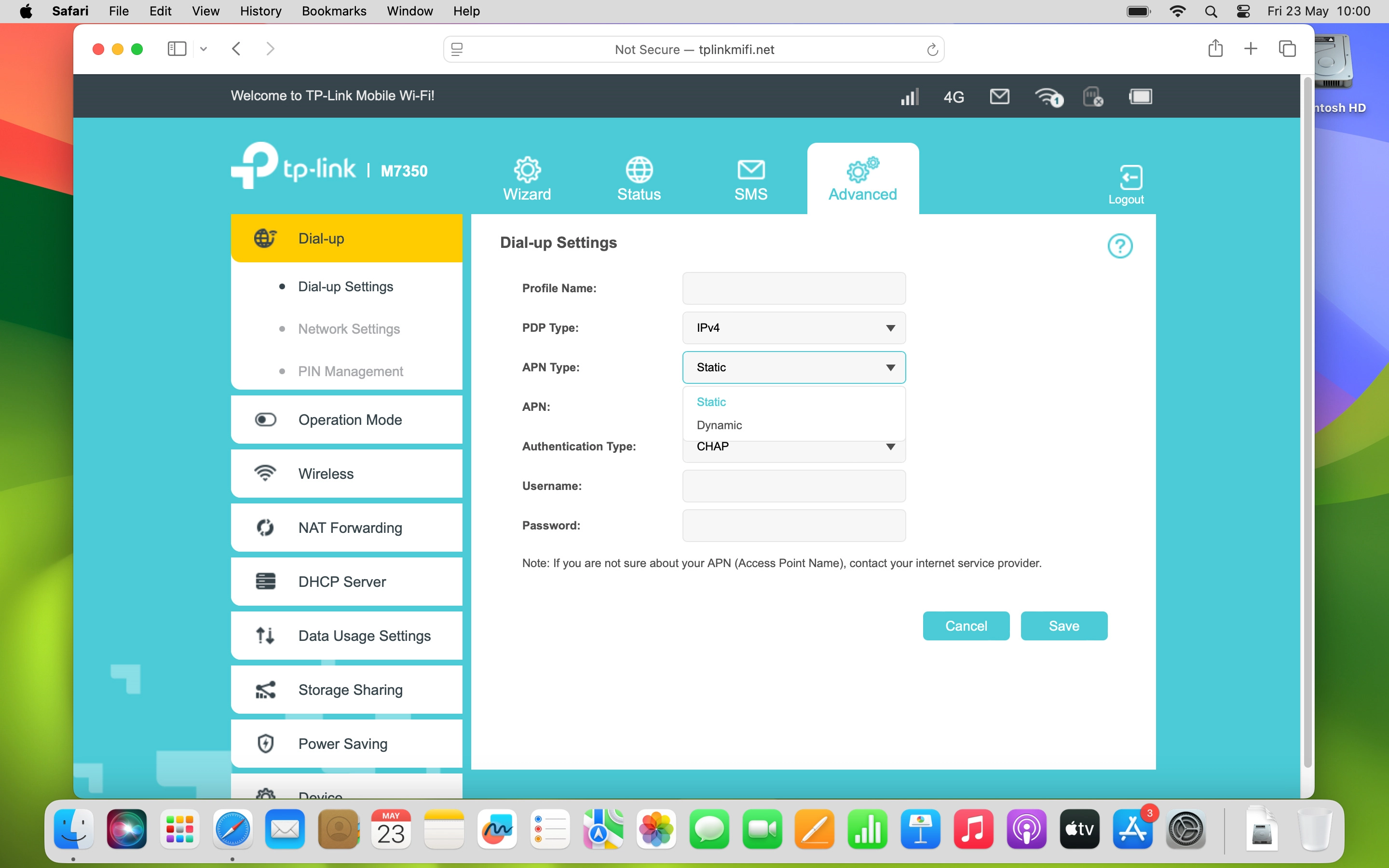
4. Select APN type
Click Static.
5. Enter APN
Click the field next to "APN:" and key in vfinternet.au.
6. Select authentication type
Click the drop down list next to "Authentication Type:".
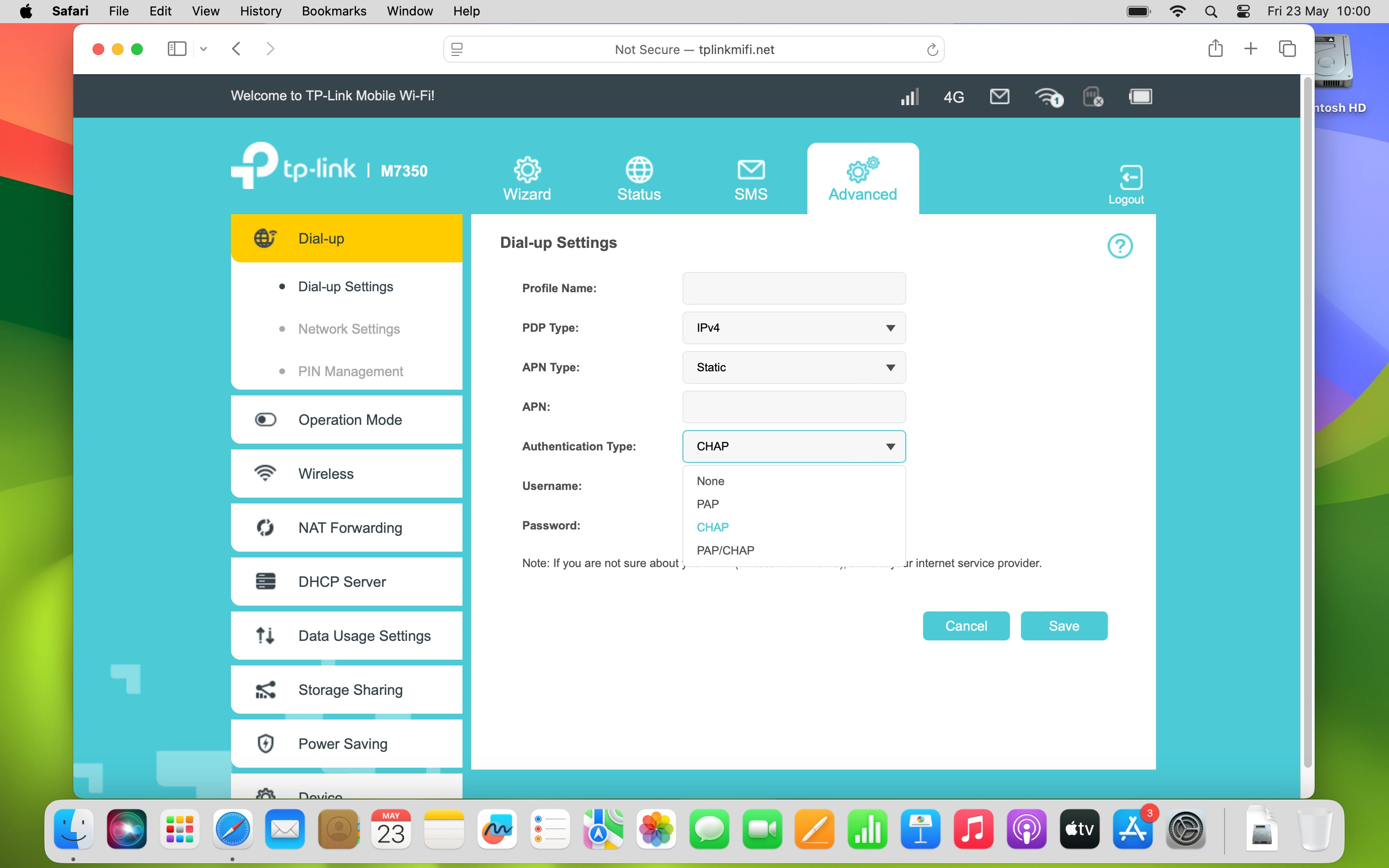
6. Select authentication type
Click None.
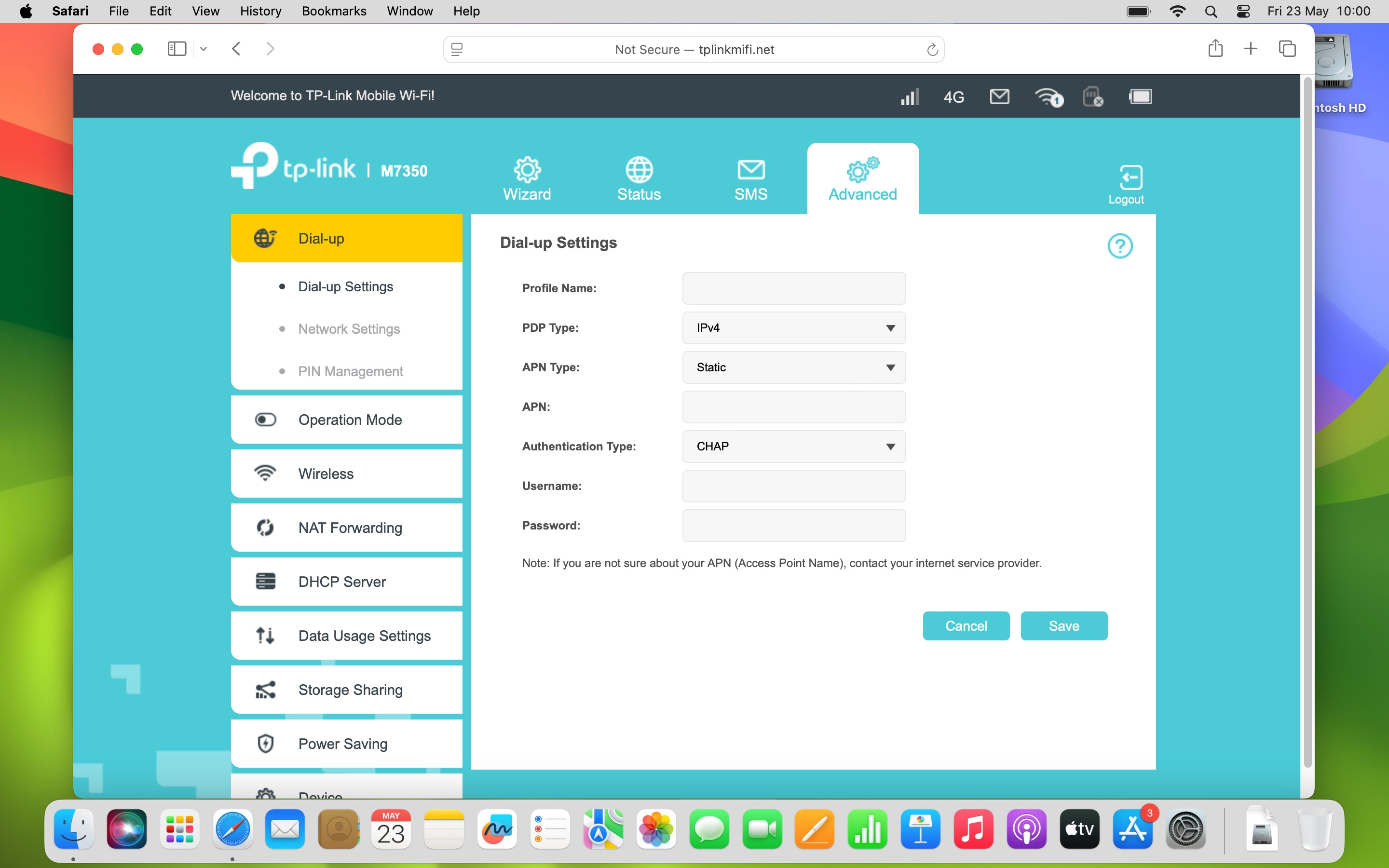
7. Save settings
Click Save.
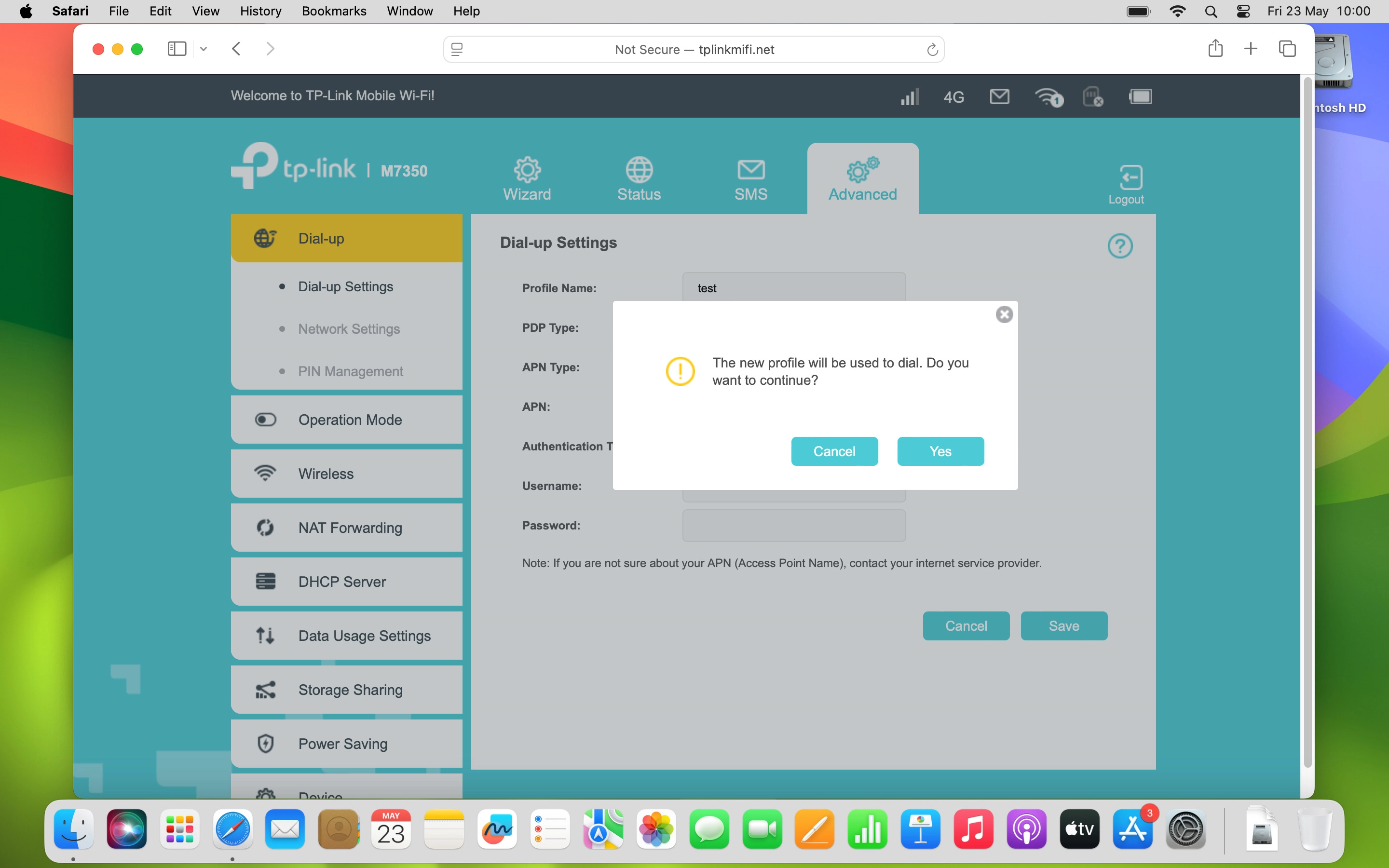
7. Save settings
Click Yes.
1. Find "Advanced"
2. Create new data connection
3. Select IP type
4. Select APN type
5. Enter APN
6. Select authentication type
7. Save settings
Thank you for your evaluation!

Thank you for your evaluation!