Vodafone Pocket WiFi® 5 (M7350) 4G

Vodafone Pocket WiFi® 5 (M7350) 4G

Mac OS Sonoma

I can't use the internet connection on my Vodafone Pocket WiFi® 5 (M7350) 4G Mac OS Sonoma

Cause 1 of 2: Your router hasn't been correctly set up for internet

You can't connect to the internet if your router is using a wrong APN.

Solution: Set up your router for internet.

Step 1 of 12

Find "Advanced"

Click Advanced.

Step 2 of 12

Create new data connection

Click Create.
Vodafone Internet
Step 3 of 12

Create new data connection

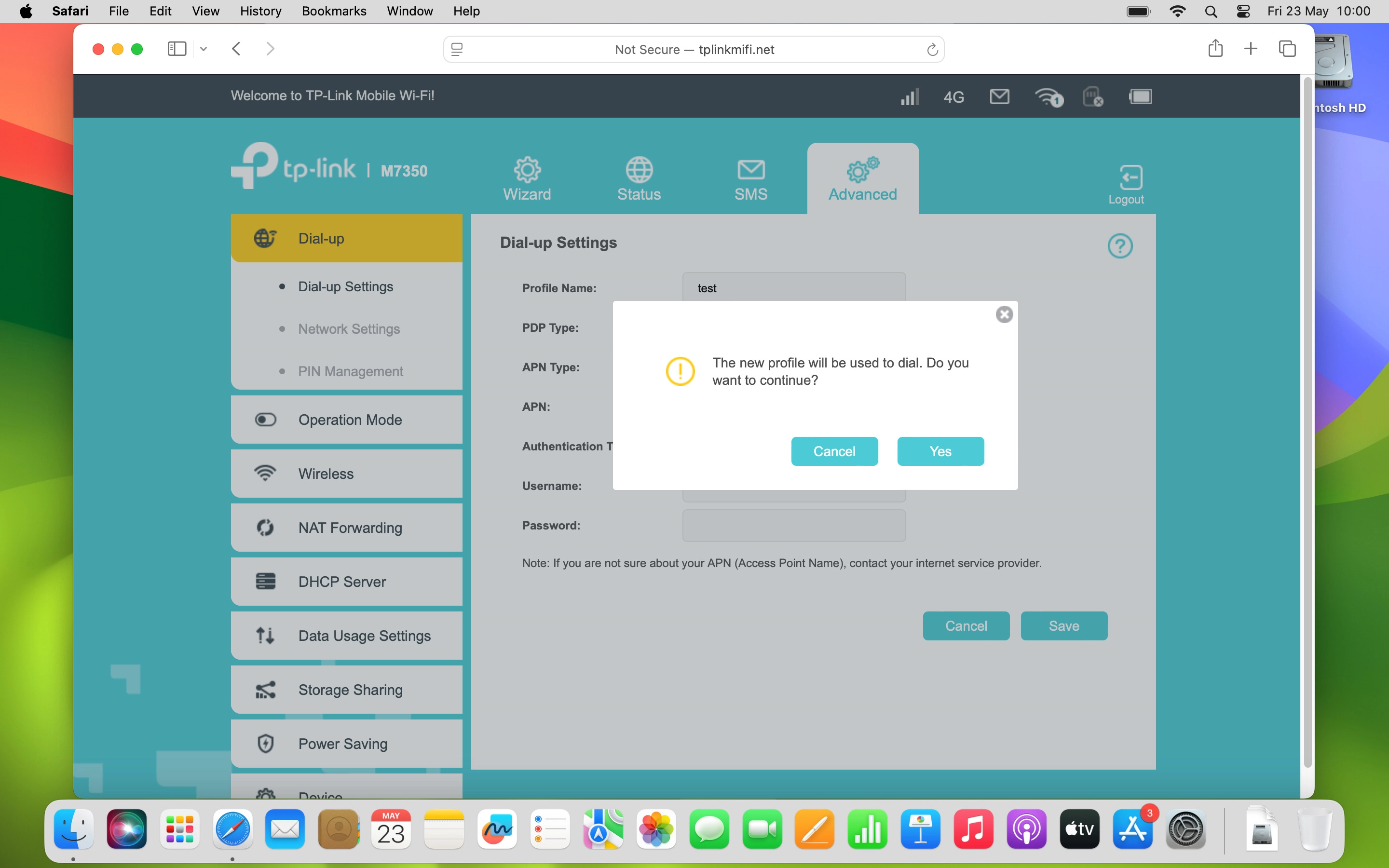
Click the field next to "Profile Name:" and key in Vodafone Internet.

Step 4 of 12

Select IP type

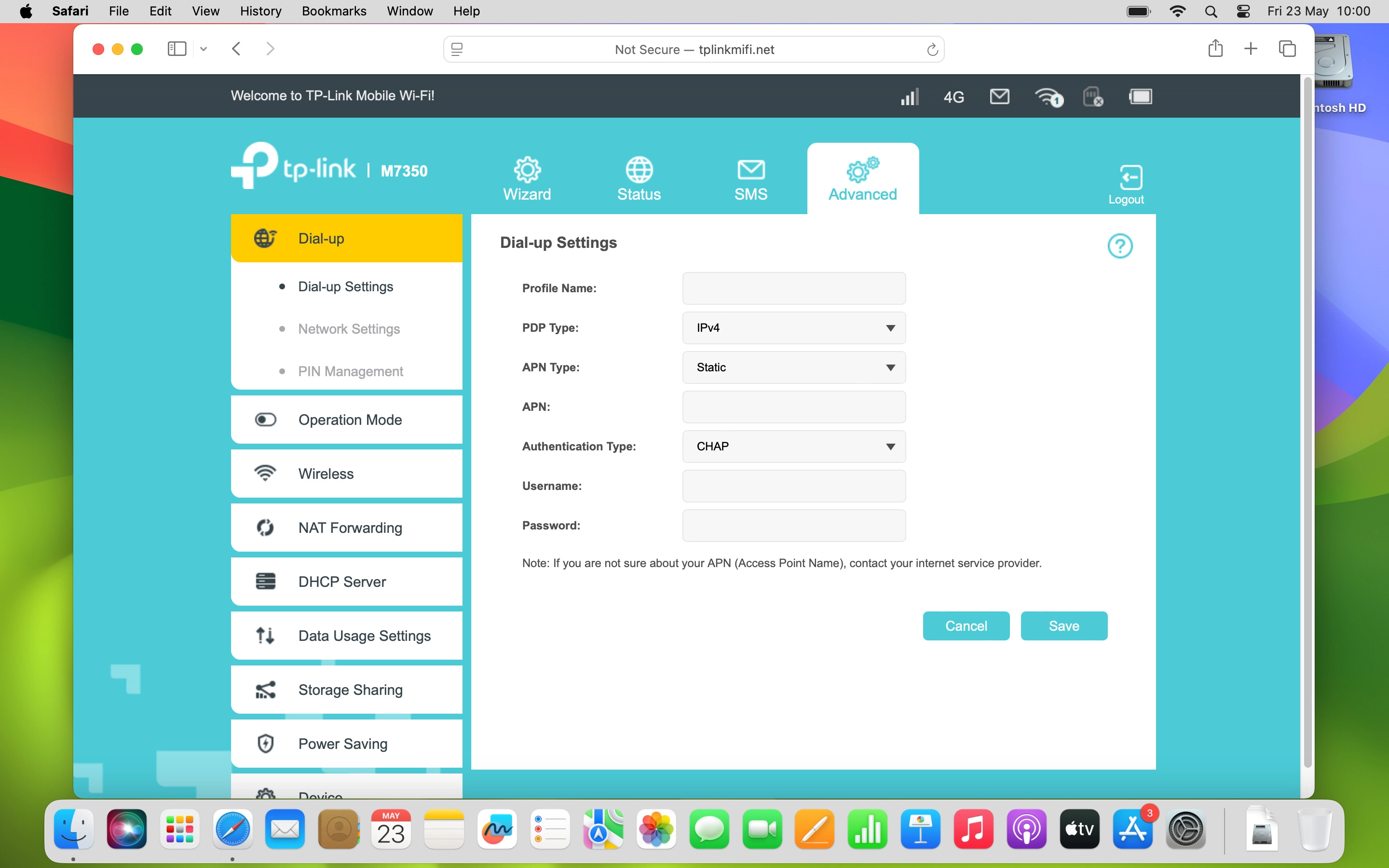
Click the drop down list next to "PDP Type:".
Step 5 of 12

Select IP type

Click the required setting.

Step 6 of 12

Select APN type

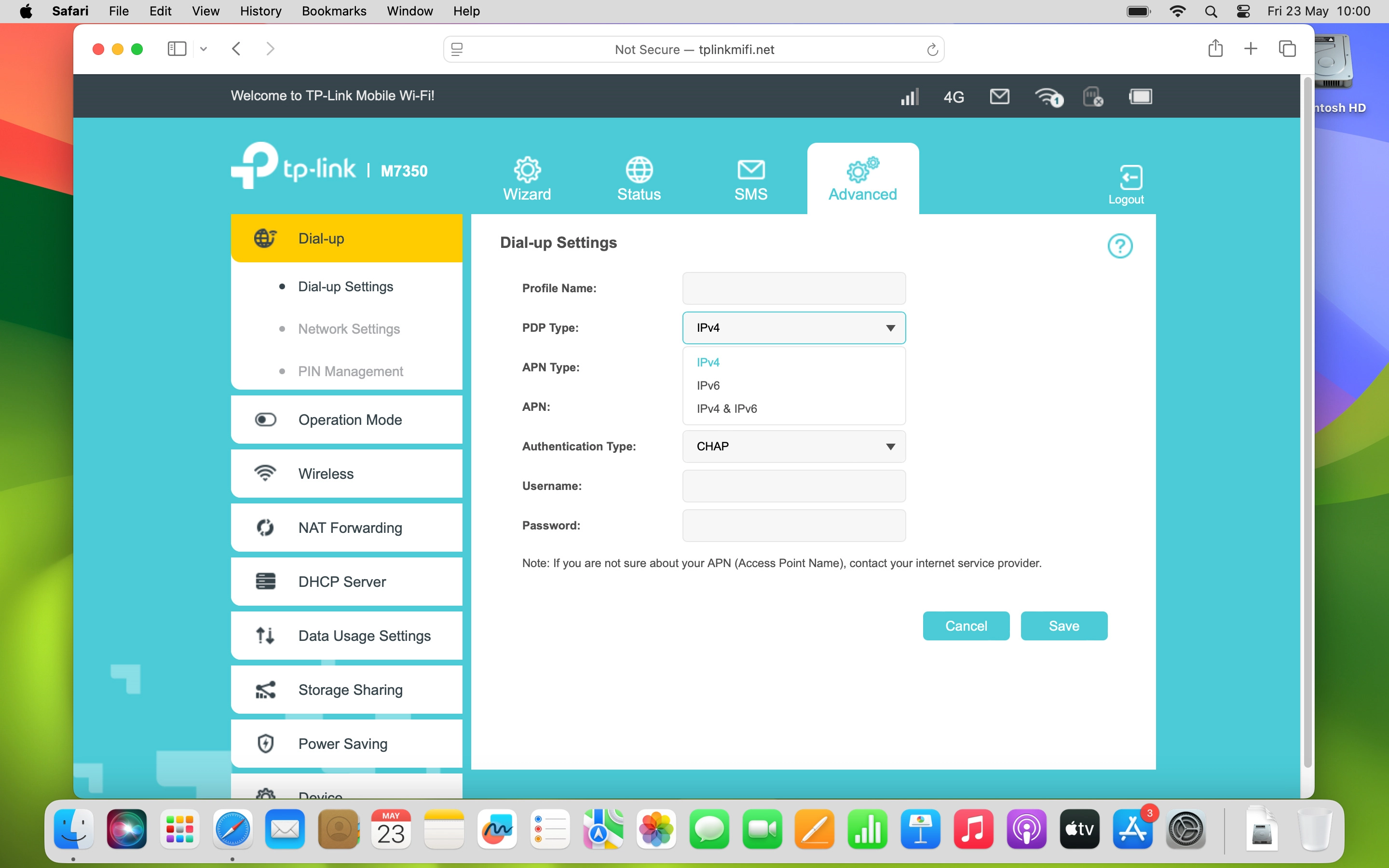
Click the drop down list next to "APN Type:".
Step 7 of 12

Select APN type

Click Static.

vfinternet.au
Step 8 of 12

Enter APN

Click the field next to "APN:" and key in vfinternet.au.

Step 9 of 12

Select authentication type

Click the drop down list next to "Authentication Type:".
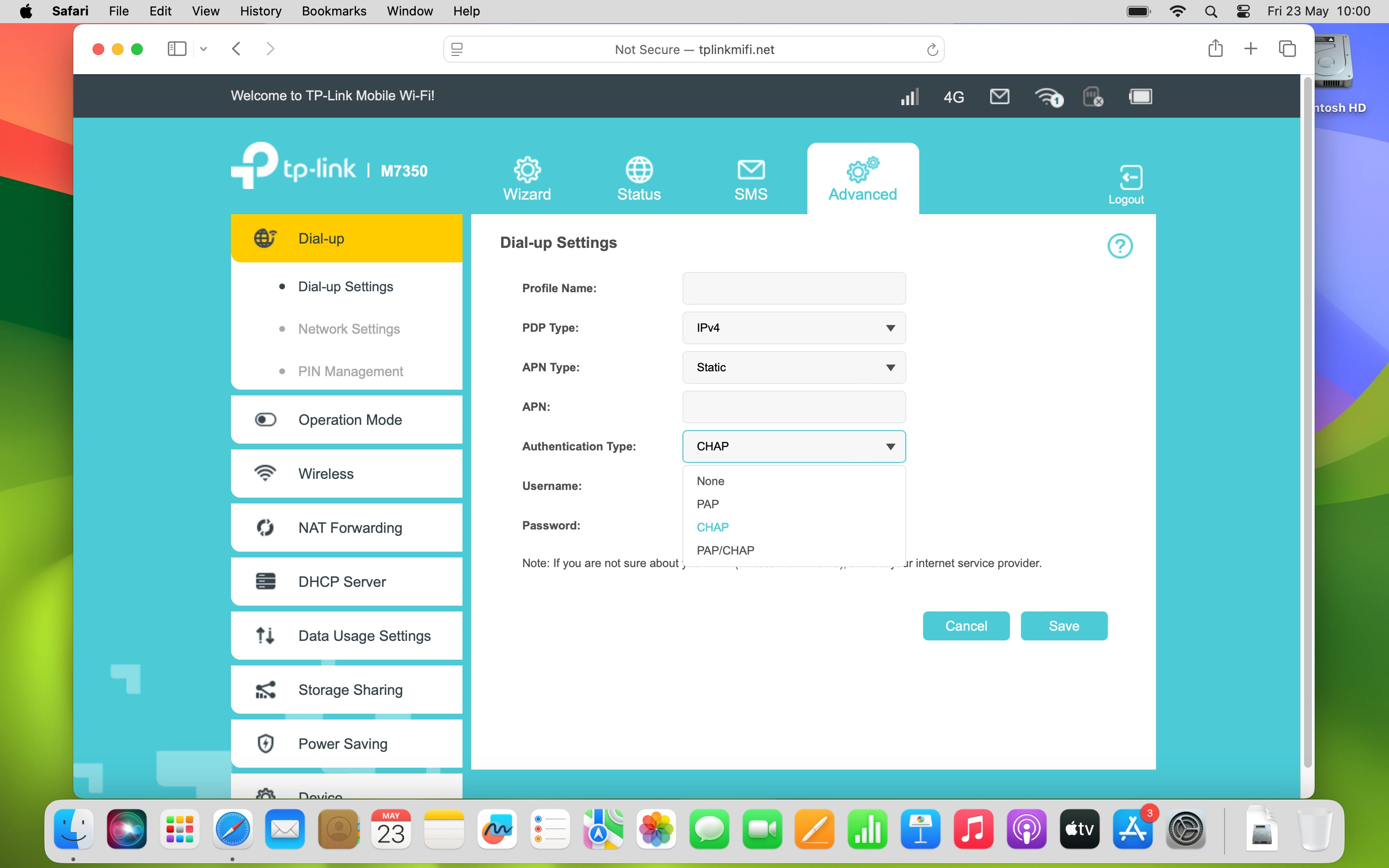
Step 10 of 12

Select authentication type

Click None.
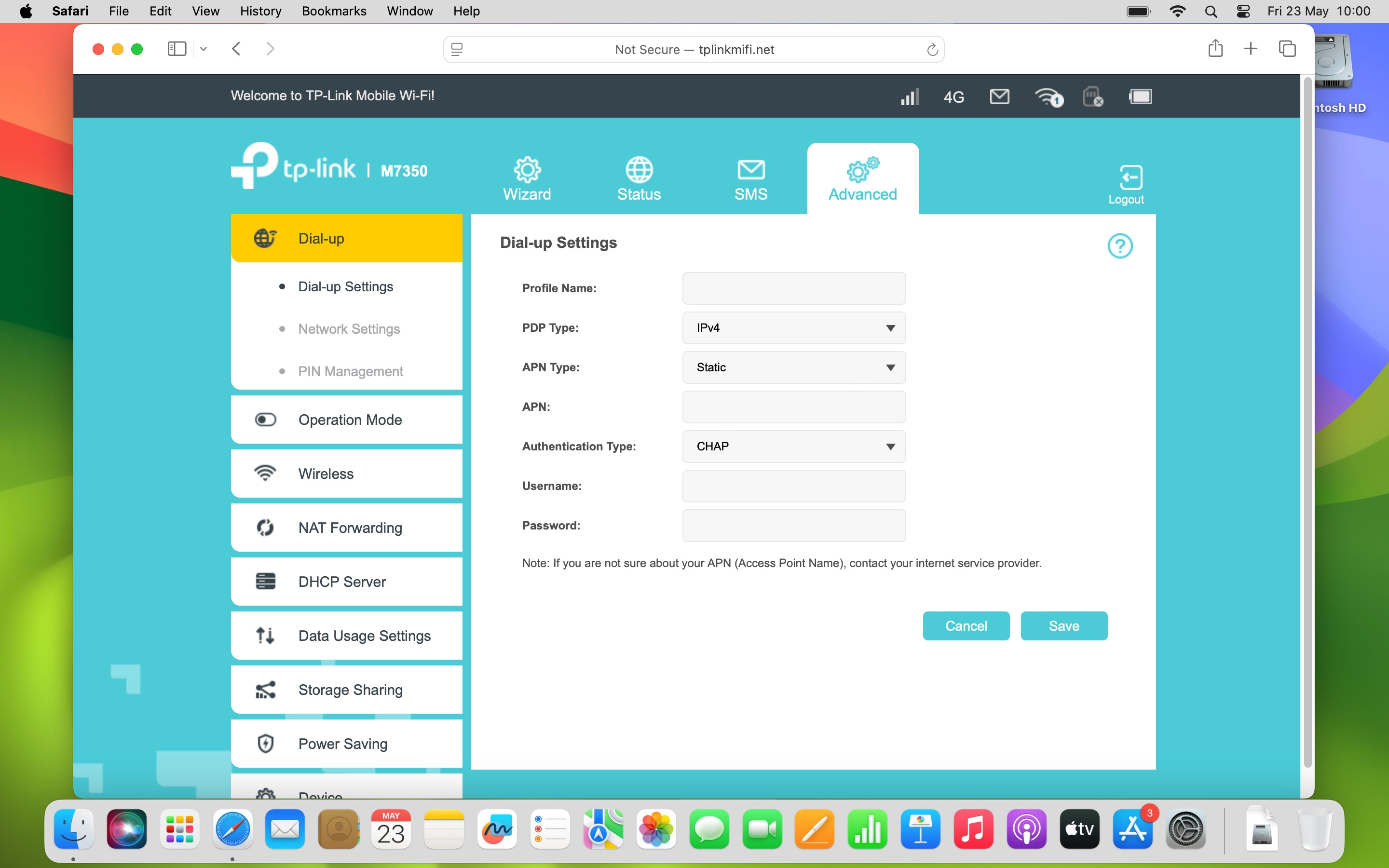
Step 11 of 12

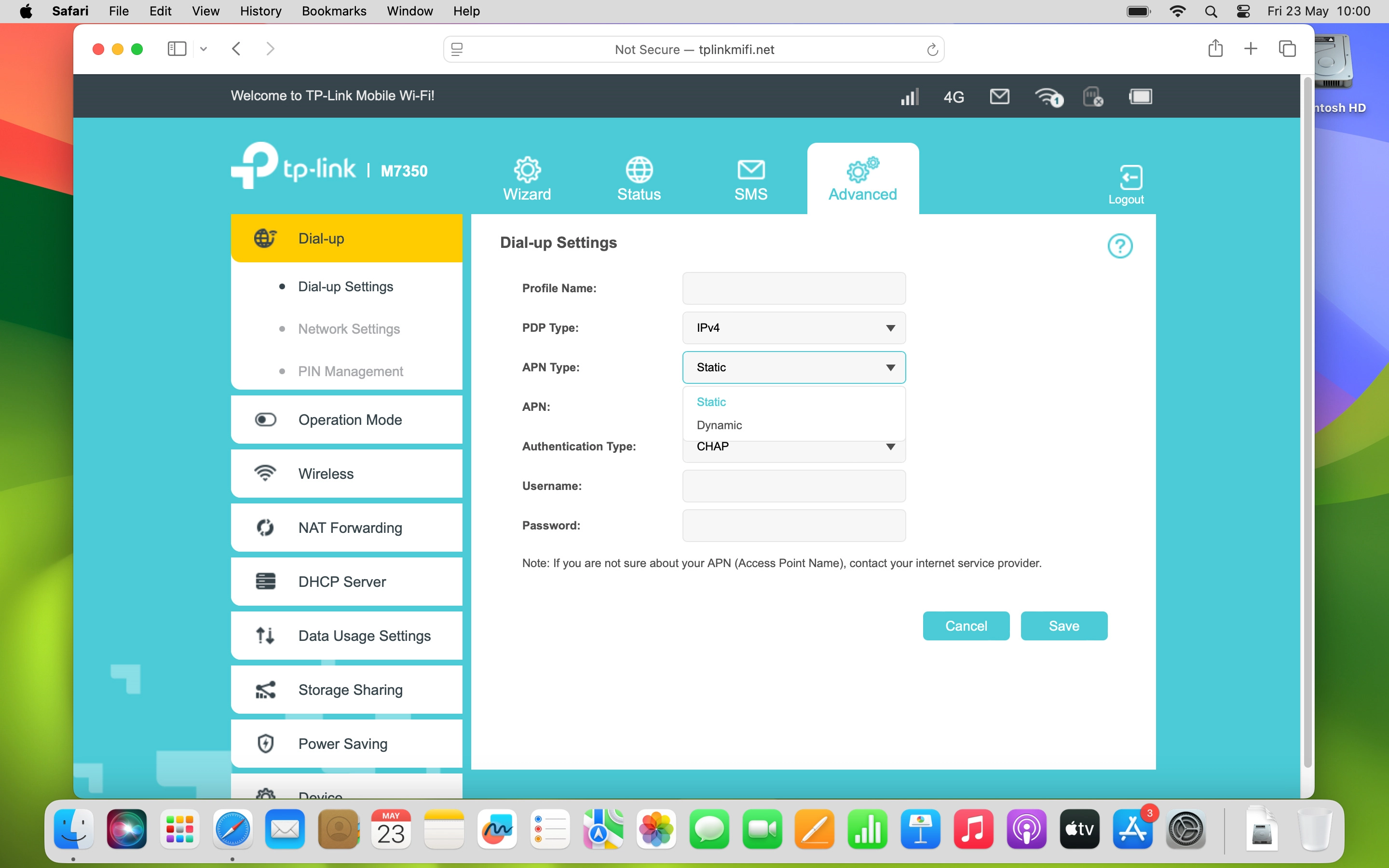
Save settings

Click Save.

Step 12 of 12

Save settings

Click Yes.

1 Find "Advanced"

Click Advanced.

2 Create new data connection

Click Create.
Click the field next to "Profile Name:" and key in Vodafone Internet.
Vodafone Internet

3 Select IP type

Click the drop down list next to "PDP Type:".
Click the required setting.

4 Select APN type

Click the drop down list next to "APN Type:".
Click Static.

5 Enter APN

Click the field next to "APN:" and key in vfinternet.au.
vfinternet.au

6 Select authentication type

Click the drop down list next to "Authentication Type:".
Click None.

7 Save settings

Click Save.
Click Yes.

Did this solve the problem?

Yes - All solved No - Go to next cause

Get information on...

Or select...

Another device