Apple iPad (3rd generation) iOS 5

Apple iPad (3rd generation)

iOS 5

View software version - Apple iPad (3rd generation) iOS 5

Read help info

Follow these instructions to see which software version is on your device.

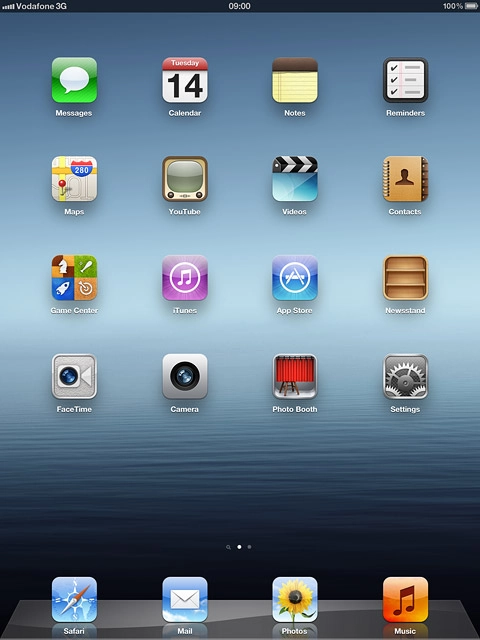
Press Settings.
Step 1 of 5

Find "About"

Press Settings.
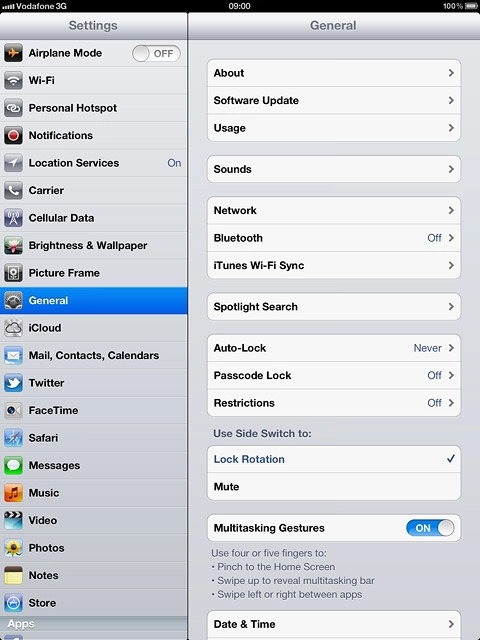
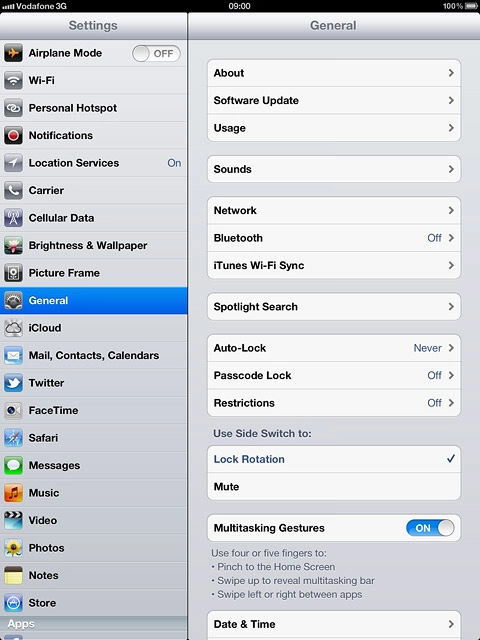
Press General.
Step 2 of 5

Find "About"

Press General.

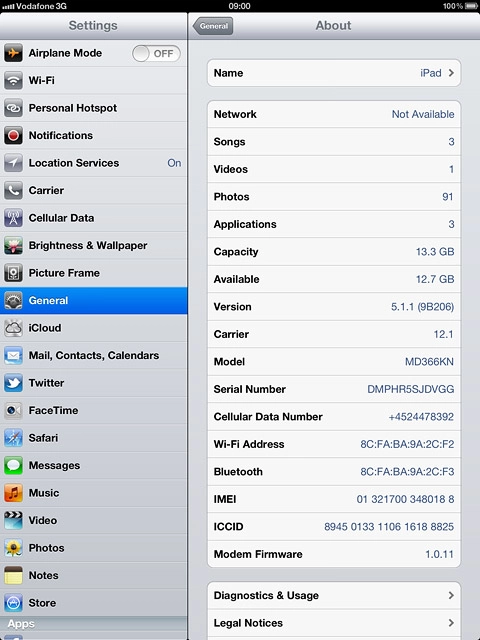
Press About.
Step 3 of 5

Find "About"

Press About.

View your device's software version next to Version.
Step 4 of 5

View software version

View your device's software version next to Version.

Press the Home key to return to standby mode.
Step 5 of 5

Exit

Press the Home key to return to standby mode.

Find "About"

Press Settings.
Press General.
Press About.

View software version

View your device's software version next to Version.

Exit

Press the Home key to return to standby mode.

Thank you for your evaluation!

Get information on...

Or select...

Another device