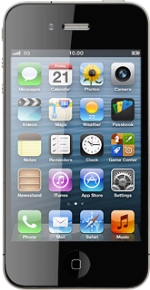
Apple iPhone 4S (iOS6)

Apple iPhone 4S

Use call waiting - Apple iPhone 4S (iOS6)

Read help info

When call waiting is turned on, you can hear and answer a new incoming call while you have an ongoing call. Follow these instructions to use call waiting.
You need to turn on call waiting before you can use this function. Click here for information on how to turn on call waiting.

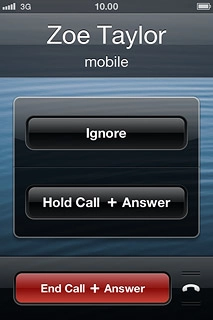
When you have an ongoing call, the new call is indicated by a sound signal and a call waiting menu will be displayed.Press Hold Call + Answer.The active call is put on hold and the other call is answered.
Step 1 of 5

Use call waiting

When you have an ongoing call, the new call is indicated by a sound signal and a call waiting menu will be displayed.
Press Hold Call + Answer.
The active call is put on hold and the other call is answered.
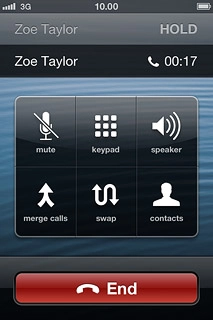
Press swap to swap calls.
Step 2 of 5

Swap calls

Press swap to swap calls.

Your calls are displayed on a list and the call on hold is indicated by HOLD.
Make sure the call you want to end is active.Press End.The active call is ended and the call on hold is automatically activated.
Step 3 of 5

End active call

Make sure the call you want to end is active.
Press End.
The active call is ended and the call on hold is automatically activated.

Press End to end the call.
Step 4 of 5

End call

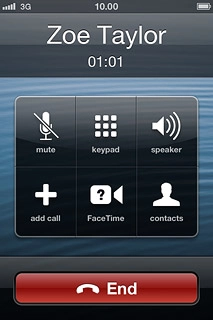
Press End to end the call.

Press the Home key to return to standby mode.
Step 5 of 5

Exit

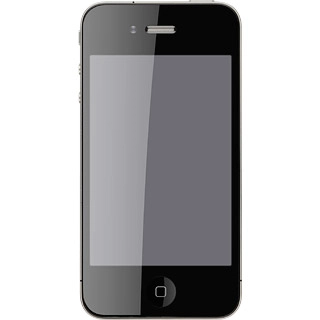
Press the Home key to return to standby mode.

Use call waiting

When you have an ongoing call, the new call is indicated by a sound signal and a call waiting menu will be displayed.
Press Hold Call + Answer.
The active call is put on hold and the other call is answered.

Swap calls

Press swap to swap calls.
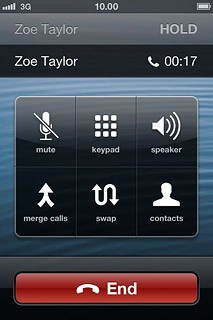
Your calls are displayed on a list and the call on hold is indicated by HOLD.

End active call

Make sure the call you want to end is active.
Press End.
The active call is ended and the call on hold is automatically activated.
End call

Press End to end the call.
Exit

Press the Home key to return to standby mode.

Thank you for your evaluation!

Get information on...

Or select...

Another device