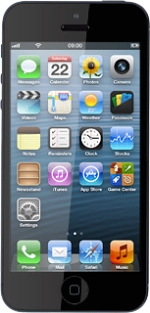
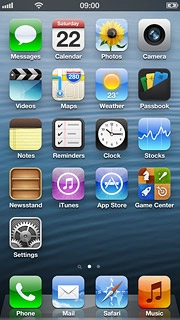
Find "Personal Hotspot"
Press Settings.
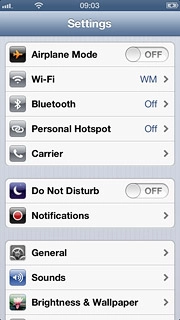
Find "Personal Hotspot"
Press Personal Hotspot.
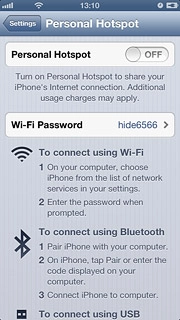
Turn on tethering
Press the indicator next to Personal Hotspot to turn on tethering.
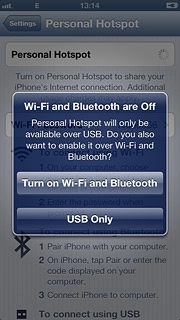
Turn on tethering
If this is the first time you use the function:
Press Turn on Wi-Fi and Bluetooth.
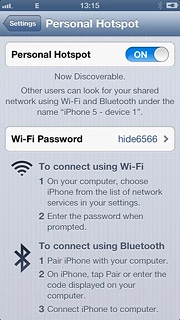
Change password for Wi-Fi hotspot
Press Wi-Fi Password.
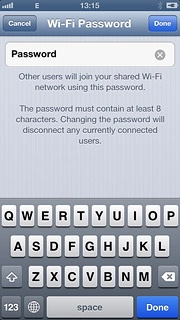
Change password for Wi-Fi hotspot
Key in the required password and press Done.
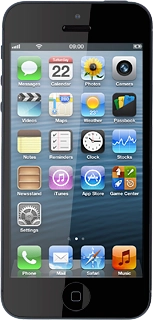
Establish connection
Turn on Wi-Fi on the other device.
Find the list of available Wi-Fi networks.
Select your phone on the list.
Key in the password for the Wi-Fi hotspot and establish a connection to the phone.
When the connection is established, you can access the internet from the other device.
Find "Personal Hotspot"
Turn on tethering
Press Turn on Wi-Fi and Bluetooth.
Change password for Wi-Fi hotspot
Establish connection
Find the list of available Wi-Fi networks.
Select your phone on the list.
Key in the password for the Wi-Fi hotspot and establish a connection to the phone.
When the connection is established, you can access the internet from the other device.
Thank you for your evaluation!

Thank you for your evaluation!