
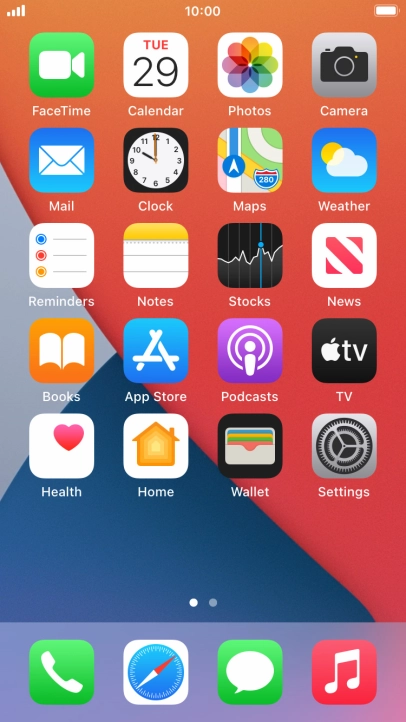
1. Find "Accounts"
Press Settings.


1. Find "Accounts"
Press Mail.


1. Find "Accounts"
Press Accounts.


2. Create new email account
Press Add Account.


2. Create new email account
Press Other.


2. Create new email account
Press Add Mail Account.


3. Enter sender name
Press Name and key in the required sender name.


4. Enter email address
Press Email and key in your email address.


5. Enter password
Press Password and key in the password for your email account.


6. Enter email account name
Press Description and key in the required name.
6. Enter email account name
Press Next.


6. Enter email account name
If this screen is displayed, you email account has been recognised and set up automatically. Follow the instructions on the screen to key in more information and finish setting up your phone.


7. Select server type
Press IMAP.
8. Enter incoming server
Press Host Name and key in the name of your email provider's incoming server.


9. Enter username
Press Username and key in the username for your email account.


10. Enter outgoing server
Press Host Name and key in the name or IP address of your email provider's outgoing server. Please note that if you can't send email messages when using your email provider's outgoing server, key in smtp.vodafone.net.au (Vodafone's outgoing server).


11. Enter username
Press Username and key in the username for your email account. Please note that if you're using Vodafone's outgoing server, leave the username field empty.


12. Enter password
Press Password and key in the password for your email account. Please note that if you're using Vodafone's outgoing server, leave the password field empty.


12. Enter password
Press Next.


12. Enter password
Press Save. Your email account has now been set up. To select more settings for incoming and outgoing server, proceed with the following steps.


13. Select email account
Press the name of the email account you've just set up.


13. Select email account
Press Account.


14. Turn off encryption of outgoing email messages
Press SMTP.


14. Turn off encryption of outgoing email messages
Press the field below "PRIMARY SERVER".


14. Turn off encryption of outgoing email messages
Press the indicator next to "Use SSL" to turn off the function.


15. Turn off password encryption
Press Authentication.


15. Turn off password encryption
Press Password.
15. Turn off password encryption
Press arrow left.
16. Enter outgoing port
Press Server Port and key in 25.
16. Enter outgoing port
Press Done.
16. Enter outgoing port
Press arrow left.
17. Turn off encryption of incoming email messages
Press Advanced.


17. Turn off encryption of incoming email messages
Press the indicator next to "Use SSL" to turn off the function.


18. Turn off password encryption
Press Authentication.


18. Turn off password encryption
Press Password.
18. Turn off password encryption
Press arrow left.
19. Enter incoming port
Press Server Port and key in 143.
19. Enter incoming port
Press arrow left.
19. Enter incoming port
Press Done.
19. Enter incoming port
Press arrow left.


20. Select setting for retrieval of new email messages
Press Fetch New Data.


20. Select setting for retrieval of new email messages
Press the indicator next to "Push" to turn the function on or off.


20. Select setting for retrieval of new email messages
If you turn off the function, press the required setting.
20. Select setting for retrieval of new email messages
Press the required email account and follow the instructions on the screen to select settings for the specific account.
21. Return to the home screen
Press the Home key to return to the home screen.
1. Find "Accounts"


2. Create new email account


3. Enter sender name

4. Enter email address

5. Enter password

6. Enter email account name


7. Select server type

8. Enter incoming server
9. Enter username

10. Enter outgoing server

11. Enter username

12. Enter password


13. Select email account


14. Turn off encryption of outgoing email messages


15. Turn off password encryption


16. Enter outgoing port
17. Turn off encryption of incoming email messages

18. Turn off password encryption


19. Enter incoming port
20. Select setting for retrieval of new email messages


21. Return to the home screen
Thank you for your evaluation!

Thank you for your evaluation!