Nokia Lumia 930

Nokia Lumia 930

Set up your phone for internet - Nokia Lumia 930

Read help info

The internet connection is shared by many functions on your phone such as internet browsing, receiving email messages and installing apps. You can access the internet as soon as you've inserted your SIM. If this isn't the case, you can set up your phone for internet manually.

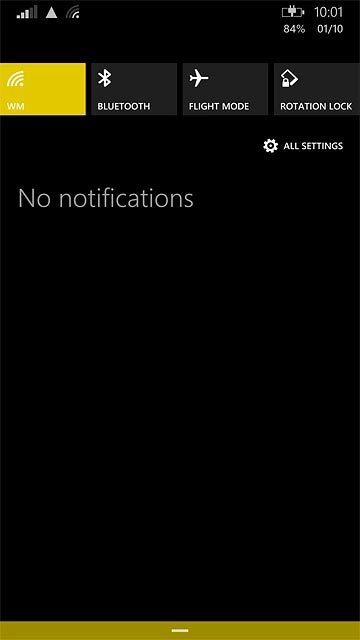
Slide your finger down the display starting from the top edge of your phone.Press ALL SETTINGS.
Step 1 of 9

Find "add Internet APN"

Slide your finger down the display starting from the top edge of your phone.
Press ALL SETTINGS.
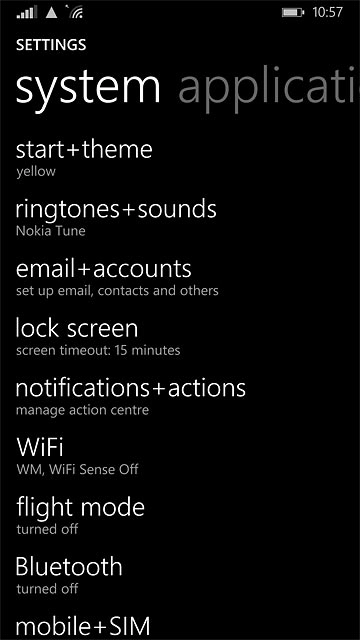
Press mobile+SIM.
Step 2 of 9

Find "add Internet APN"

Press mobile+SIM.
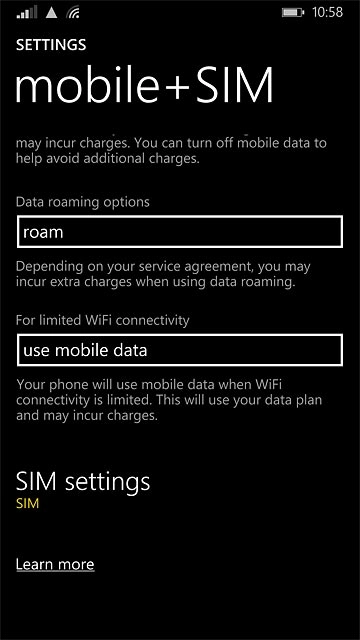
Press SIM settings.
Step 3 of 9

Find "add Internet APN"

Press SIM settings.
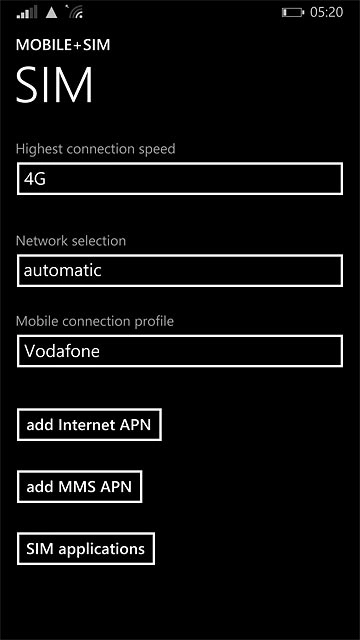
Press add Internet APN.
Step 4 of 9

Find "add Internet APN"

Press add Internet APN.
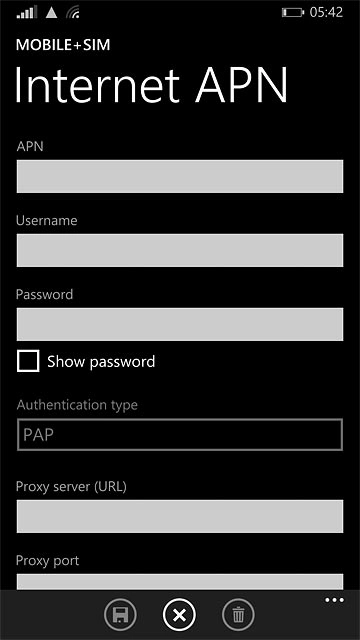
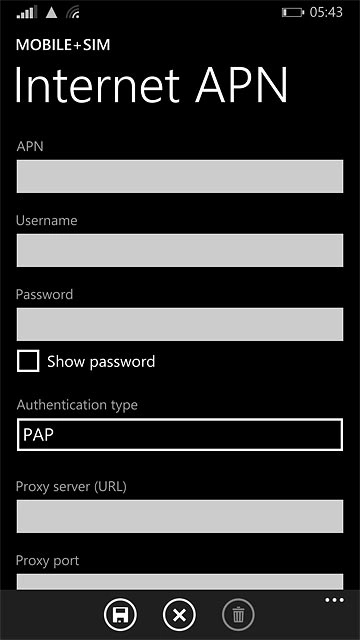
Press the field below
Step 5 of 9

Enter APN

Press the field below "APN".
Key in live.vodafone.com
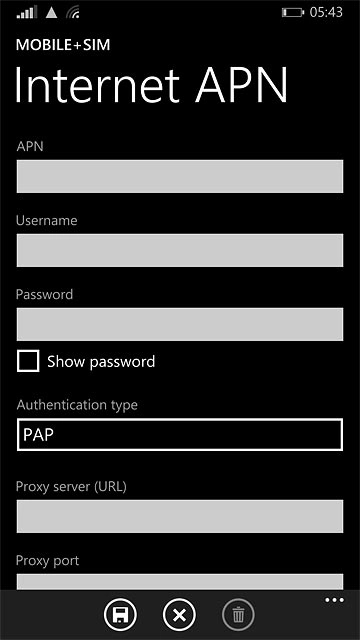
Press the drop down list below
Step 6 of 9

Select authentication type

Press the drop down list below "Authentication type".

Press PAP.
Step 7 of 9

Select authentication type

Press PAP.

Press the save icon.
Step 8 of 9

Save data connection

Press the save icon.

Press the Home key to return to the home screen.
Step 9 of 9

Return to the home screen

Press the Home key to return to the home screen.

Find "add Internet APN"

Slide your finger down the display starting from the top edge of your phone.
Press ALL SETTINGS.
Press mobile+SIM.
Press SIM settings.
Press add Internet APN.

Enter APN

Press the field below "APN".
Key in live.vodafone.com

Select authentication type

Press the drop down list below "Authentication type".
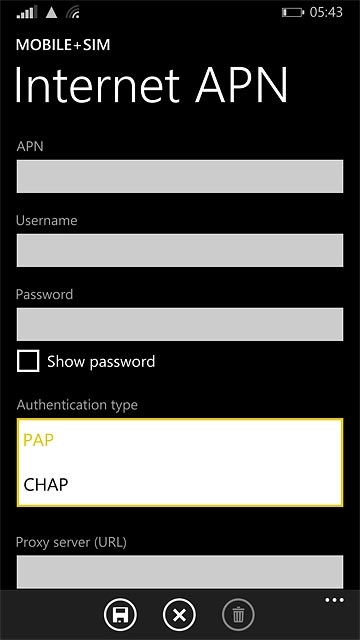
Press PAP.

Save data connection

Press the save icon.
Return to the home screen

Press the Home key to return to the home screen.

Thank you for your evaluation!

Get information on...

Or select...

Another device