OPPO R15 Pro

OPPO R15 Pro

Android 8.1

Copy contacts from social networks and email accounts to your OPPO R15 Pro Android 8.1

Read help info

You can copy the contacts from your social networks and email accounts to the address book. To copy your contacts, you need to set up your phone for internet.

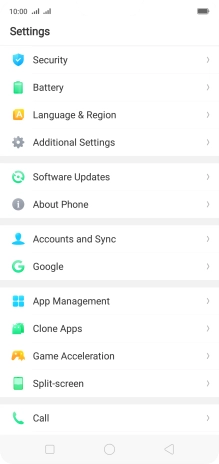
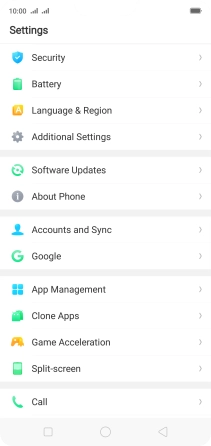
Press Settings.
Step 1 of 5

1. Find "Accounts and Sync"

Press Settings.
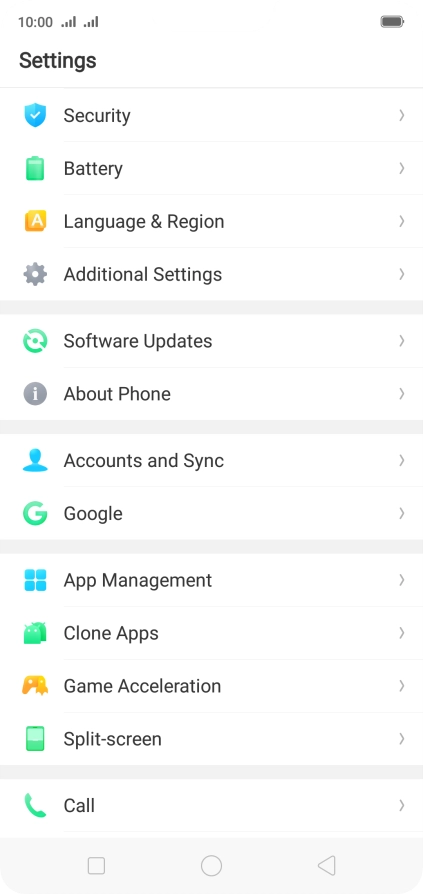
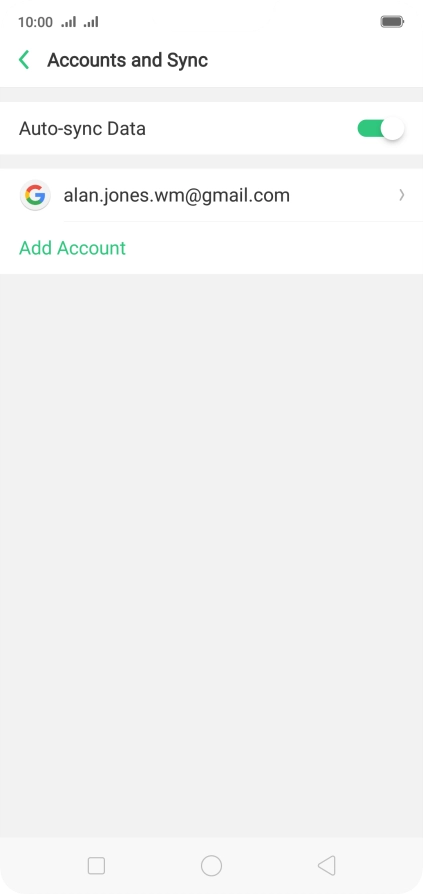
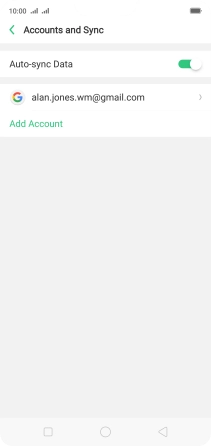
Press Accounts and Sync.
Step 2 of 5

1. Find "Accounts and Sync"

Press Accounts and Sync.

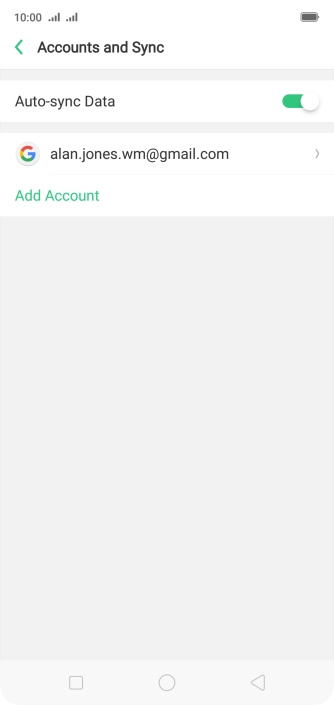
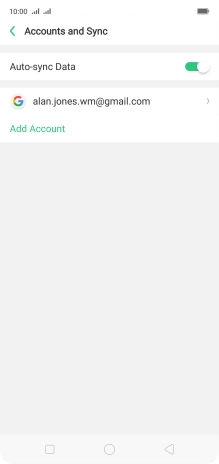
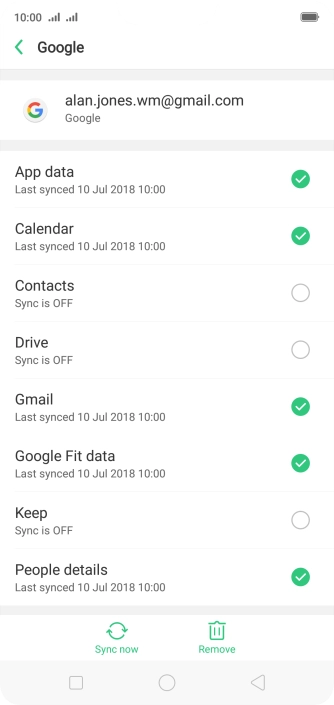
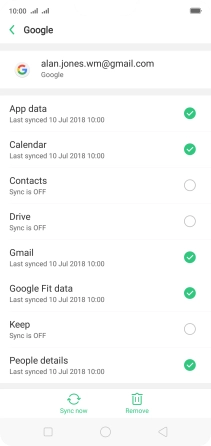
Press the required account.
Step 3 of 5

2. Copy contacts from social networks and email accounts

Press the required account.

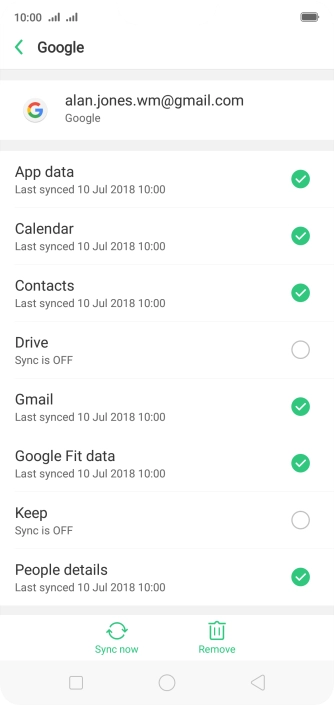
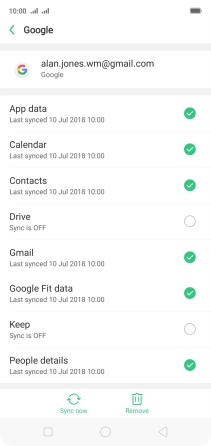
Press the field next to
Step 4 of 5

2. Copy contacts from social networks and email accounts

Press the field next to "Contacts" to turn on the function.

Press the Home key to return to the home screen.
Step 5 of 5

3. Return to the home screen

Press the Home key to return to the home screen.

1. Find "Accounts and Sync"

Press Settings.
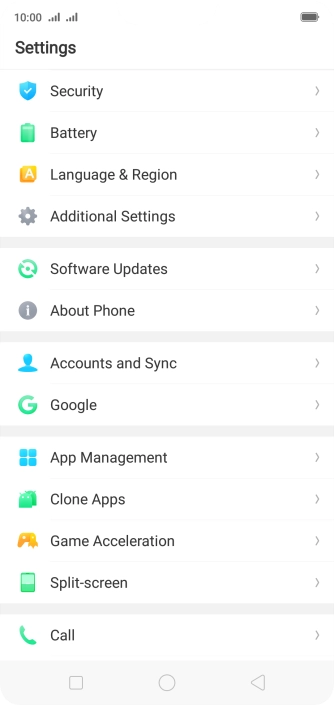
Press Accounts and Sync.

2. Copy contacts from social networks and email accounts

Press the required account.
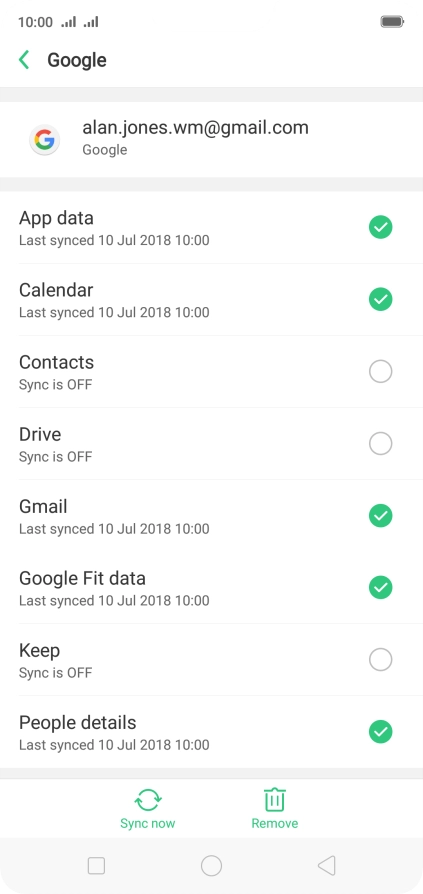
Press the field next to "Contacts" to turn on the function.
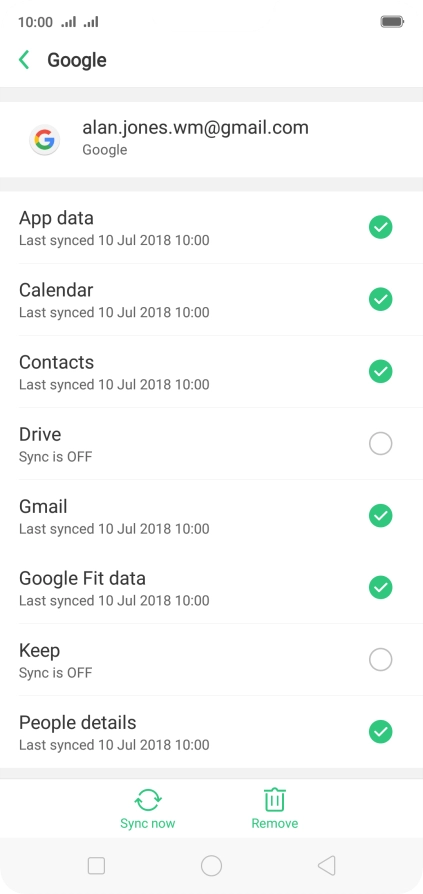
3. Return to the home screen

Press the Home key to return to the home screen.

Thank you for your evaluation!

Get information on...

Or select...

Another device