Samsung Galaxy Tab 2 7.0

Samsung Galaxy Tab 2 7.0

Choose network - Samsung Galaxy Tab 2 7.0

Read help info

You can set your device to find a network automatically or you can choose a network manually. Follow these instructions to choose a network.

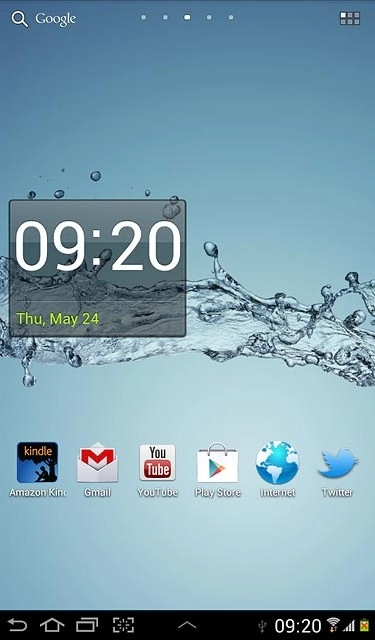
Press the menu icon.
Step 1 of 9

Find "Network operators"

Press the menu icon.
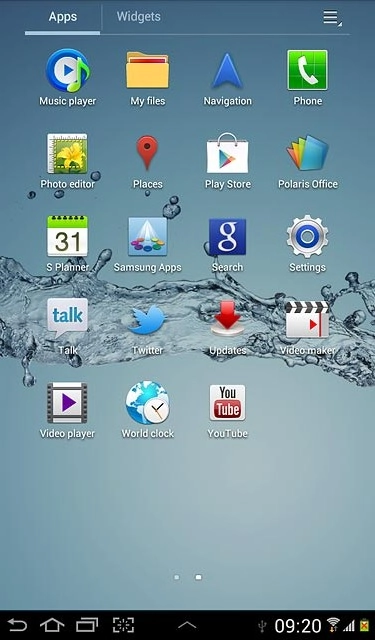
Press Settings.
Step 2 of 9

Find "Network operators"

Press Settings.
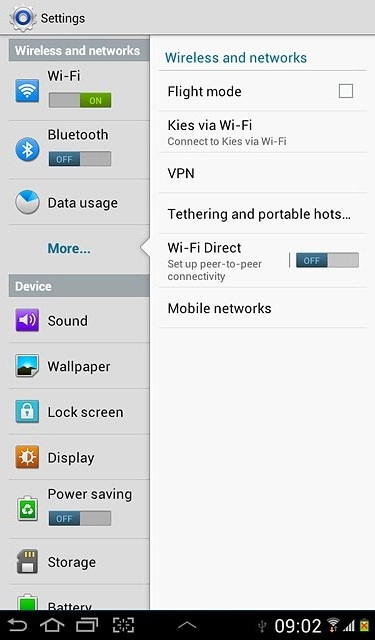
Press More....
Step 3 of 9

Find "Network operators"

Press More....
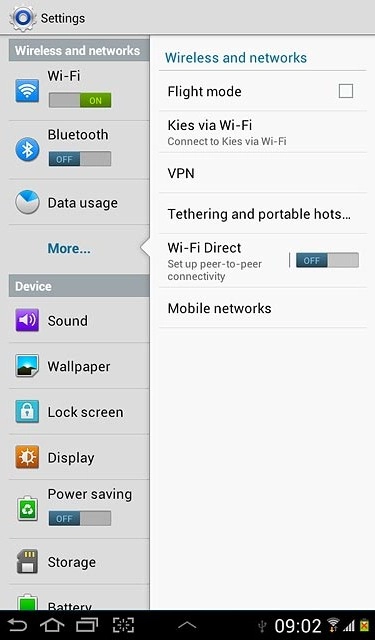
Press Mobile networks.
Step 4 of 9

Find "Network operators"

Press Mobile networks.
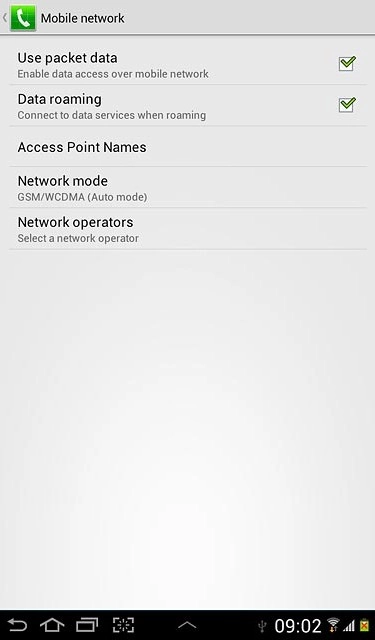
Press Network operators.
Step 5 of 9

Find "Network operators"

Press Network operators.
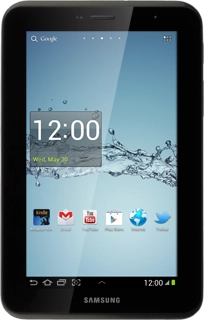
Samsung Galaxy Tab 2 7.0
Step 6 of 9

Select option

Your device searches for networks within range.
Choose one of the following options:
Select network manually, go to 2a.
Select network automatically, go to 2b.
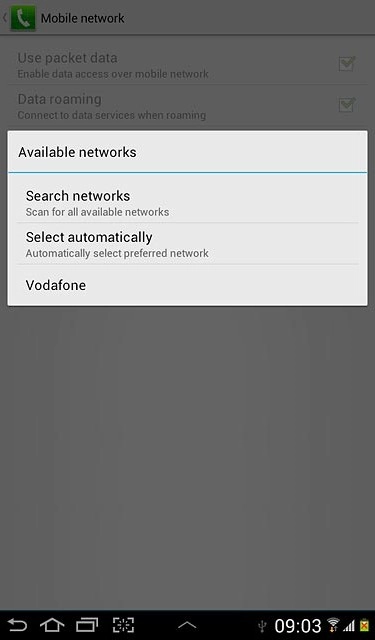
A list of networks within range is displayed.Press the required network.Your display will tell you if you have access to the network you've chosen.
Step 7 of 9

2a - Select network manually

A list of networks within range is displayed.
Press the required network.
Your display will tell you if you have access to the network you've chosen.
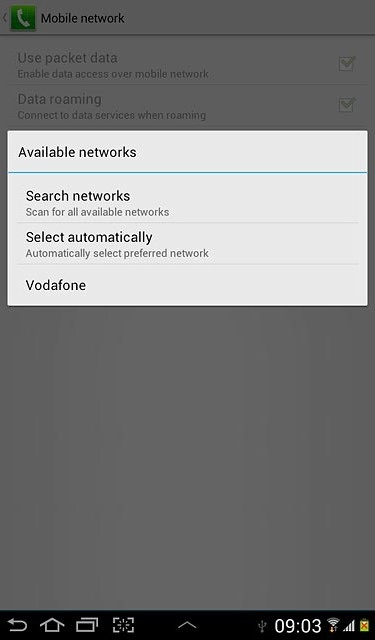
If you're out of range of the selected network, your device won't work.
Press Select automatically.
Step 8 of 9

2b - Select network automatically

Press Select automatically.
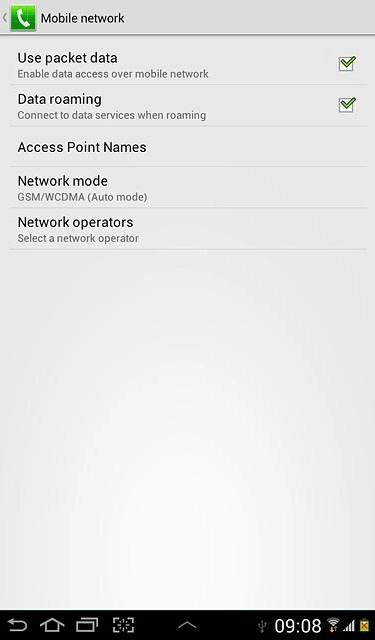
Press the home icon to return to standby mode.
Step 9 of 9

Exit

Press the home icon to return to standby mode.

Find "Network operators"

Press the menu icon.
Press Settings.
Press More....
Press Mobile networks.
Press Network operators.

Select option

Your device searches for networks within range.
Choose one of the following options:
Select network manually, go to 2a.
Select network automatically, go to 2b.
Samsung Galaxy Tab 2 7.0

2a - Select network manually

A list of networks within range is displayed.
Press the required network.
Your display will tell you if you have access to the network you've chosen.
If you're out of range of the selected network, your device won't work.

2b - Select network automatically

Press Select automatically.

Exit

Press the home icon to return to standby mode.

Thank you for your evaluation!

Get information on...

Or select...

Another device