
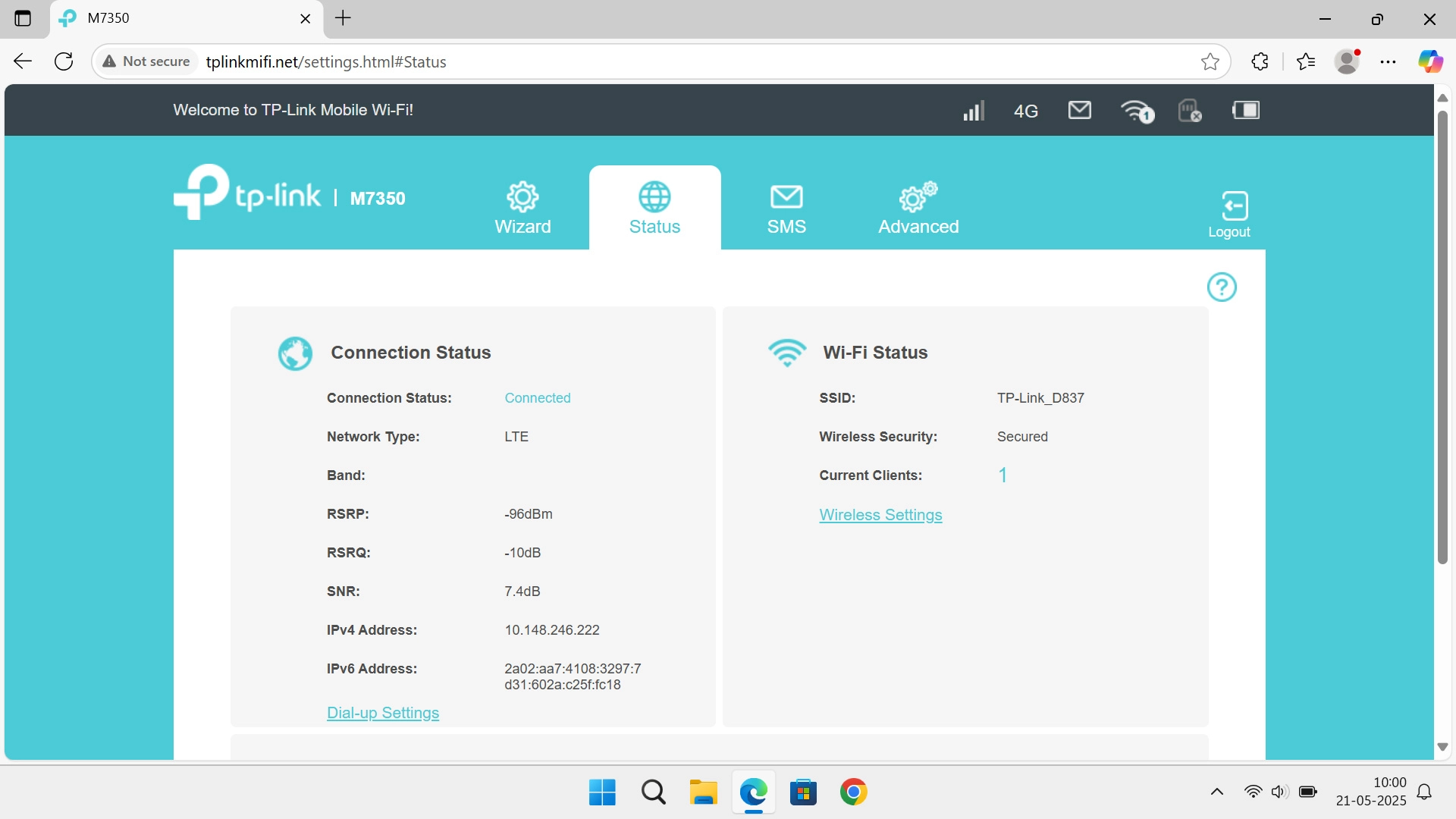
1. Find "PIN Management"
Click Advanced.
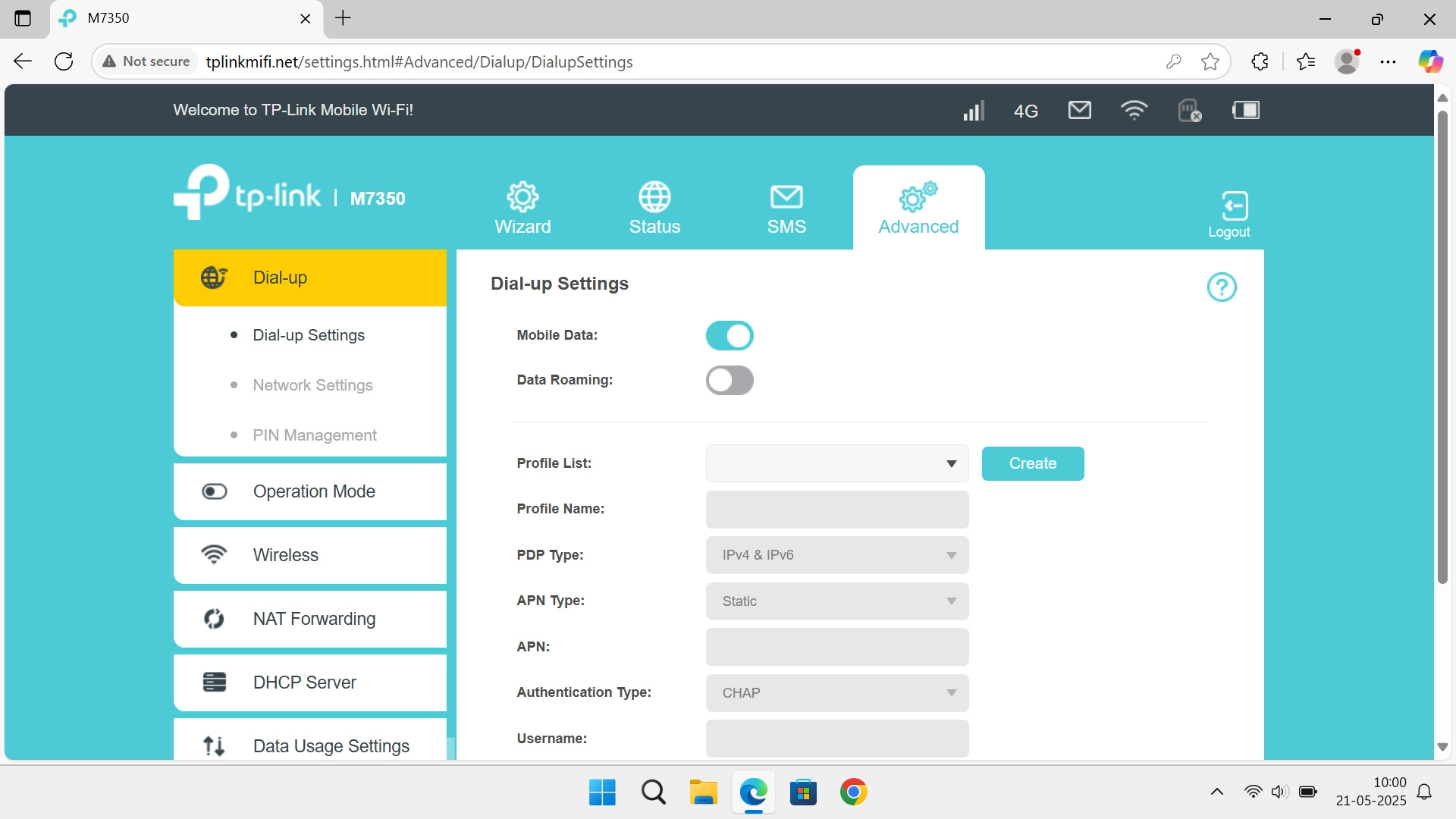
1. Find "PIN Management"
Click PIN Management.
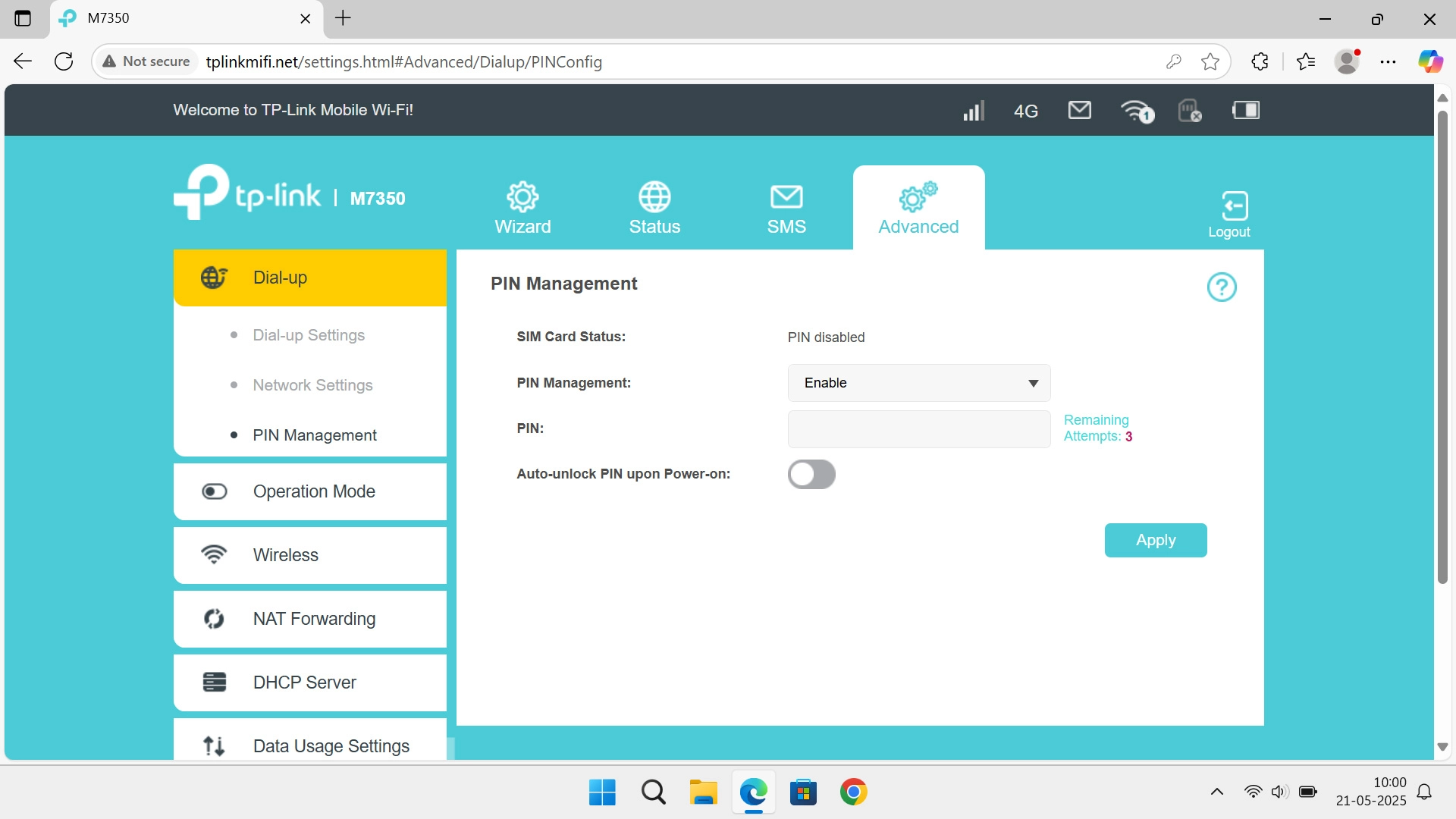
2. Turn use of PIN on or off
Click the field next to "PIN:" and key in your PIN.
2. Turn use of PIN on or off
Click Apply to turn the function on or off.
1. Find "PIN Management"
2. Turn use of PIN on or off
Thank you for your evaluation!

Thank you for your evaluation!