Vodafone Pocket WiFi® 6 CM52 5G

Vodafone Pocket WiFi® 6 CM52 5G

Select settings for automatic connection - Vodafone Pocket WiFi® 6 CM52 5G

Read help info

Click the menu field.
Step 1 of 6

1. Find "Manage known networks"

Click the menu field.
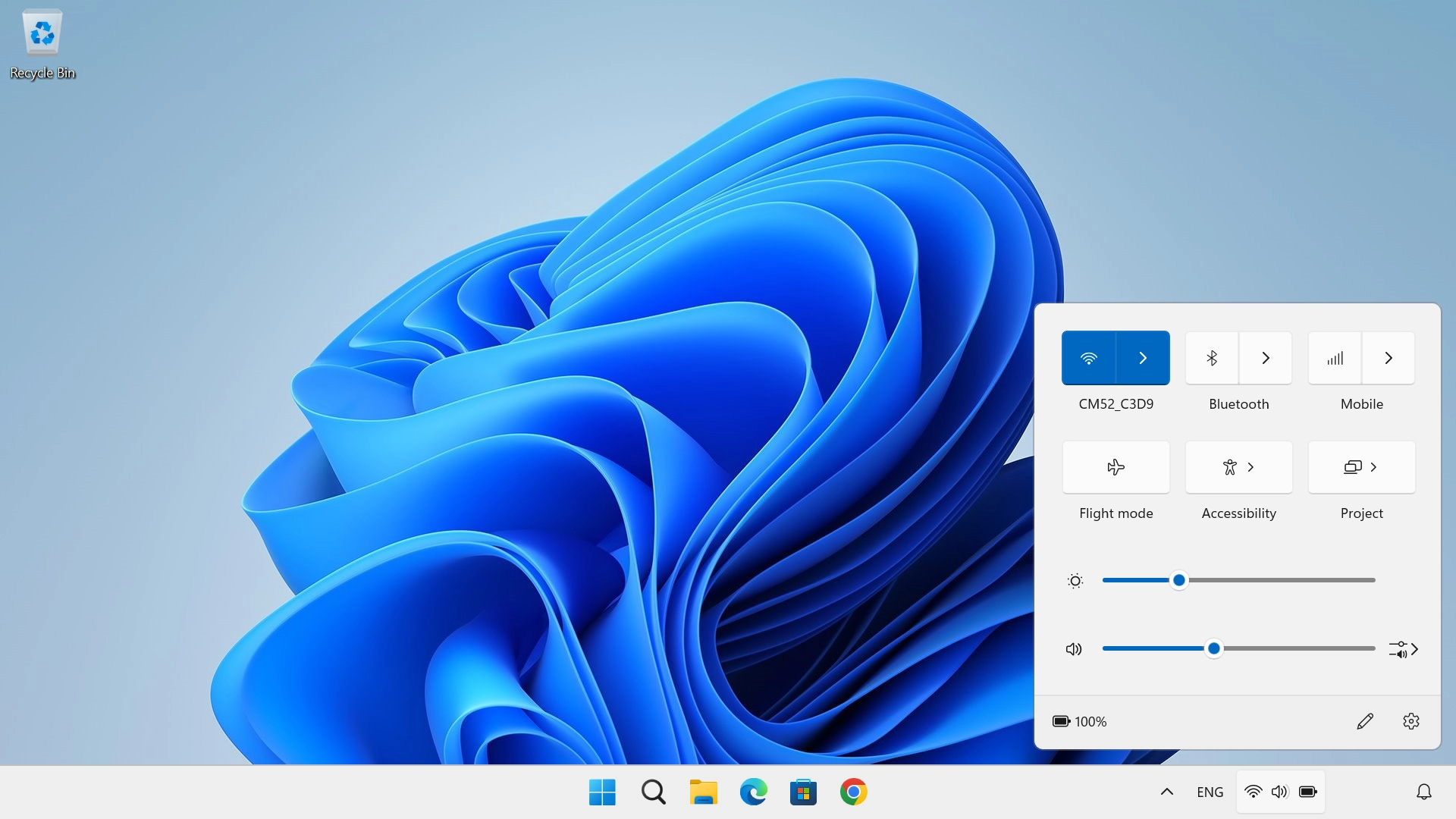
Click arrow right next to the Wi-Fi icon.
Step 2 of 6

1. Find "Manage known networks"

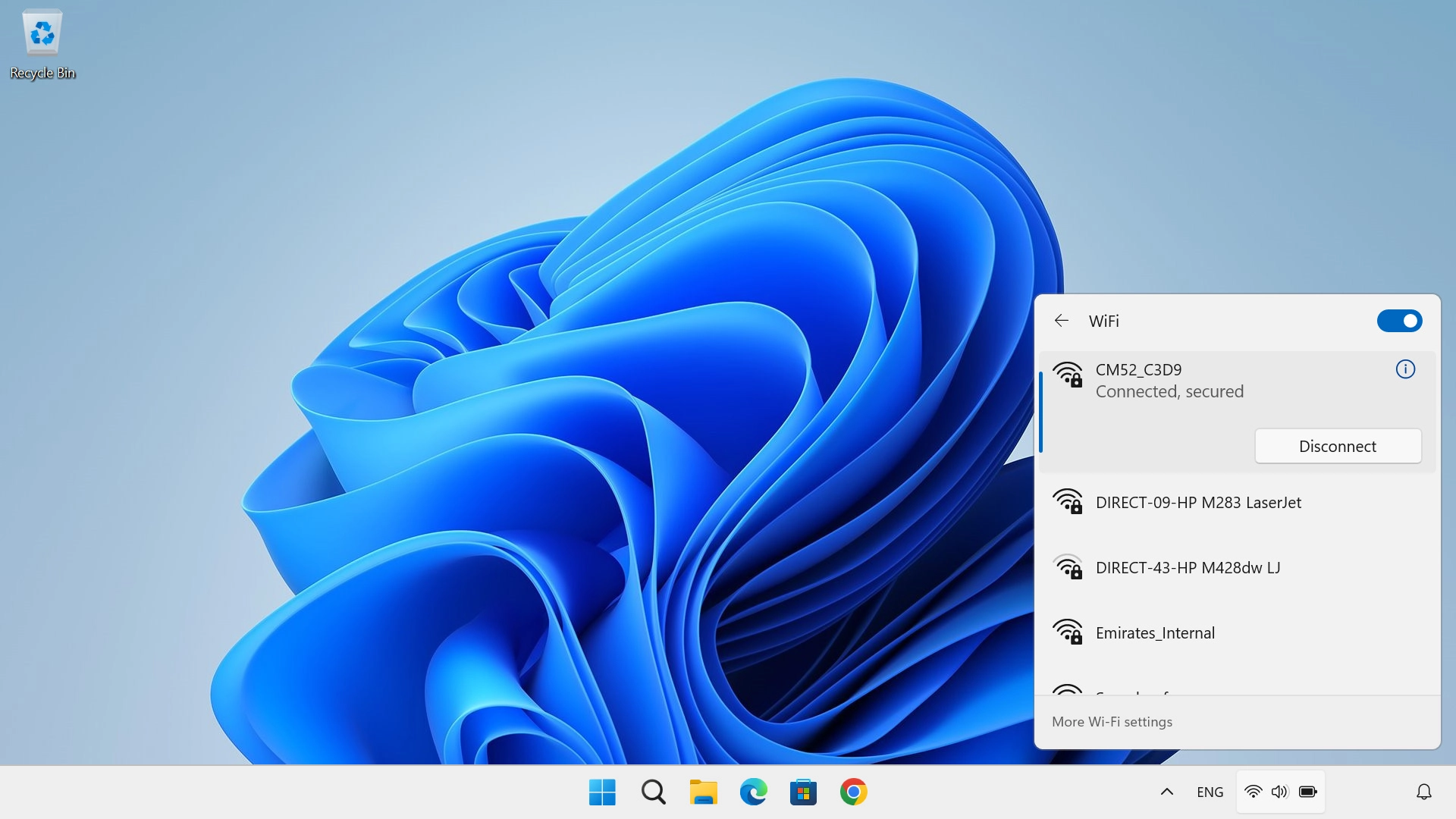
Click arrow right next to the Wi-Fi icon.

Click More Wi-Fi settings.
Step 3 of 6

1. Find "Manage known networks"

Click More Wi-Fi settings.
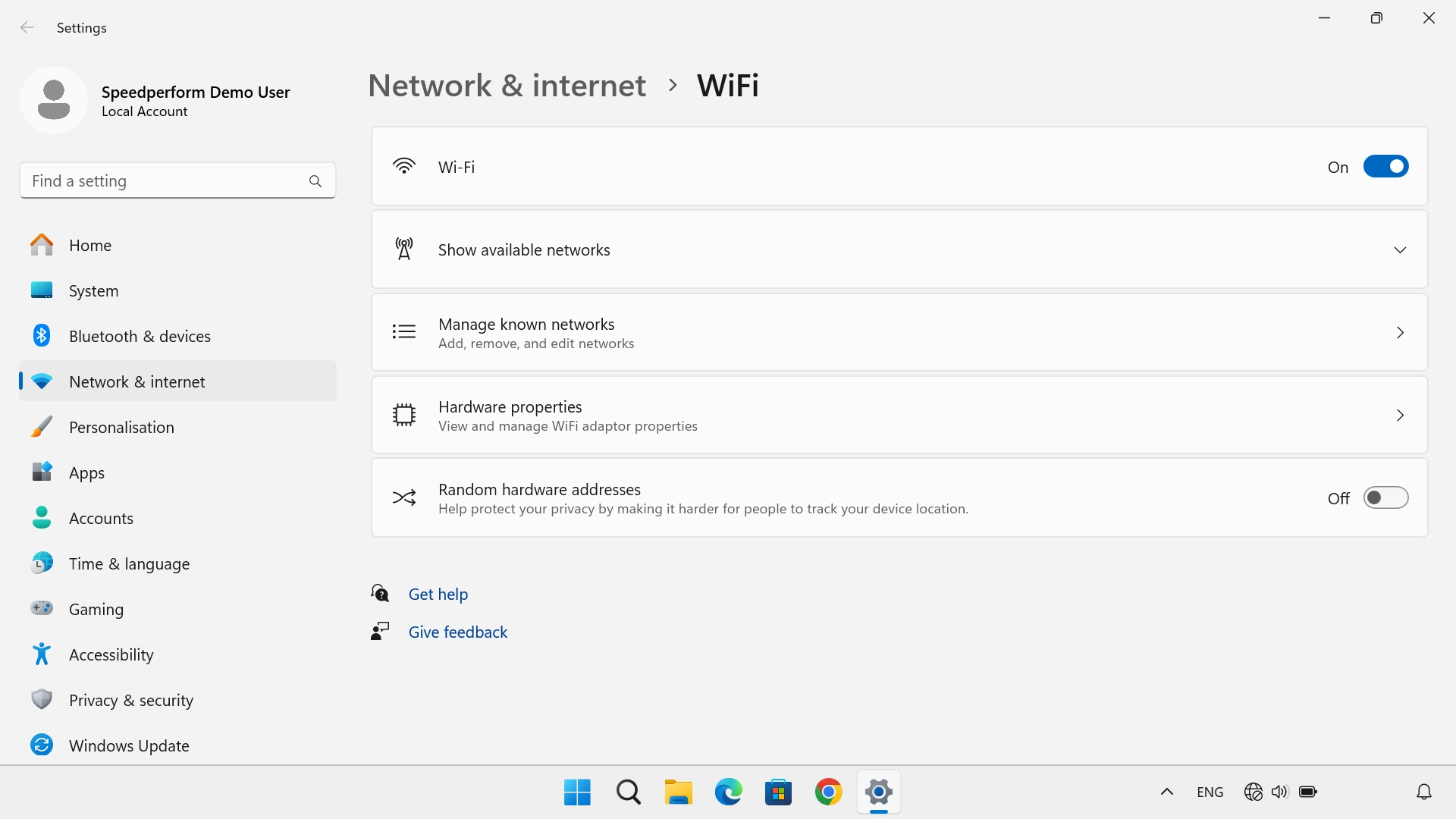
Click Manage known networks.
Step 4 of 6

1. Find "Manage known networks"

Click Manage known networks.
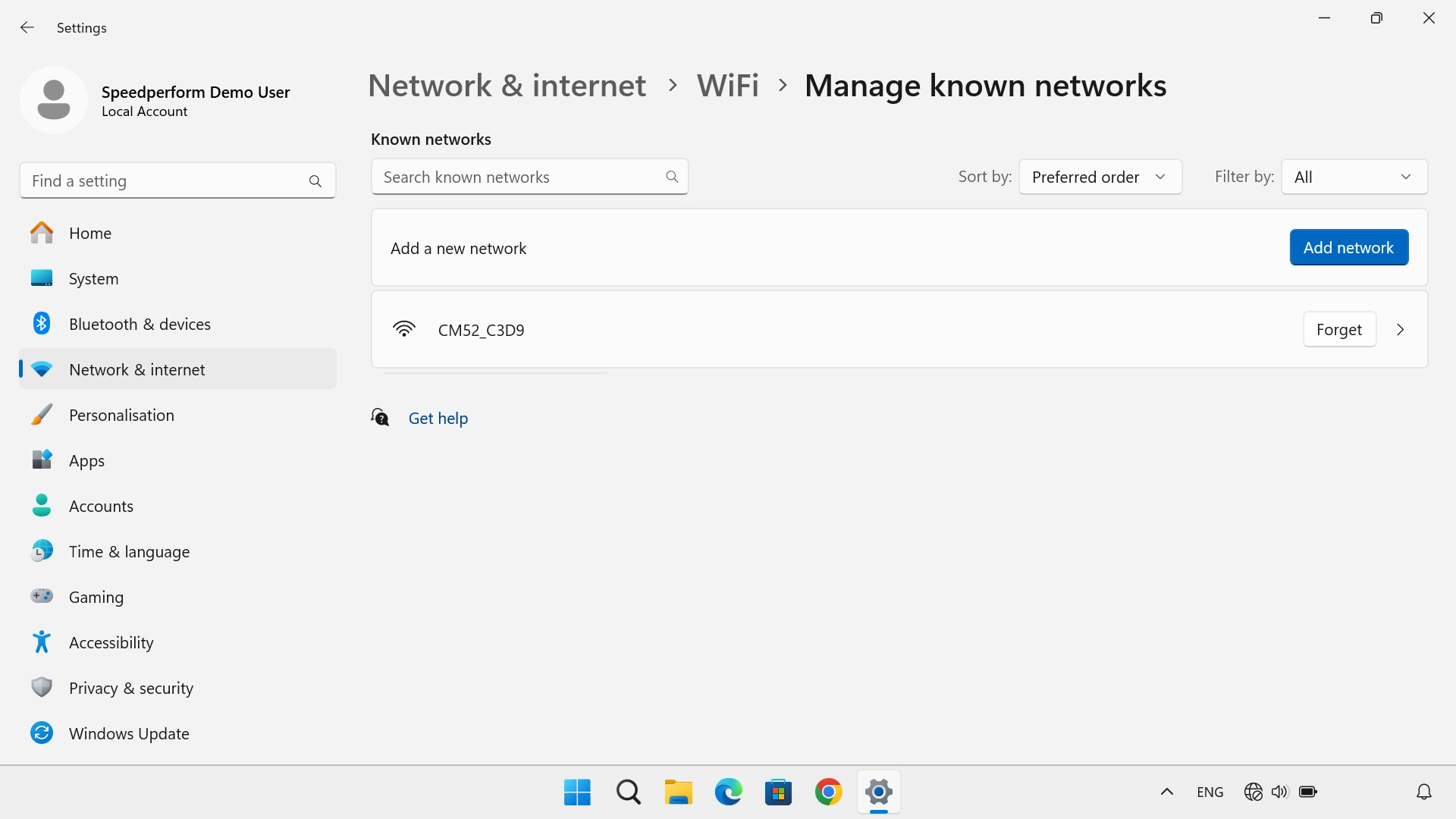
Click arrow right next to the required network.
Step 5 of 6

2. Turn automatic connection on or off

Click arrow right next to the required network.

Click the field next to
Step 6 of 6

2. Turn automatic connection on or off

Click the field next to "Connect automatically when in range" to turn the function on or off.

1. Find "Manage known networks"

Click the menu field.
Click arrow right next to the Wi-Fi icon.
Click More Wi-Fi settings.
Click Manage known networks.

2. Turn automatic connection on or off

Click arrow right next to the required network.
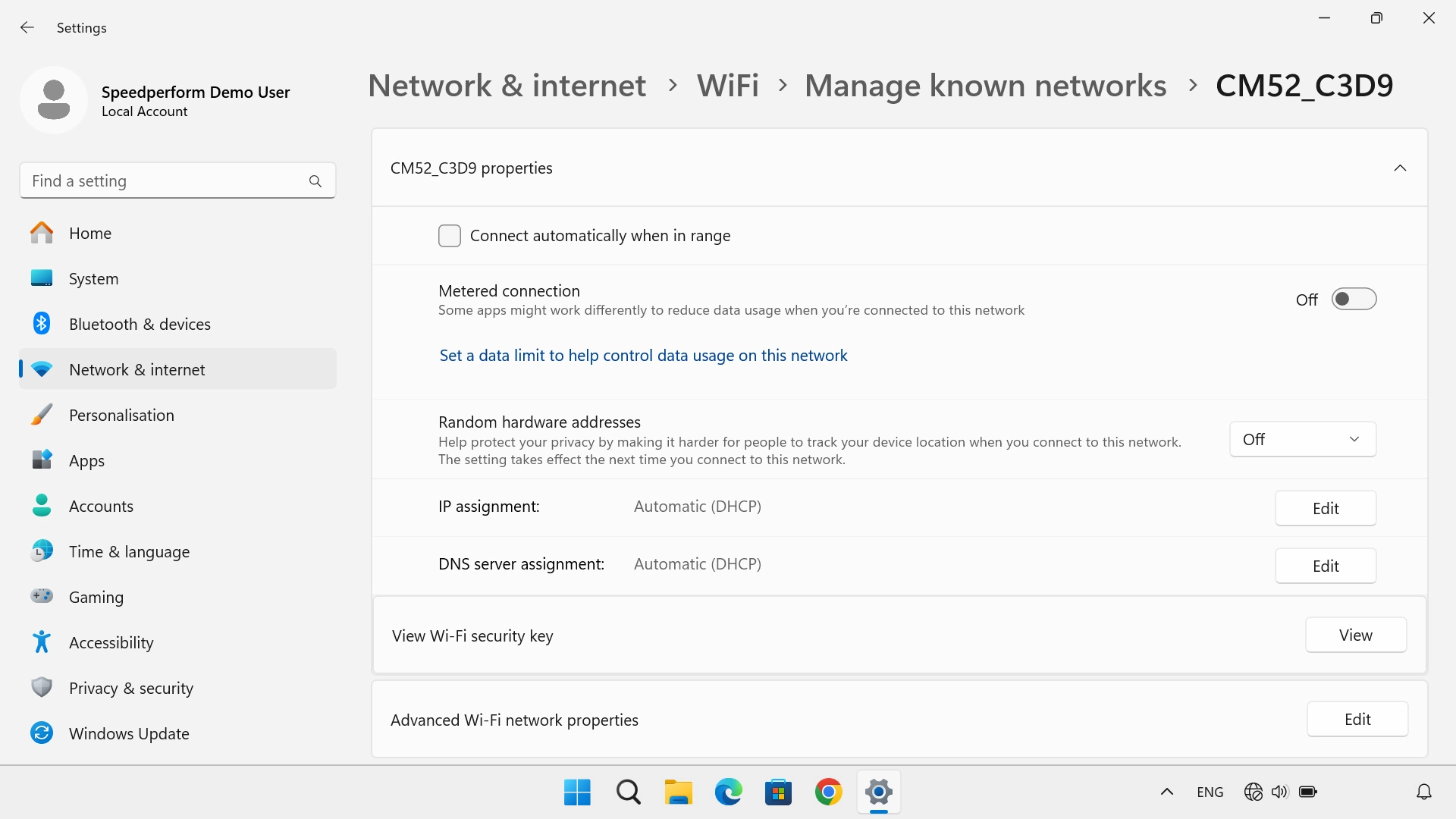
Click the field next to "Connect automatically when in range" to turn the function on or off.

Thank you for your evaluation!

Get information on...

Or select...

Another device