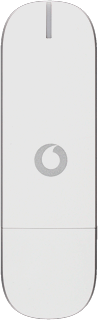
Huawei Ultra low stick K3771/Windows 7

Huawei Ultra low stick K3771

Select network - Huawei Ultra low stick K3771/Windows 7

Read help info

You can set your USB modem to find a network automatically or you can select a network manually. Follow these instructions to select a network.
If you have an active internet connection, it needs to be ended. Click here for information on how to end an internet connection.

If required, click Advanced.
Step 1 of 5

Find "Mobile"

If required, click Advanced.

Click Priorities.
Step 2 of 5

Find "Mobile"

Click Priorities.

Click Mobile.
Step 3 of 5

Find "Mobile"

Click Mobile.

Your USB modem now searches for networks within range and a list of options is displayed.Click Select next to the required network.
Step 4 of 5

Select network

Your USB modem now searches for networks within range and a list of options is displayed.
Click Select next to the required network.

Click Automatic.The screen will tell you if you have access to the network you've chosen.
Step 5 of 5

Select network

Click Automatic.
The screen will tell you if you have access to the network you've chosen.

Find "Mobile"

If required, click Advanced.
Click Priorities.
Click Mobile.

Select network

Your USB modem now searches for networks within range and a list of options is displayed.
Click Select next to the required network.
Click Automatic.
The screen will tell you if you have access to the network you've chosen.

Thank you for your evaluation!

Get information on...

Or select...

Another device