Vodafone Pocket WiFi® 6 CM52 5G

Vodafone Pocket WiFi® 6 CM52 5G

Change Wi-Fi hotspot name on your Vodafone Pocket WiFi® 6 CM52 5G Windows 11

Read help info

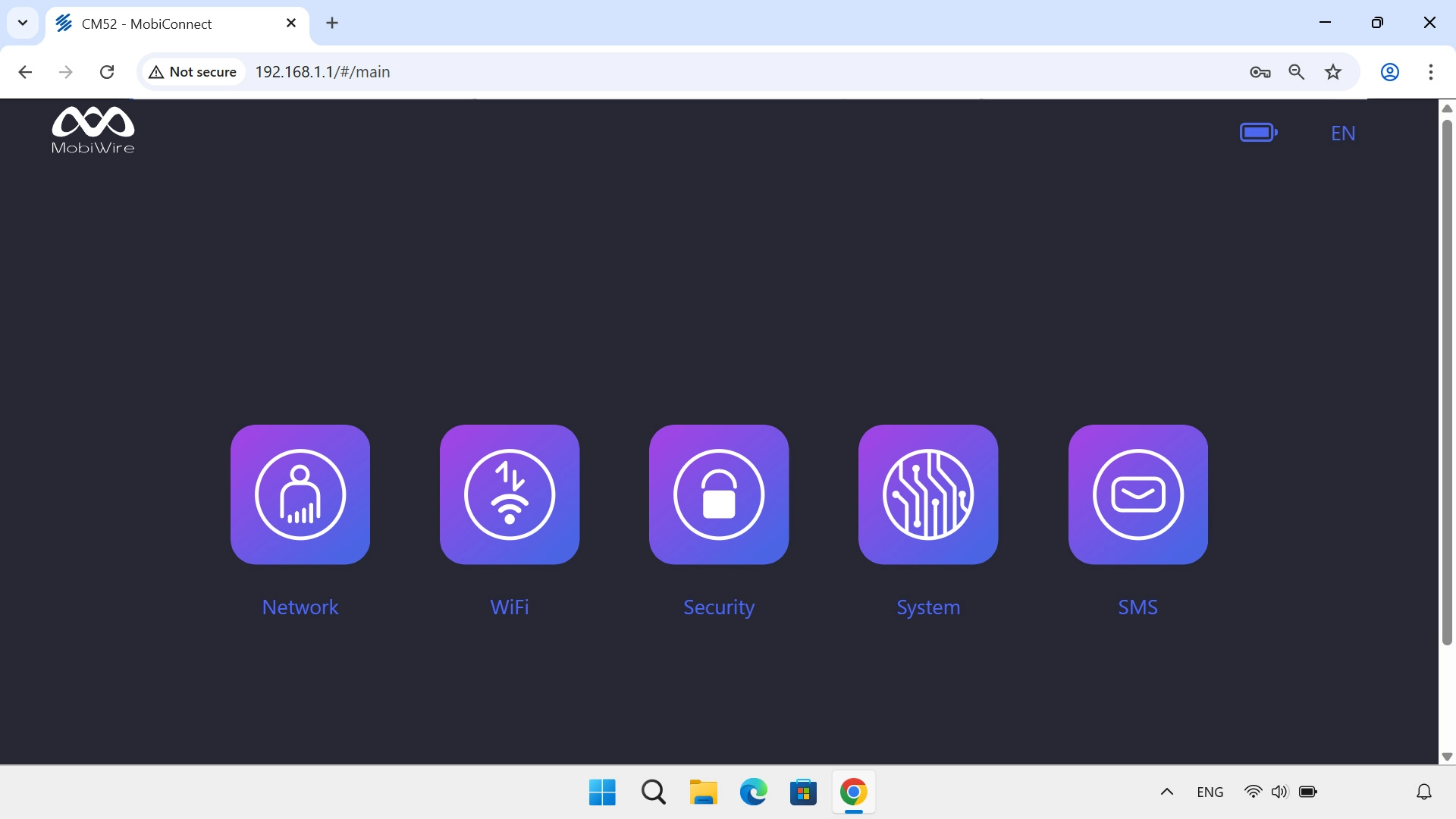
Your router comes with a default name which is used when you establish a connection to the internet using your Wi-Fi hotspot. You can change this name. Remember, you need to establish a connection to the router web interface.

Click WiFi.
Step 1 of 4

1. Find "WiFi Settings"

Click WiFi.
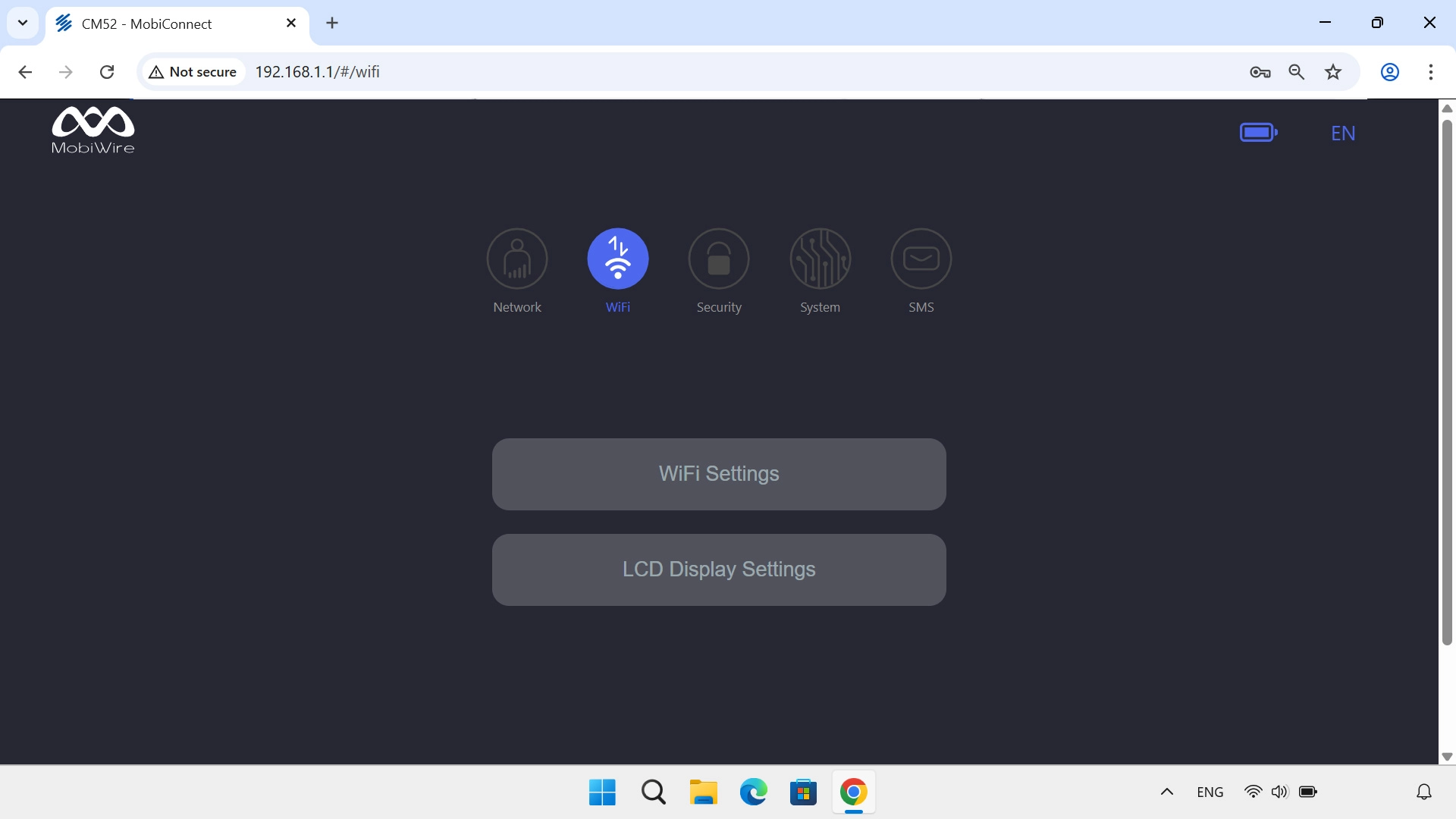
Click WiFi Settings.
Step 2 of 4

1. Find "WiFi Settings"

Click WiFi Settings.
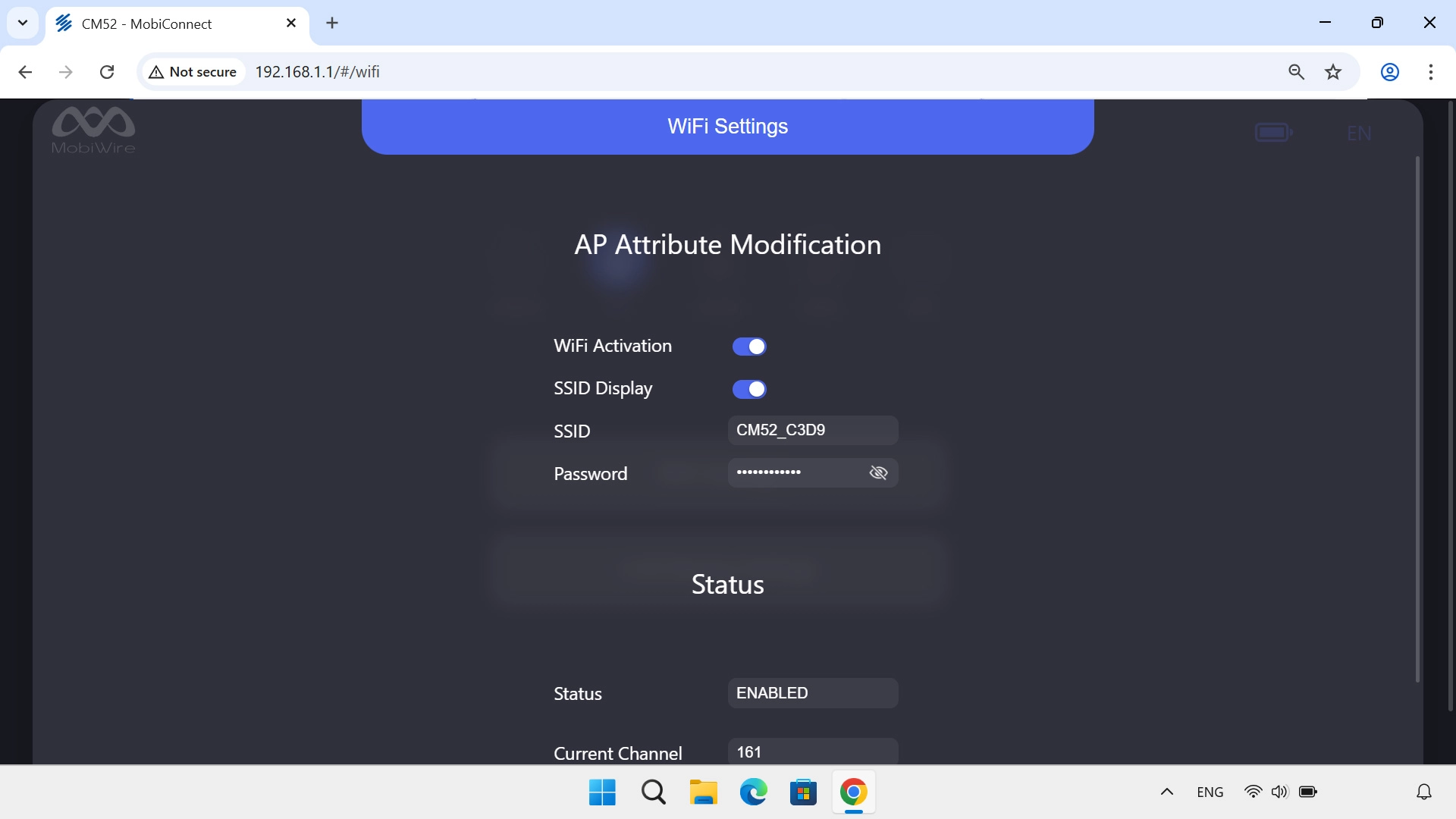
Click the field next to
Step 3 of 4

2. Change Wi-Fi hotspot name

Click the field next to "SSID" and key in the required name for your Wi-Fi hotspot.
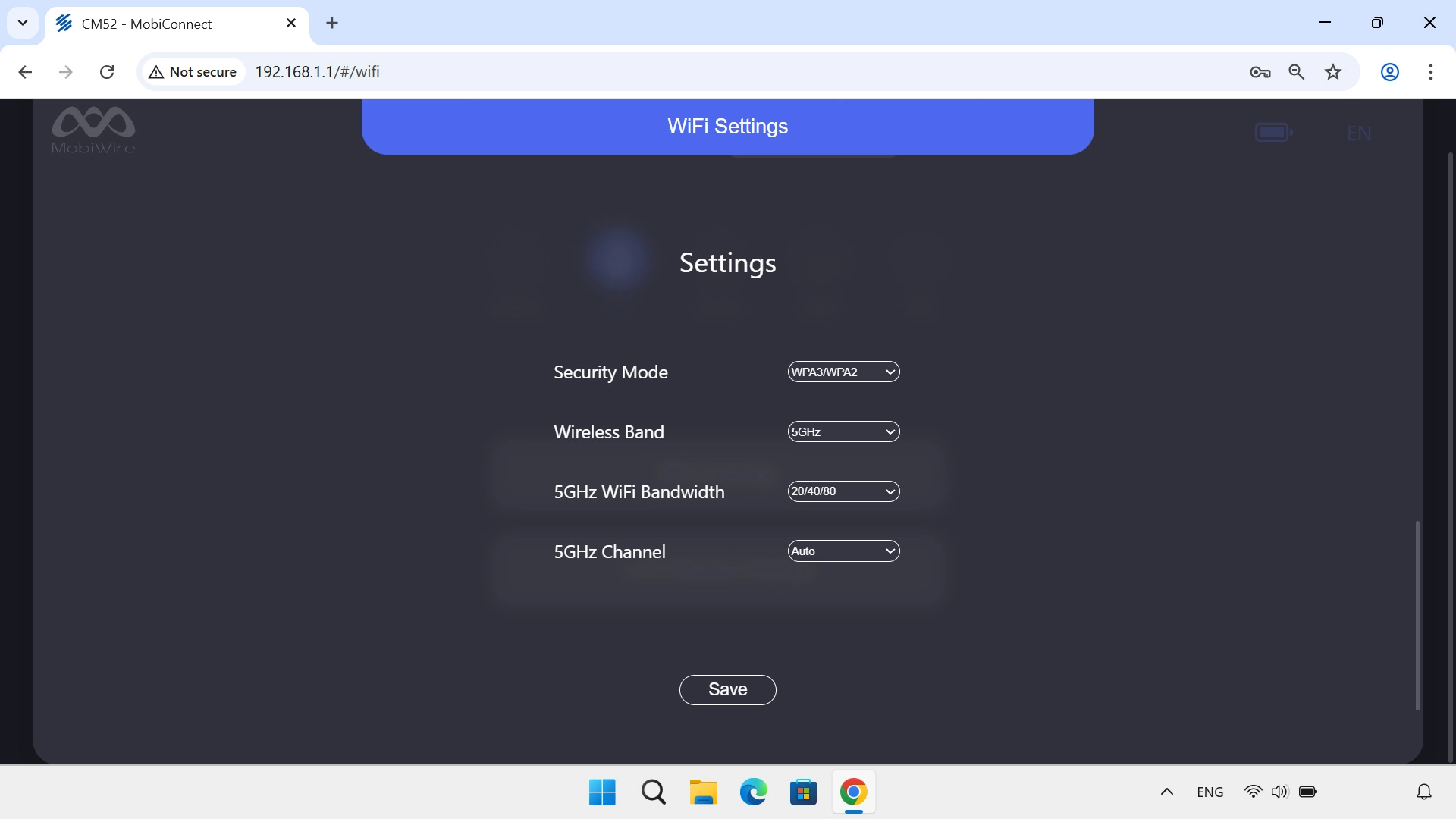
Click Save.
Step 4 of 4

2. Change Wi-Fi hotspot name

Click Save.

Please note that the internet connection is ended and you need to establish an internet connection again with the new settings.

1. Find "WiFi Settings"

Click WiFi.
Click WiFi Settings.

2. Change Wi-Fi hotspot name

Click the field next to "SSID" and key in the required name for your Wi-Fi hotspot.
Click Save.
Please note that the internet connection is ended and you need to establish an internet connection again with the new settings.

Thank you for your evaluation!

Get information on...

Or select...

Another device