Google Pixel 11

Google Pixel 11

Android 17

Short battery life on my Google Pixel 11 Android 17

Cause 5 of 15: Mobile data is turned on

If mobile data is turned on, the power consumption may increase because applications on your phone keep using data.

Solution: Turn off mobile data.

Step 1 of 4

Turn mobile data on or off

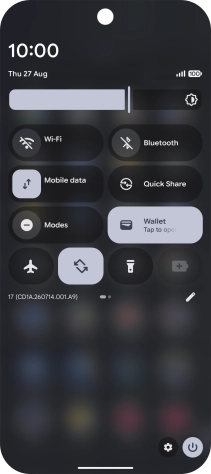
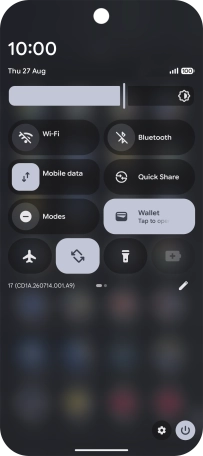
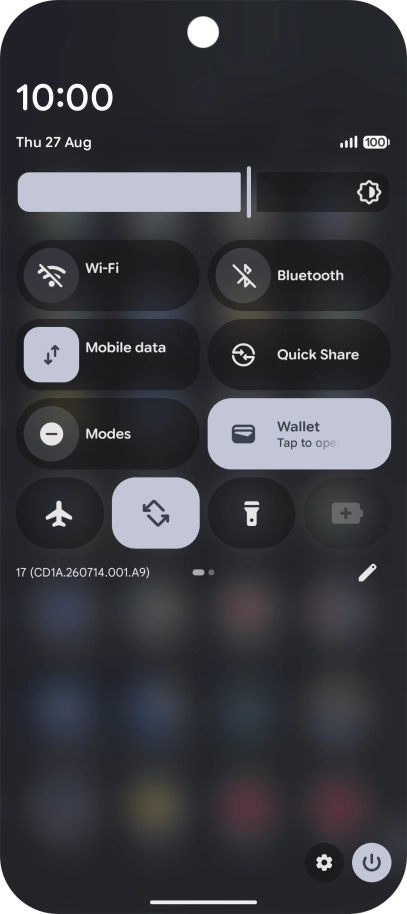
Slide two fingers downwards starting from the top of the screen.
Step 2 of 4

Turn mobile data on or off

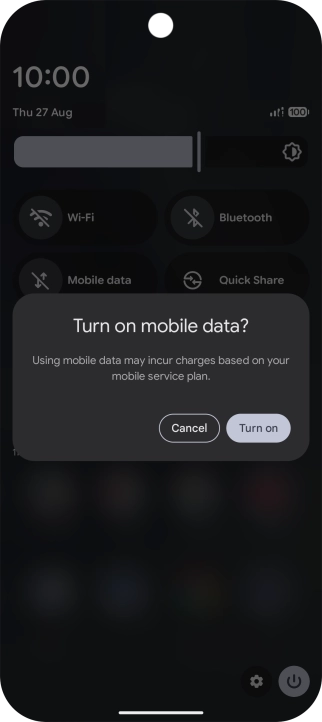
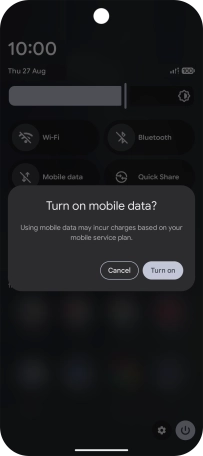
Press the mobile data icon to turn the function on or off.

Step 3 of 4

Turn mobile data on or off

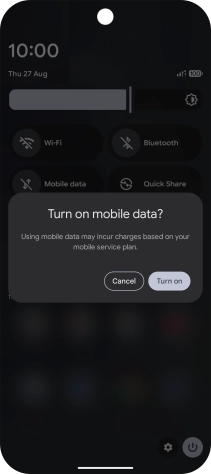
If you turn on the function, press Turn on.

Step 4 of 4

Return to the home screen

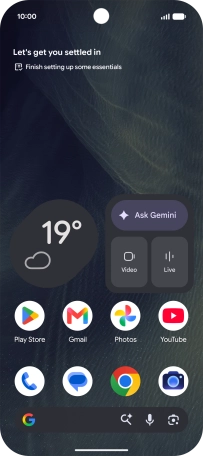
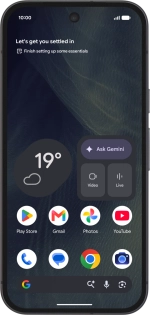
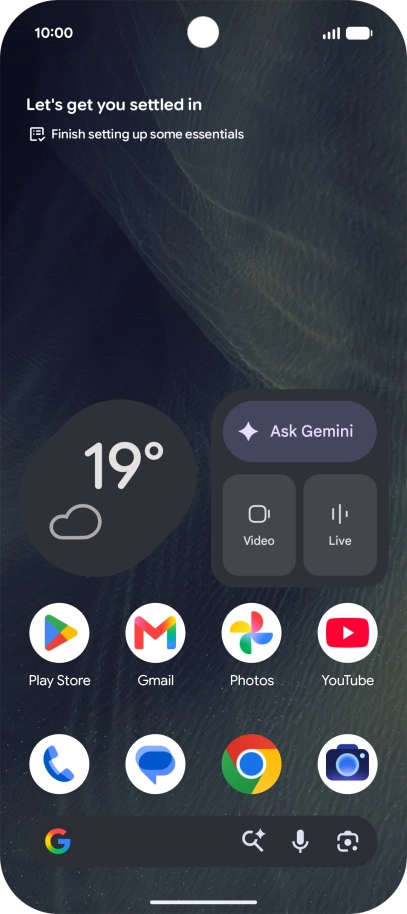
Slide your finger upwards starting from the bottom of the screen to return to the home screen.

1 Turn mobile data on or off

Slide two fingers downwards starting from the top of the screen.
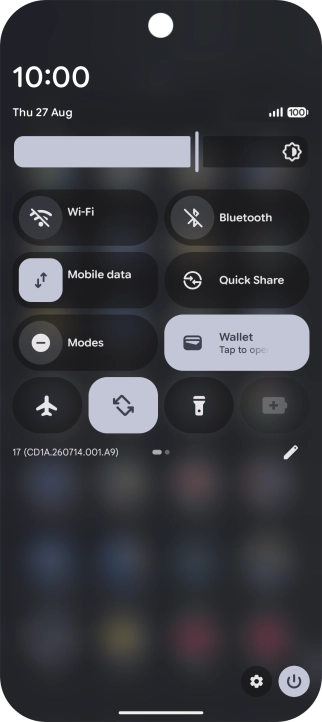
Press the mobile data icon to turn the function on or off.
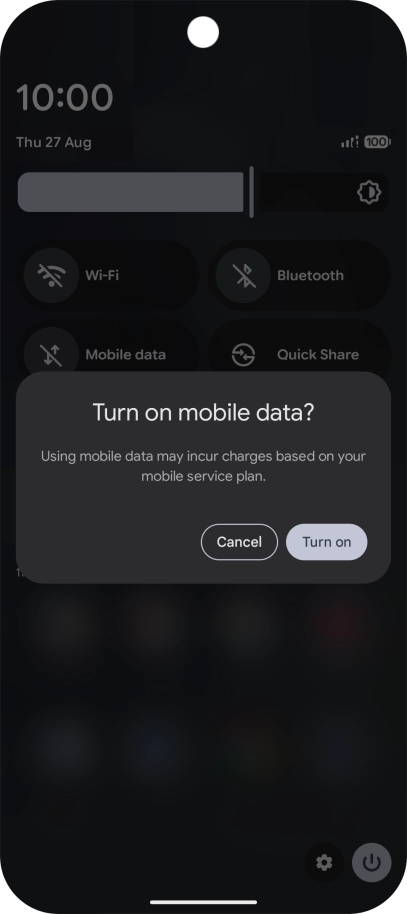
If you turn on the function, press Turn on.

2 Return to the home screen

Slide your finger upwards starting from the bottom of the screen to return to the home screen.

Did this solve the problem?

Yes - All solved No - Go to next cause

Get information on...

Or select...

Another device