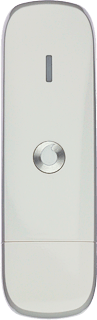

Find "Status"
If required, click Advanced.

Find "Status"
Click Status.

Select setting for automatic connection
To turn automatic connection on or off:
Click Off or On.
If you select Automatic, a connection to the internet is established automatically.
If you select Off, a connection to the internet needs to be established manually.

Select setting for automatic connection
If automatic connection is turned on:
Click Prompt or Automatic.
If you select Automatic, a connection to the internet is established automatically.
If you select Off, a connection to the internet needs to be established manually.
Find "Status"
Select setting for automatic connection
Click Off or On.
If you select Automatic, a connection to the internet is established automatically.
If you select Off, a connection to the internet needs to be established manually.
Click Prompt or Automatic.
If you select Automatic, a connection to the internet is established automatically.
If you select Off, a connection to the internet needs to be established manually.
Thank you for your evaluation!

Thank you for your evaluation!