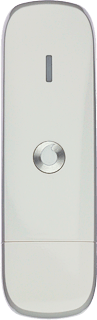
Select settings for automatic start-up - Huawei K4605/Windows Vista

Read help info

You can select if the USB modem application (Vodafone Mobile Broadband) should start up automatically. Follow these instructions to select setting for automatic start-up.

Click Advanced.
Step 1 of 9

Find "Start and Close"

Click Advanced.

Click the top left icon.
Step 2 of 9

Find "Start and Close"

Click the top left icon.

Click Options.
Step 3 of 9

Find "Start and Close"

Click Options.

Click Start and Close.
Step 4 of 9

Find "Start and Close"

Click Start and Close.

Highlight one of the following options below Start:
Step 5 of 9

Select setting for automatic start-up

Highlight one of the following options below Start:

Start this application in the background
Step 6 of 9

Select setting for automatic start-up

Start this application in the background

Start this application as normal
Step 7 of 9

Select setting for automatic start-up

Start this application as normal

Do not start this application
Step 8 of 9

Select setting for automatic start-up

Do not start this application

Click OK to close the window.
Step 9 of 9

Exit

Click OK to close the window.

Find "Start and Close"

Click Advanced.
Click the top left icon.
Click Options.
Click Start and Close.

Select setting for automatic start-up

Highlight one of the following options below Start:
Start this application in the background
Start this application as normal
Do not start this application

Exit

Click OK to close the window.

Thank you for your evaluation!

Get information on...

Or select...

Another device