Skip to content Vodafone Australia Vodafone Australia
How can we help?
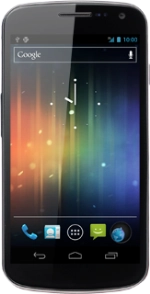
Samsung Galaxy Nexus
Help and Support for

Samsung Galaxy Nexus

  1. Home
  2. Device help
  3. Samsung
  4. Galaxy Nexus
  5. Basic use

Choose a help topic

Basic use - Samsung Galaxy Nexus

First use

Insert SIM and batteryActivate Google account on phone

Using your phone

Charge the batteryTurn your phone on and offTurn key lock on or offGuide to phone keys and socketsList of display iconsHow to write textReturn to standby modeEnd active applications

Network

Choose networkChoose network modeTurn flight mode on or off

Security codes

Turn use of PIN on or offChange PINTurn use of phone lock code on or offChange phone lock codeView SIM lock status

Making calls

Make a callAnswer a callMake a call with hidden caller identificationTurn call waiting on or offUse call waitingTurn your own caller identification on or offDivert calls to alternative number

Contacts

Create contactSynchronise contacts with social networks and email accountsMerge identical contactsCopy contacts between your SIM and your phone

Voicemail

Save voicemail numberDivert calls to voicemailCall voicemailCancel all diverts

Text messaging

Set up your phone for text messagingWrite and send text messagesRead text messages

Picture messaging

Set up your phone for picture messagingWrite and send picture messagesRead picture messages

Email messaging

Set up your phone for POP3 emailSet up your phone for web-based emailSet up your phone for Exchange emailChoose default email accountDelete email configurationWrite and send email messagesRead email messages

Gmail

Write and send a Gmail messageRetrieve and send Gmail messages

Are you ready to upgrade your device? Check out our latest mobile phones

© 2026 TPG Telecom Limited ABN 76 096 304 620 We acknowledge the Traditional Custodians of the land on which we live, work and connect. We pay respect to Elders, past, present, and emerging.